Enhanced Calendar & Schedules Tabs
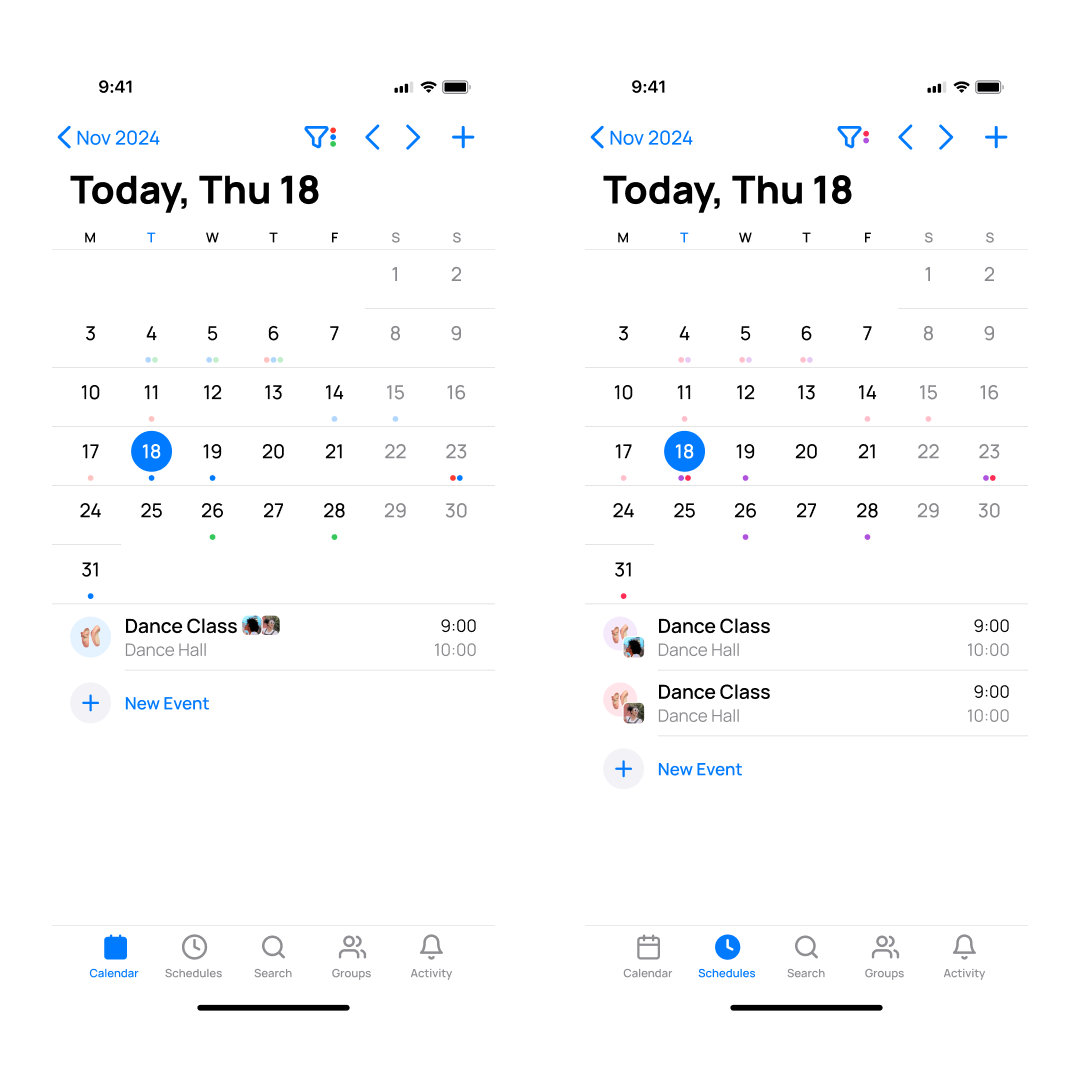
We’ve rebuilt the Calendar and Schedules tabs to improve performance and usability. The filter bars have been replaced with dedicated filter modals, making it easier to select which calendars and member schedules to display.
In the Schedules tab, events now appear separately for each selected member, distinguished by avatars to improve clarity.
🆕 Full Month View in Schedules Tab
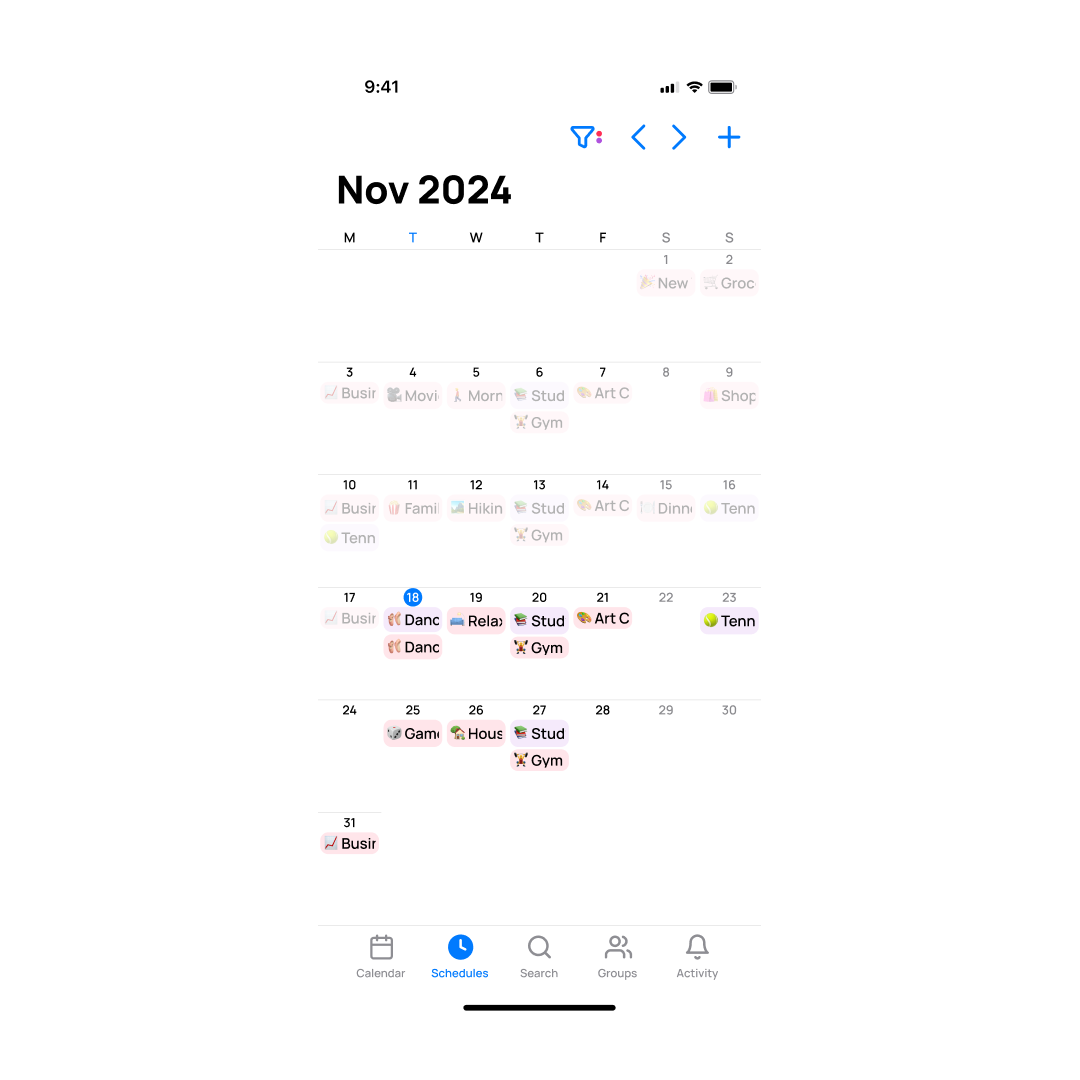
The Schedules tab now offers a full-month view alongside the agenda view, letting you see all selected members’ schedules for the entire month in one place.
🆕 Custom Colours for Member Schedules
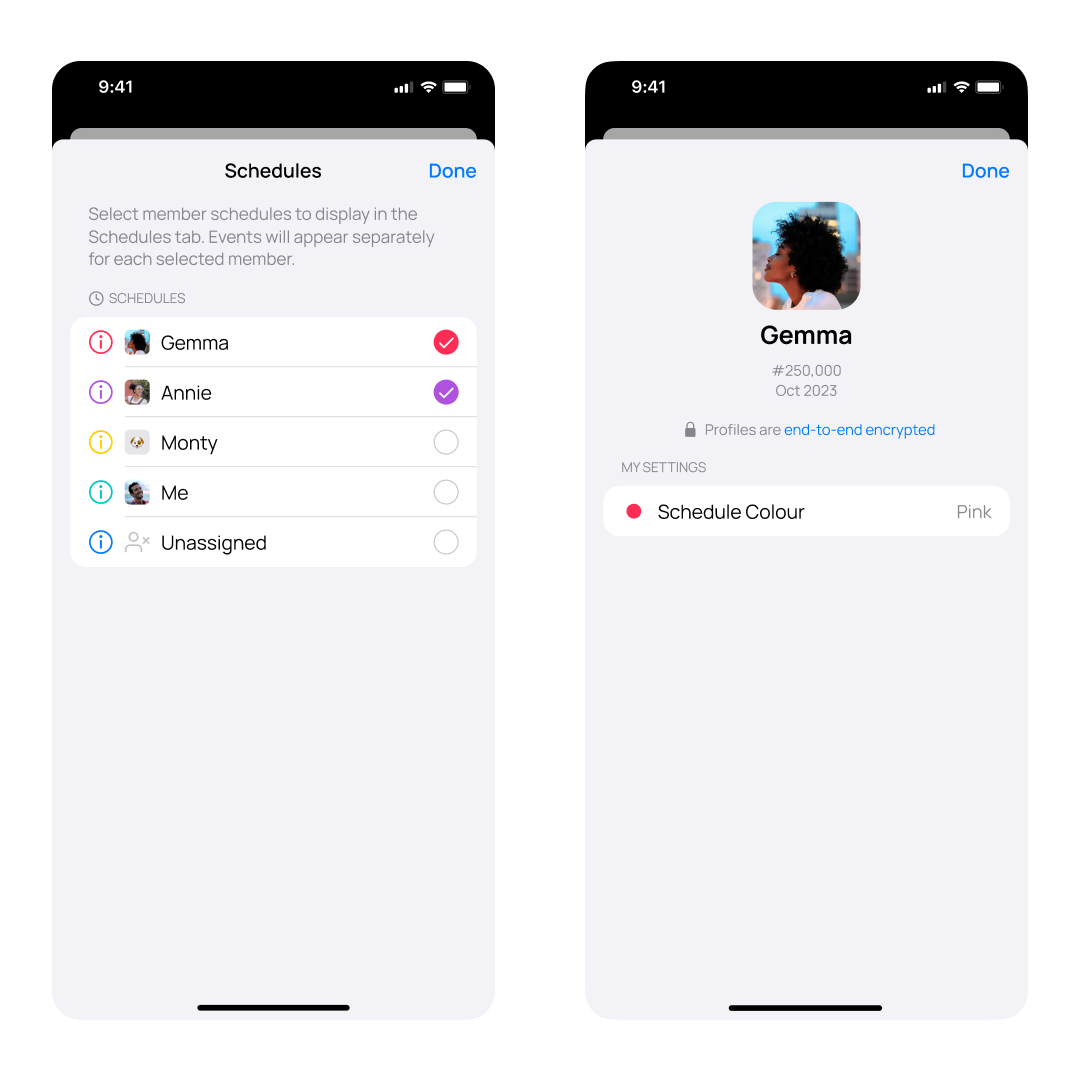
You can now assign custom colours to individual member schedules within the Schedules tab. Tap the ℹ️ Info button next to a member’s name to personalise their schedule colour across the app.
🆕 Support for Multi-line Event Titles and Editing
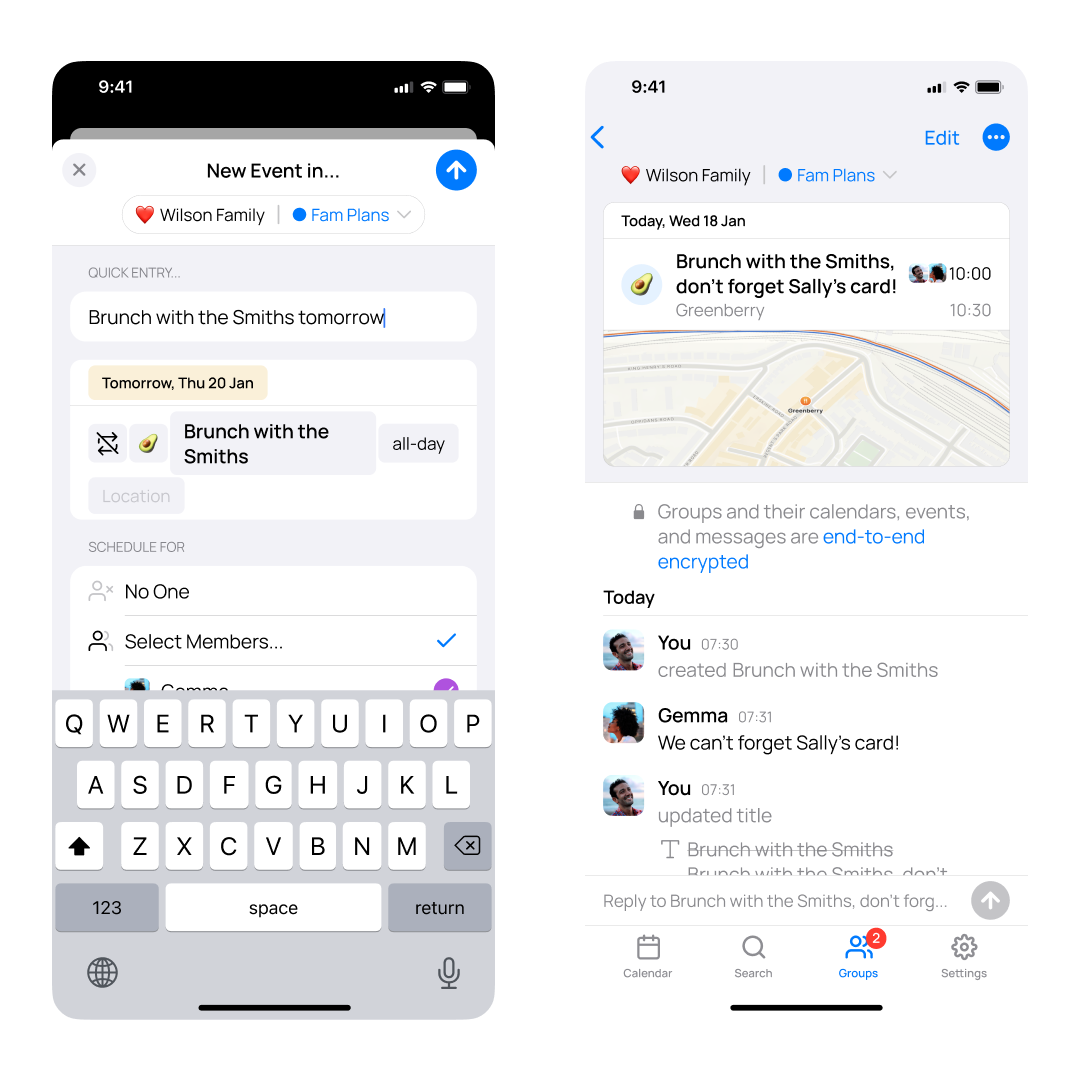
OurCal now supports displaying events with long titles across multiple lines. When creating or editing events, the title input fields also allow multi-line editing.
Improved Group Join Links
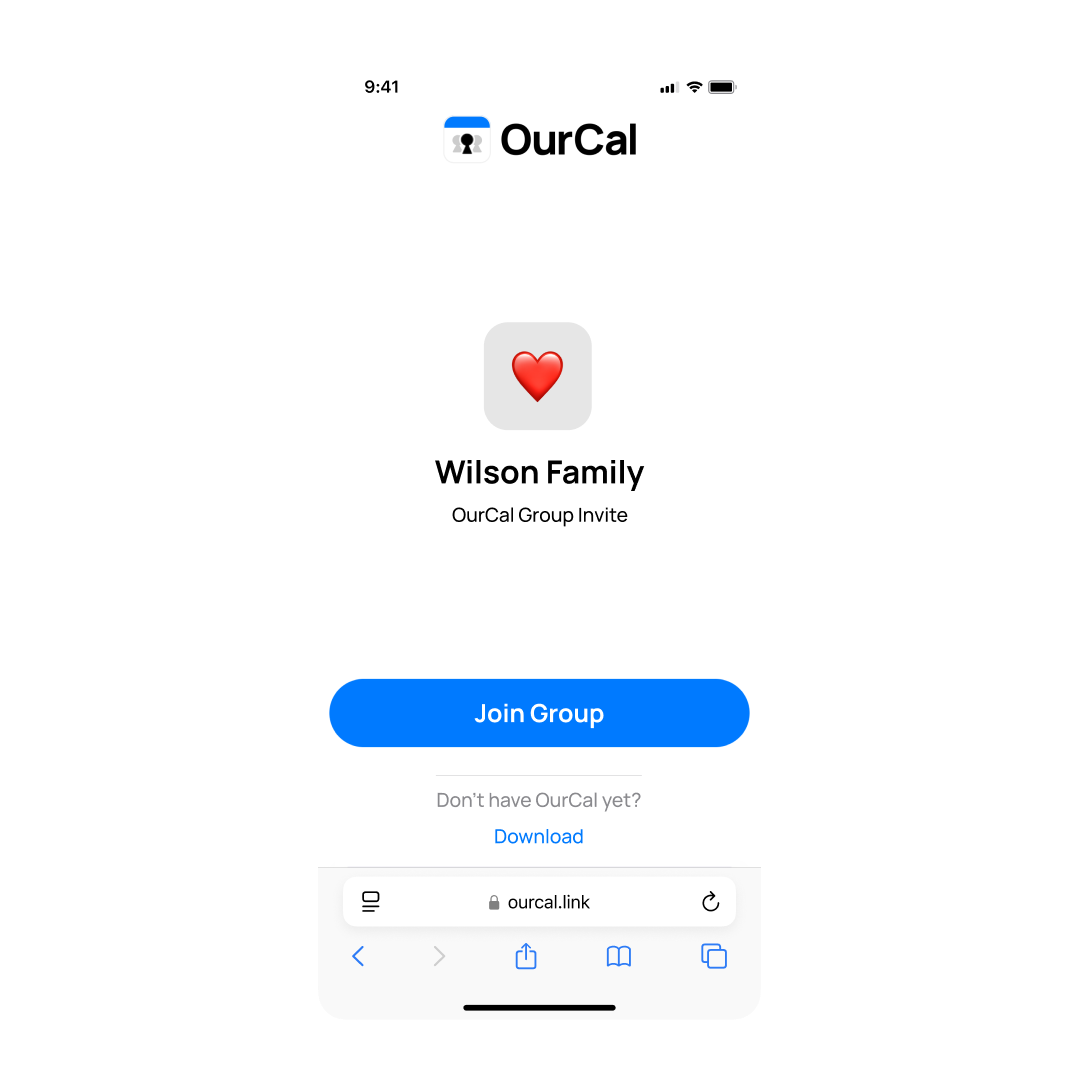
We’ve significantly improved OurCal group join links. Now, the group’s name and emoji are securely displayed on the join page, providing a clearer and more trustworthy experience for new joiners. This enhancement replaces the previous, generic page, helping these new users feel confident about the group they are joining.
Simplified Group Joining
We’ve simplified how you join groups in OurCal. With this update, new or existing users can now simply tap on an ourcal.link that they’ve been sent to auto-join the respective group. No more copying and pasting URLs!
Minor Fixes
And as always, this release also contains minor fixes and improvements.

