Today brings a significant upgrade to OurCal.
Use OurCal With Multiple Different Groups
You can now create multiple groups to share separate calendars with different people in OurCal, instead of the one group limit.
This lets you share private calendars with multiple groups, from family to friends and even communities.
You can also make groups to share a calendar for one-off events like holidays, weddings, or projects.
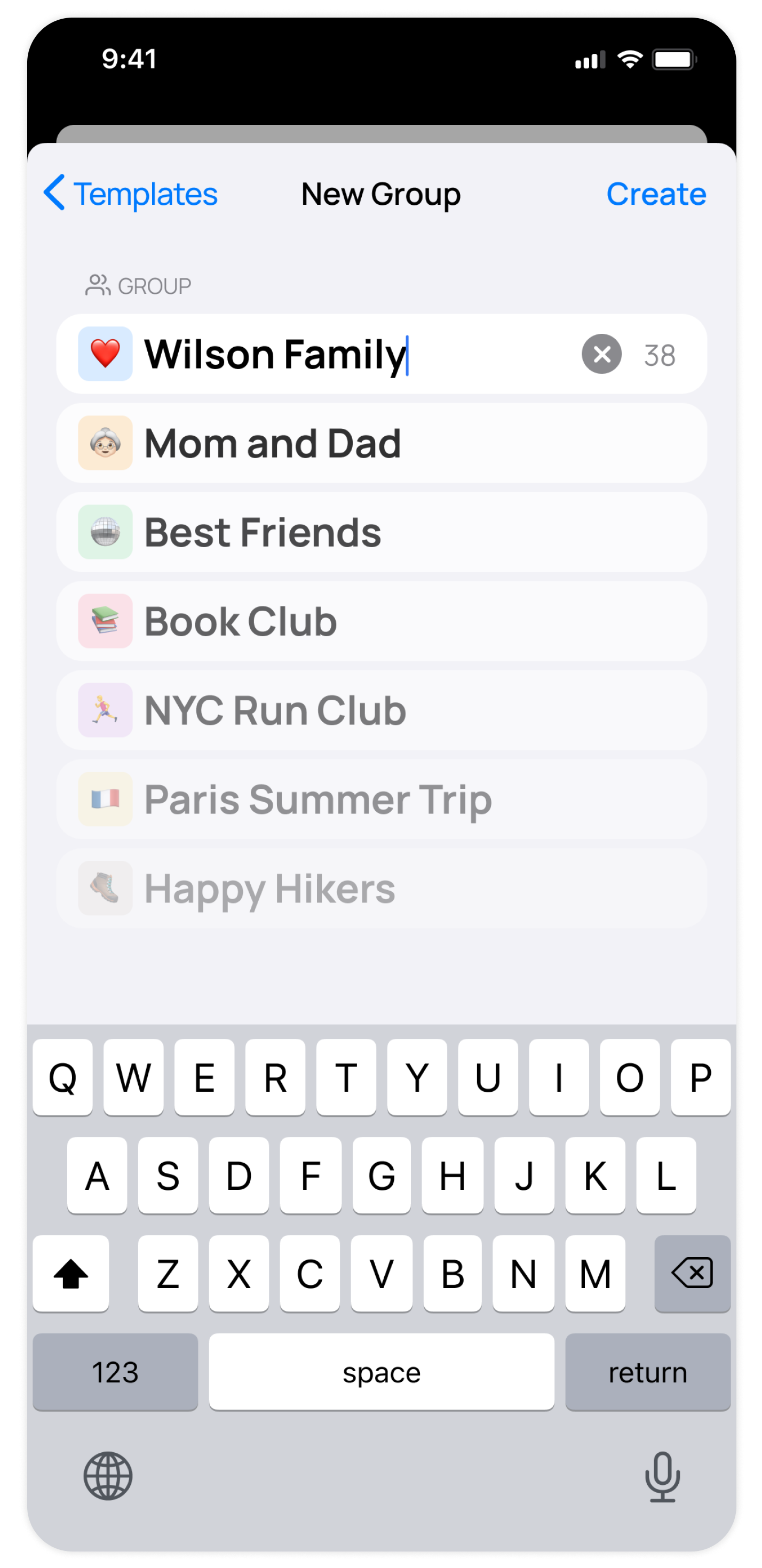
Creating a new group is easy:
- Tap "Groups" in the bottom navigation bar
- Tap "New Group"
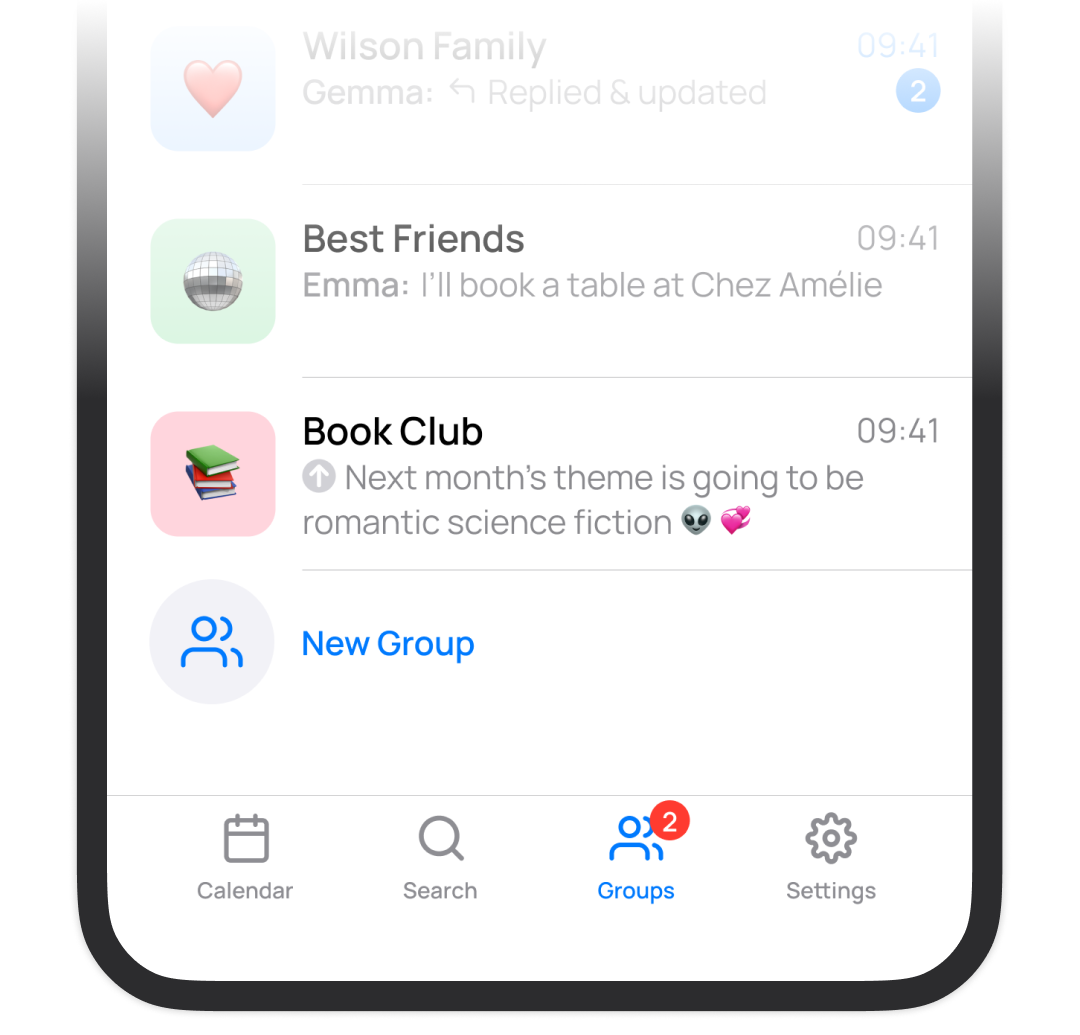
Invited members who already have OurCal will be able to join this group instantly. Those yet to download OurCal will be redirected to the app store and then guided swiftly to join.
Important Note To Existing Users
Your existing OurCal group will remain unchanged for now, but new groups will showcase advanced features due to updated technology.
- In these new groups, you will have the ability to toggle members' calendars on or off.
- Updates and messages will be streamlined into a single group chat.
In the future, we plan to upgrade your original OurCal group to incorporate these new features for a more streamlined experience.
Streamlined Group Chat & "Chats" Becomes "Groups"
Previously, each custom calendar had a chat. This would get very busy with multiple groups.
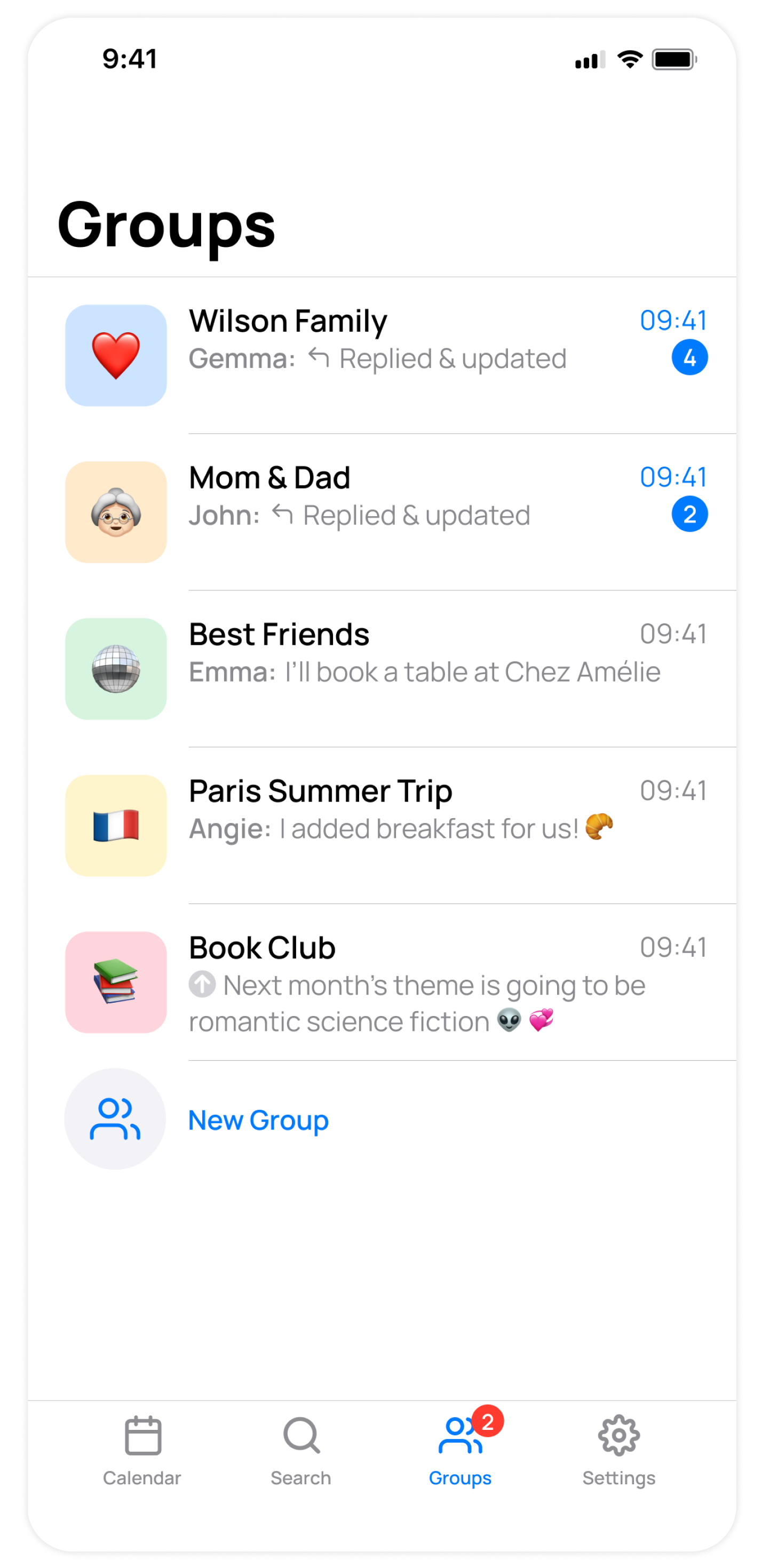
Now, we've streamlined all group updates into one group chat where you can reply either there or in an event’s own thread.
For improved communication, we've re-named the Chats tab, to the Groups tap. Also, the UI has been upgraded here to show a preview of the last message or update.
Settings has a new home
In this update, we've made the navigation simpler. Before, it was hard to find Settings. Now, Settings has its own tab, and every tab has a label.

