🆕 The All-New OurCal for iOS
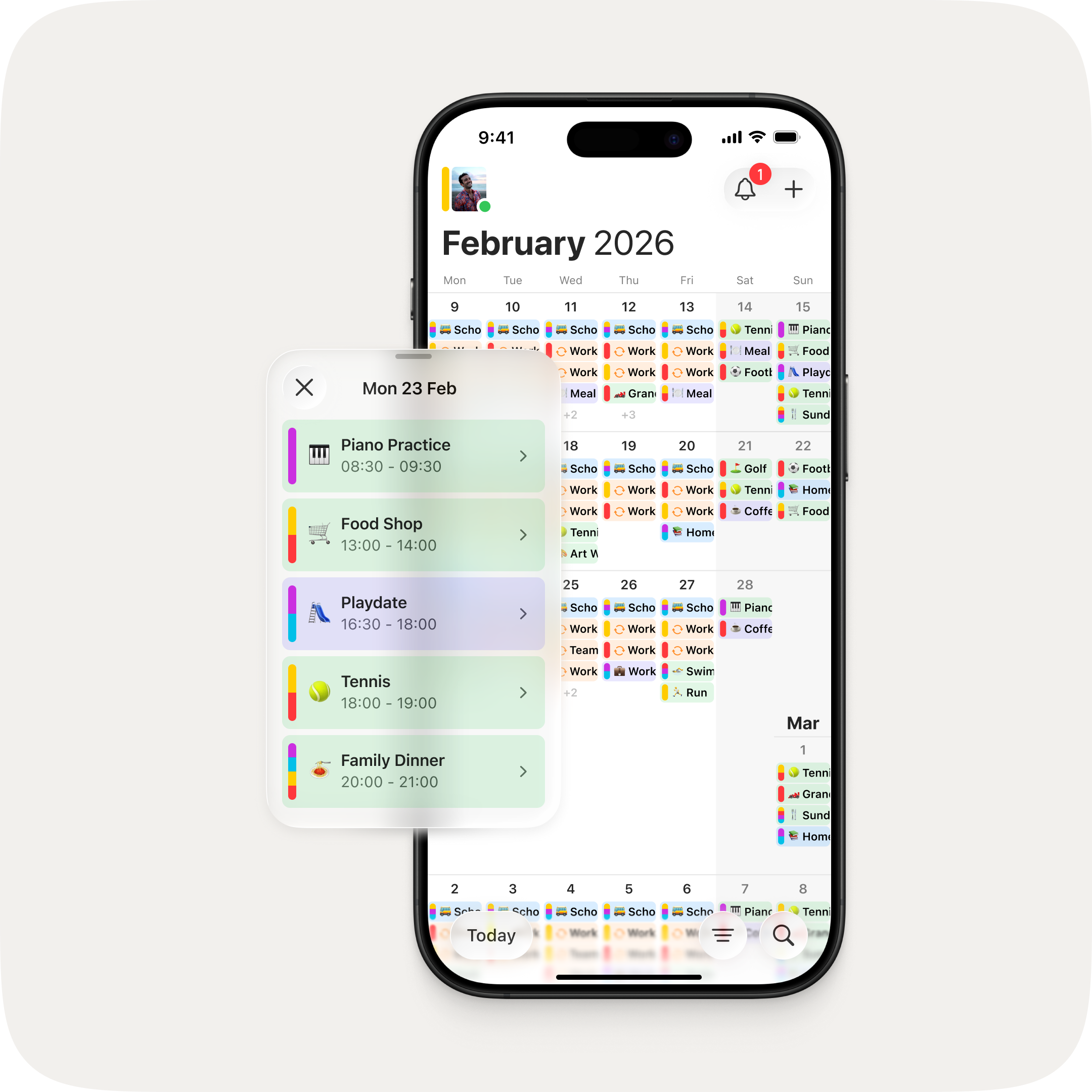
This is the biggest update to OurCal since we launched. We set ourselves a challenge: make OurCal even easier to use without losing any of its powerful functionality. The answer is an app that's been completely redesigned — with a unified calendar view, colour-coded events, powerful new filters, and a faster way to create events.
One View for Everything
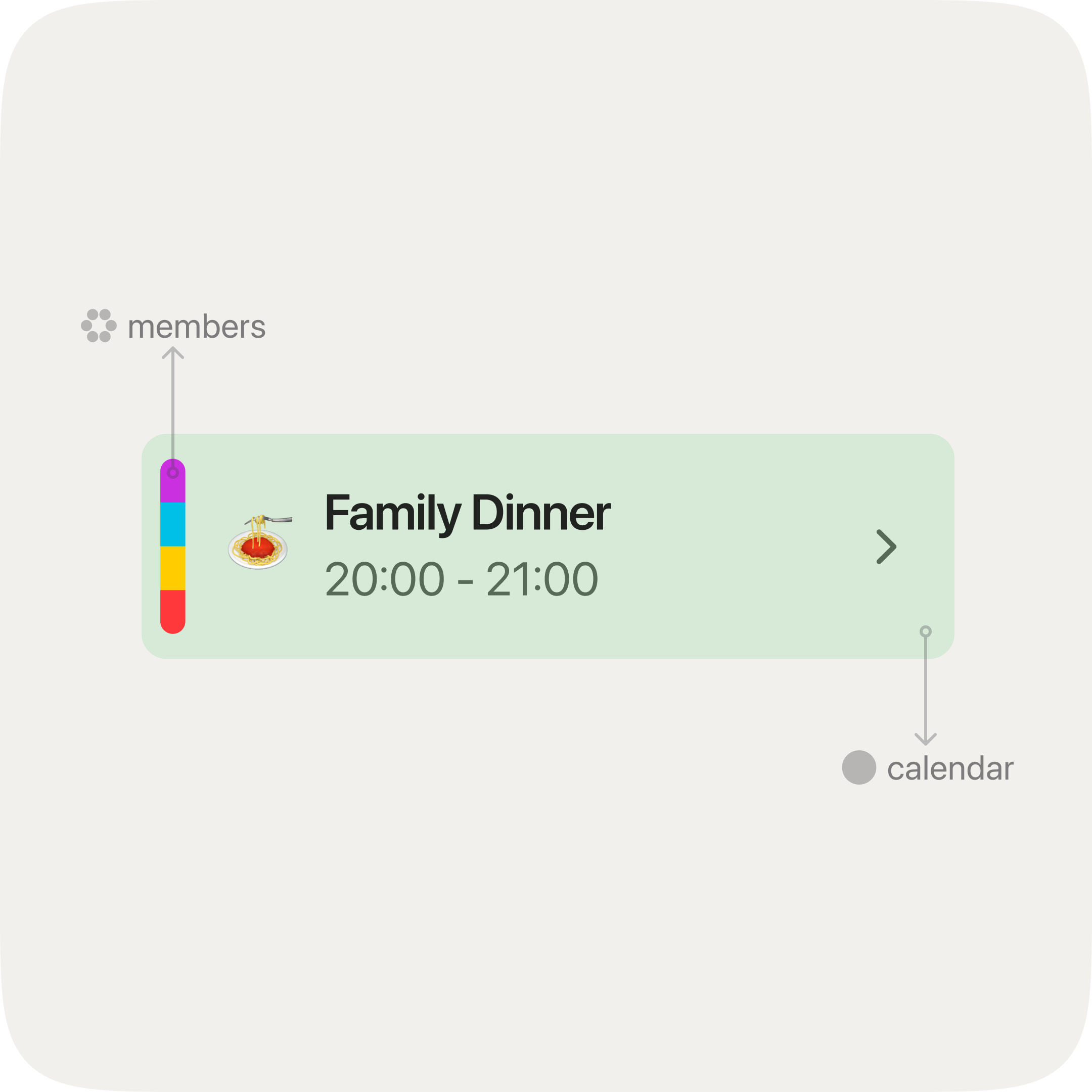
Two tabs became one. The Calendar and Schedules tabs have been unified into a single, vertically scrolling calendar — an infinite list you can flick through naturally, just like everything else on your phone. Every event is shown together, differentiated by its calendar colour and the colours of its scheduled members. No more switching between views. Just open OurCal and scroll.
See Exactly What You Need
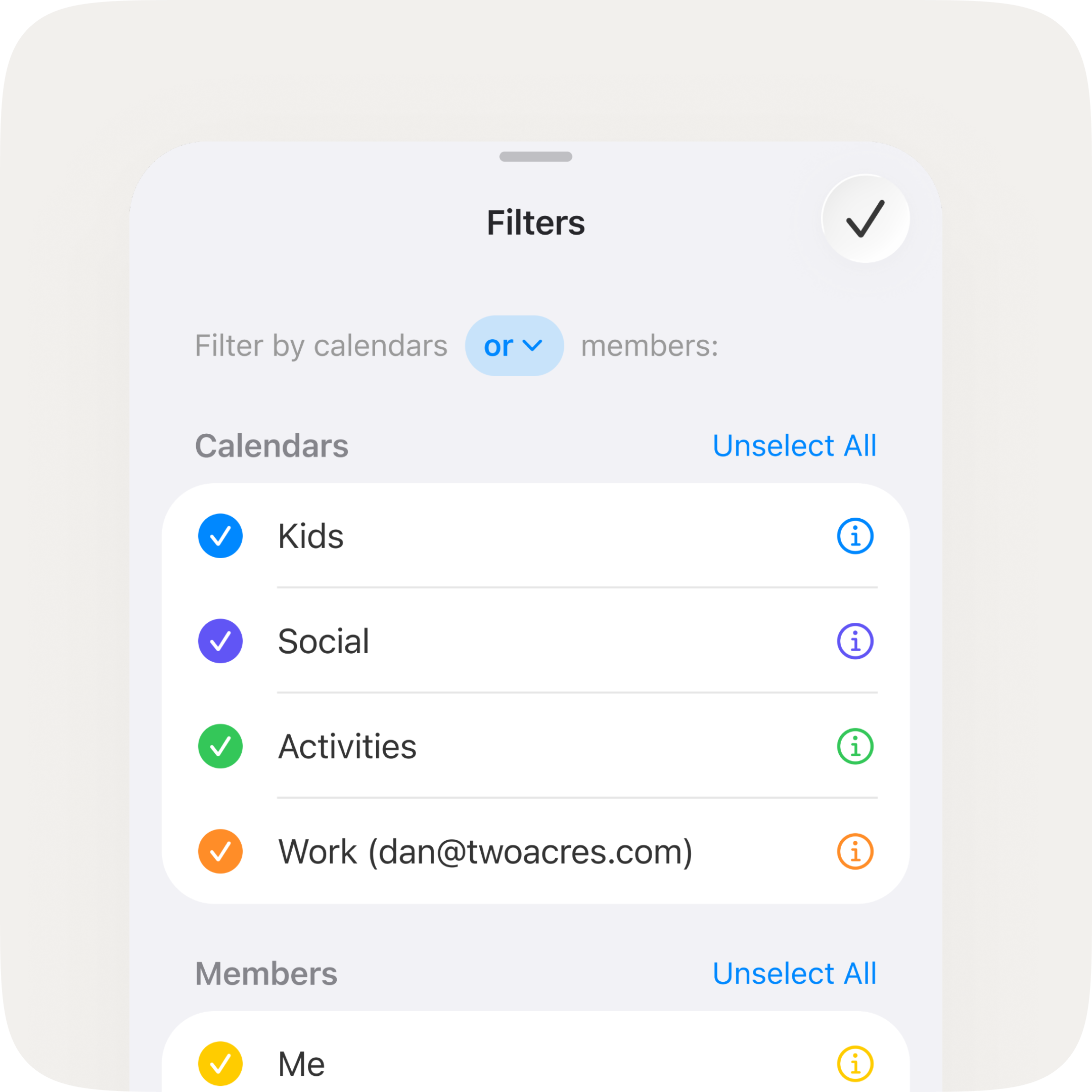
Sometimes you need to check your partner's work schedule before booking a date night. Other times you want to see just the kids' school calendar, or focus on your own week ahead. New and/or filtering by calendars and members lets you zero in on exactly the view you need — without the clutter of everything else.
Your Day, Two Ways
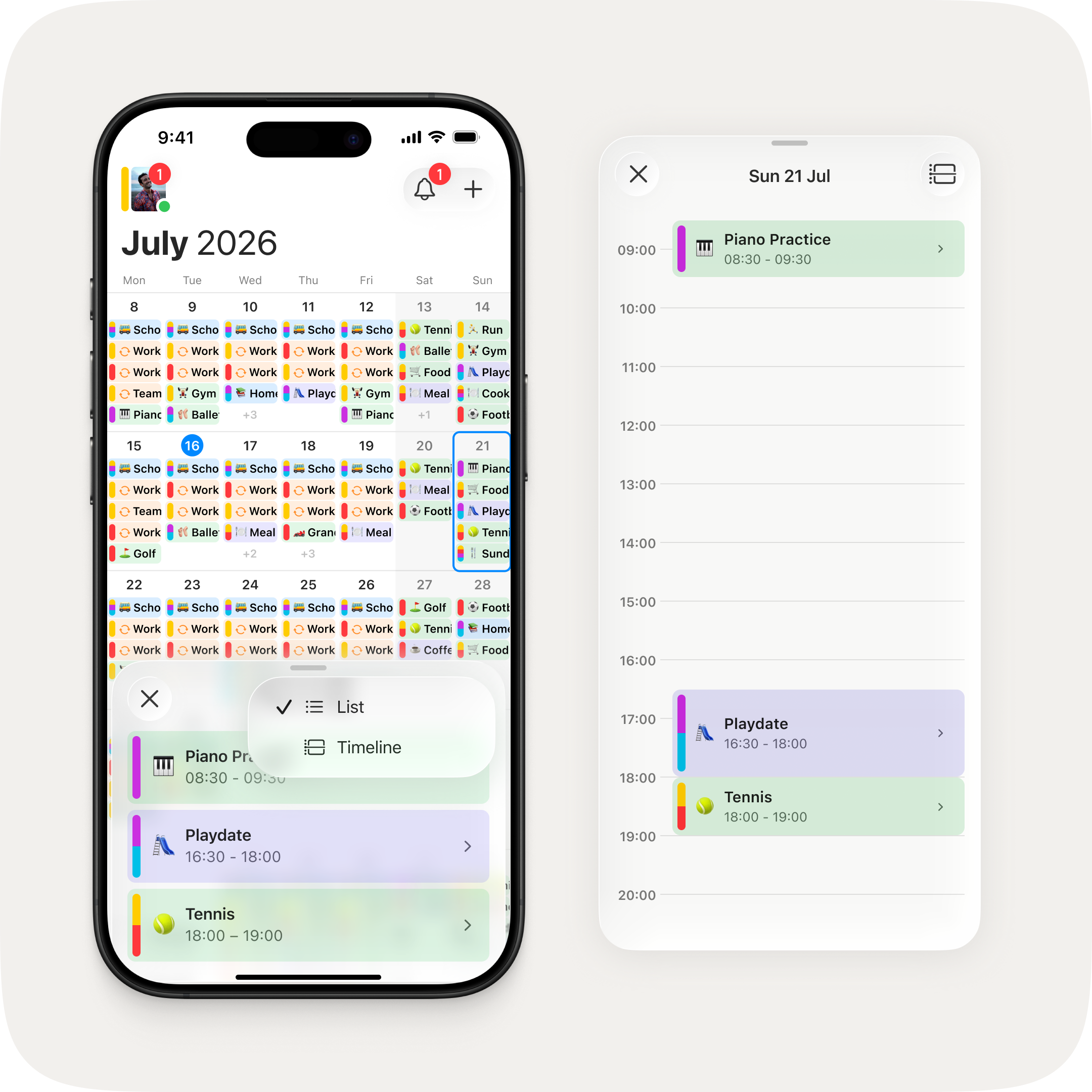
Tap any day to open a new agenda sheet. List gives you a clean rundown of what's on. Timeline maps it across the hours so you can spot gaps and overlaps at a glance. Two ways to look at the same day, one tap to switch between them.
Create Events in Fewer Taps
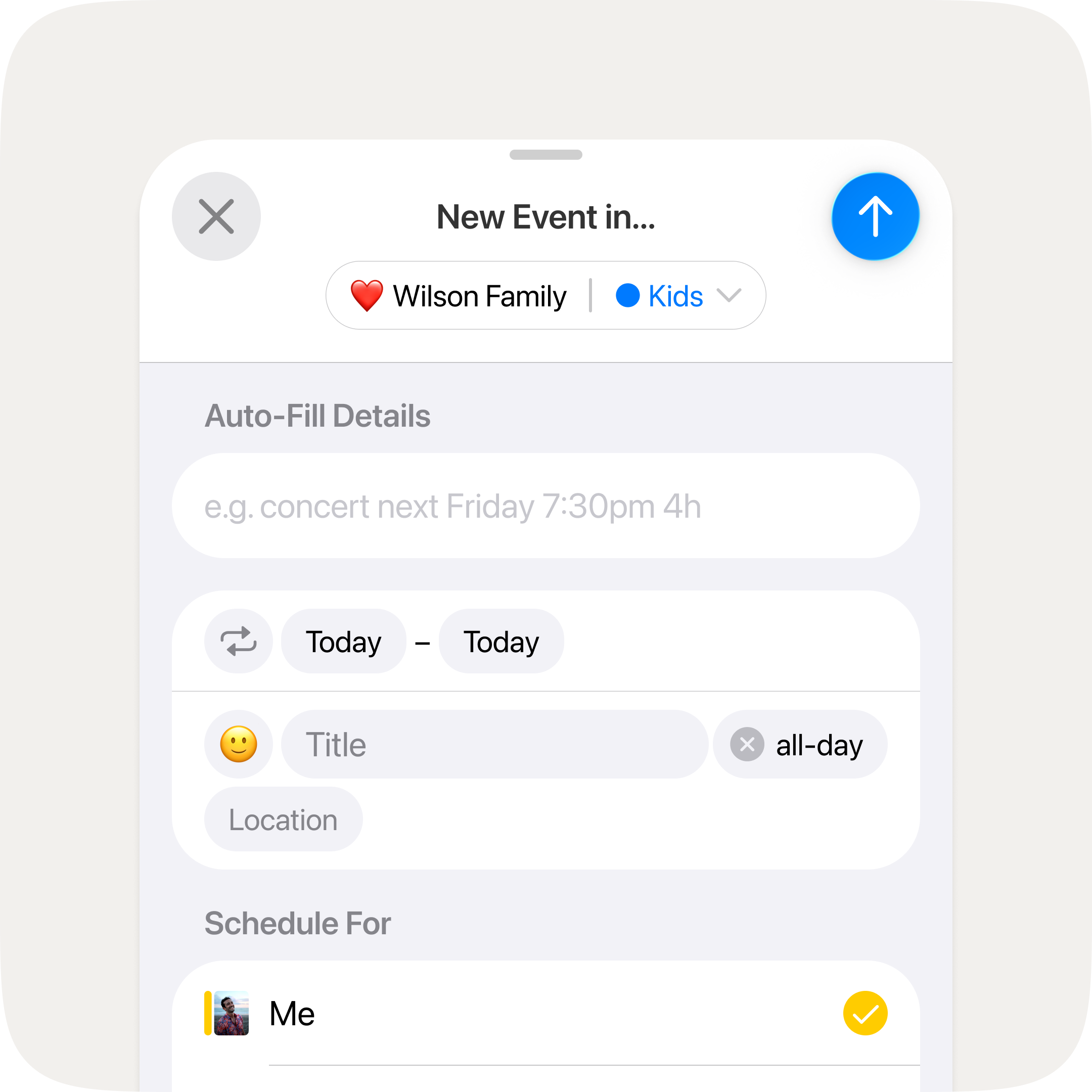
We trimmed the steps it takes to add an event. Turn off all-day with a single tap. Reach the end date field directly. Small refinements, but you'll feel them every time you schedule something.

