🆕 The All-New OurCal for iOS
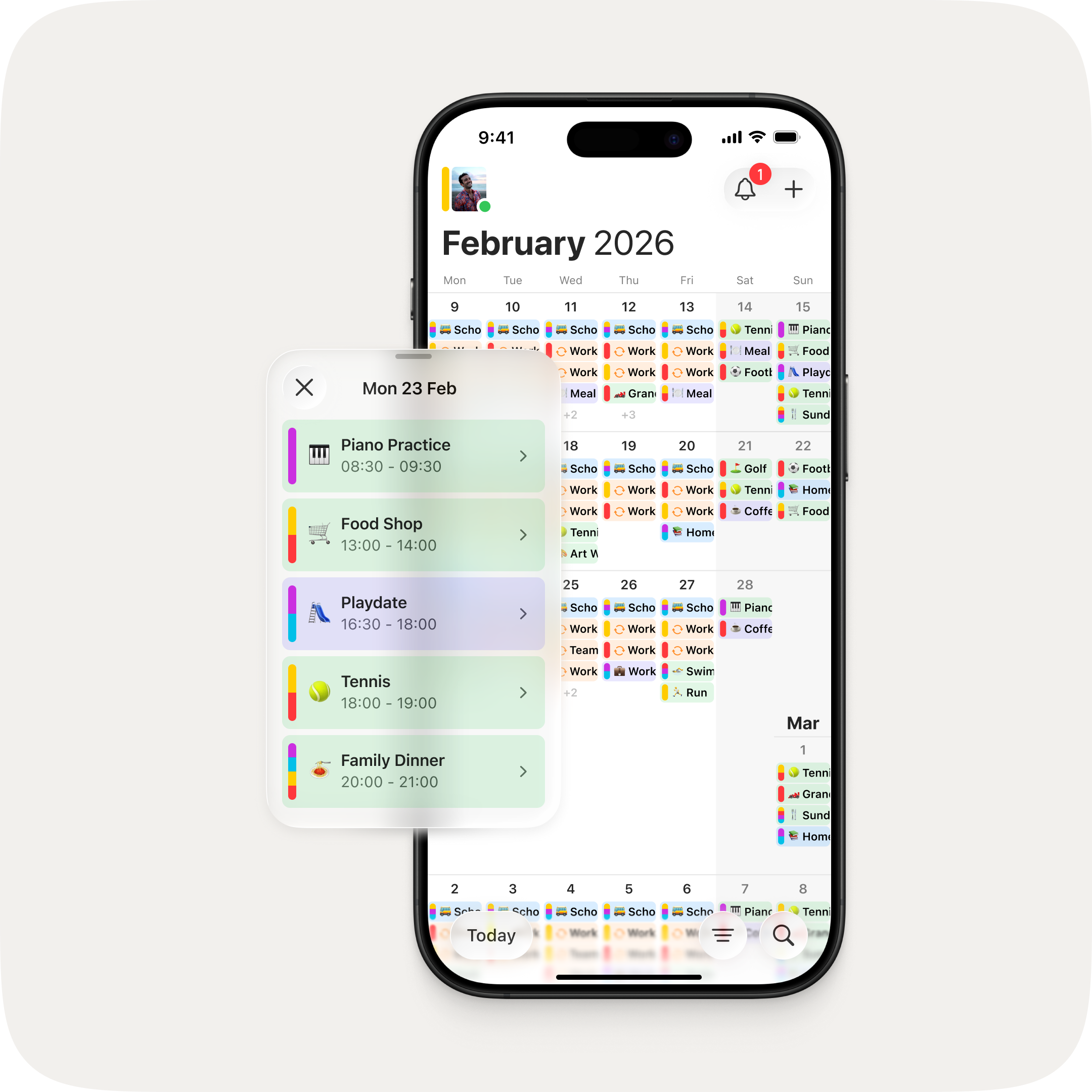
This is the biggest update to OurCal since we launched. We set ourselves a challenge: make OurCal even easier to use without losing any of its powerful functionality. The answer is an app that's been completely redesigned — with a unified calendar view, colour-coded events, powerful new filters, and a faster way to create events.
One View for Everything
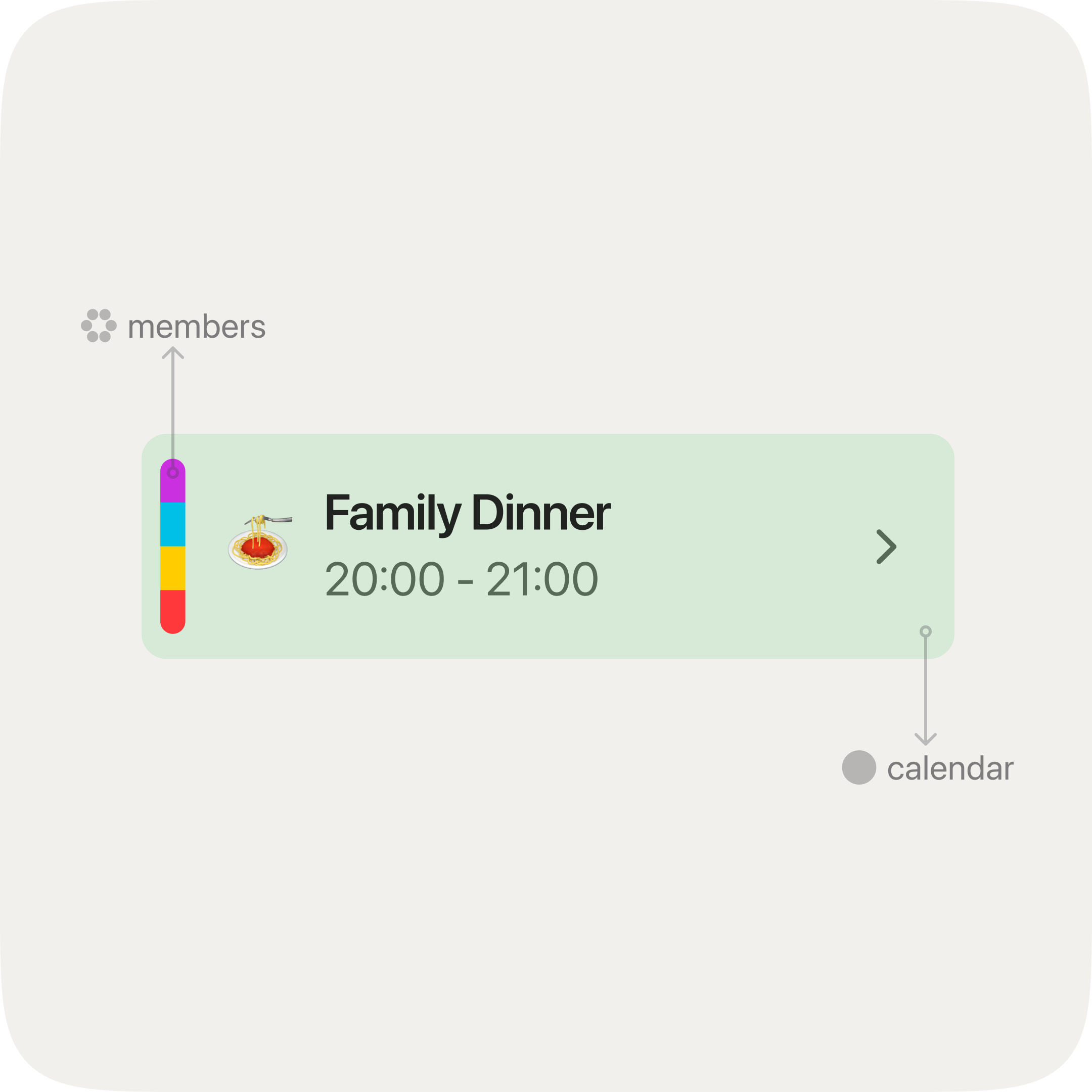
Two tabs became one. The Calendar and Schedules tabs have been unified into a single, vertically scrolling calendar — an infinite list you can flick through naturally, just like everything else on your phone. Every event is shown together, differentiated by its calendar colour and the colours of its scheduled members. No more switching between views. Just open OurCal and scroll.
See Exactly What You Need
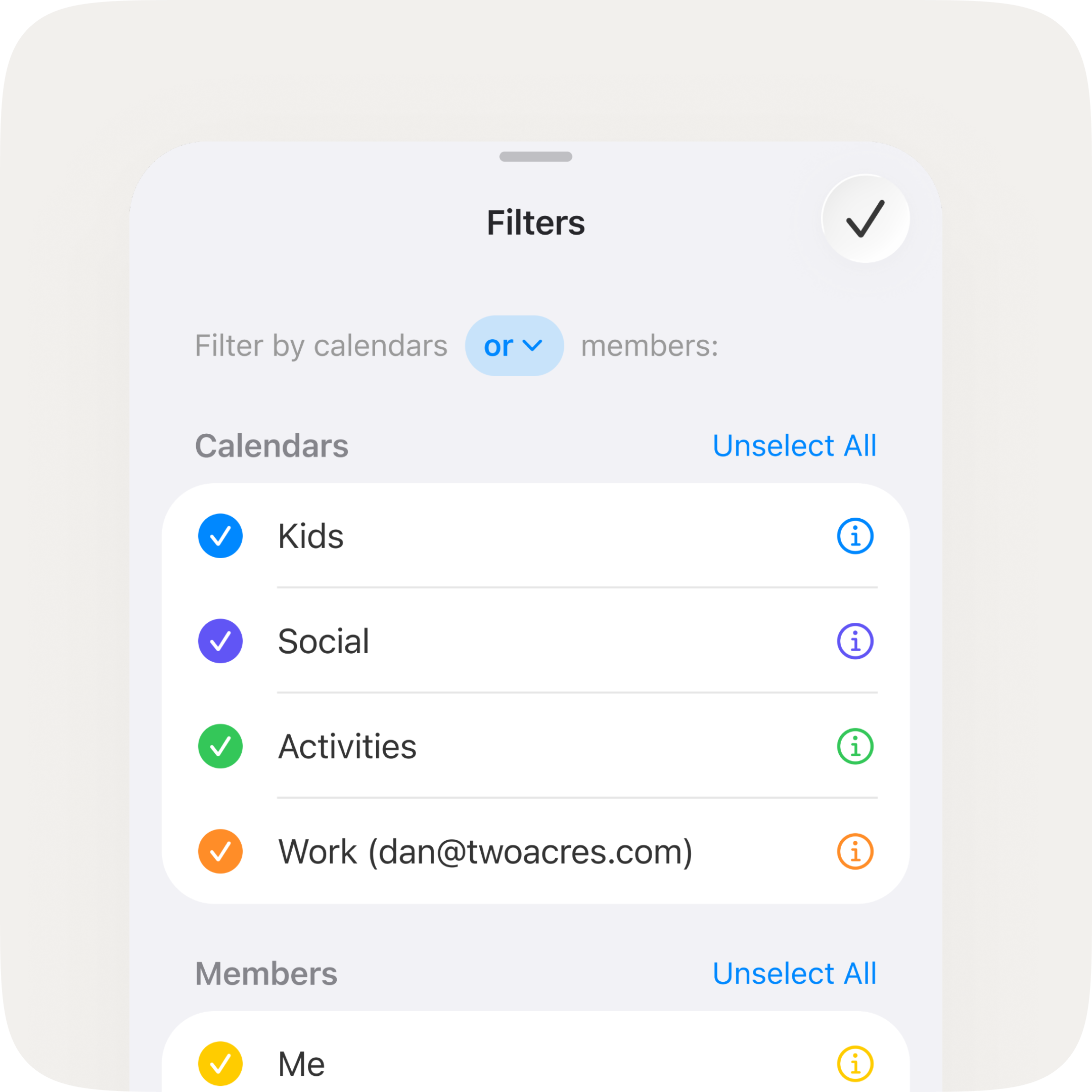
Sometimes you need to check your partner's work schedule before booking a date night. Other times you want to see just the kids' school calendar, or focus on your own week ahead. New and/or filtering by calendars and members lets you zero in on exactly the view you need — without the clutter of everything else.
Your Day, Two Ways
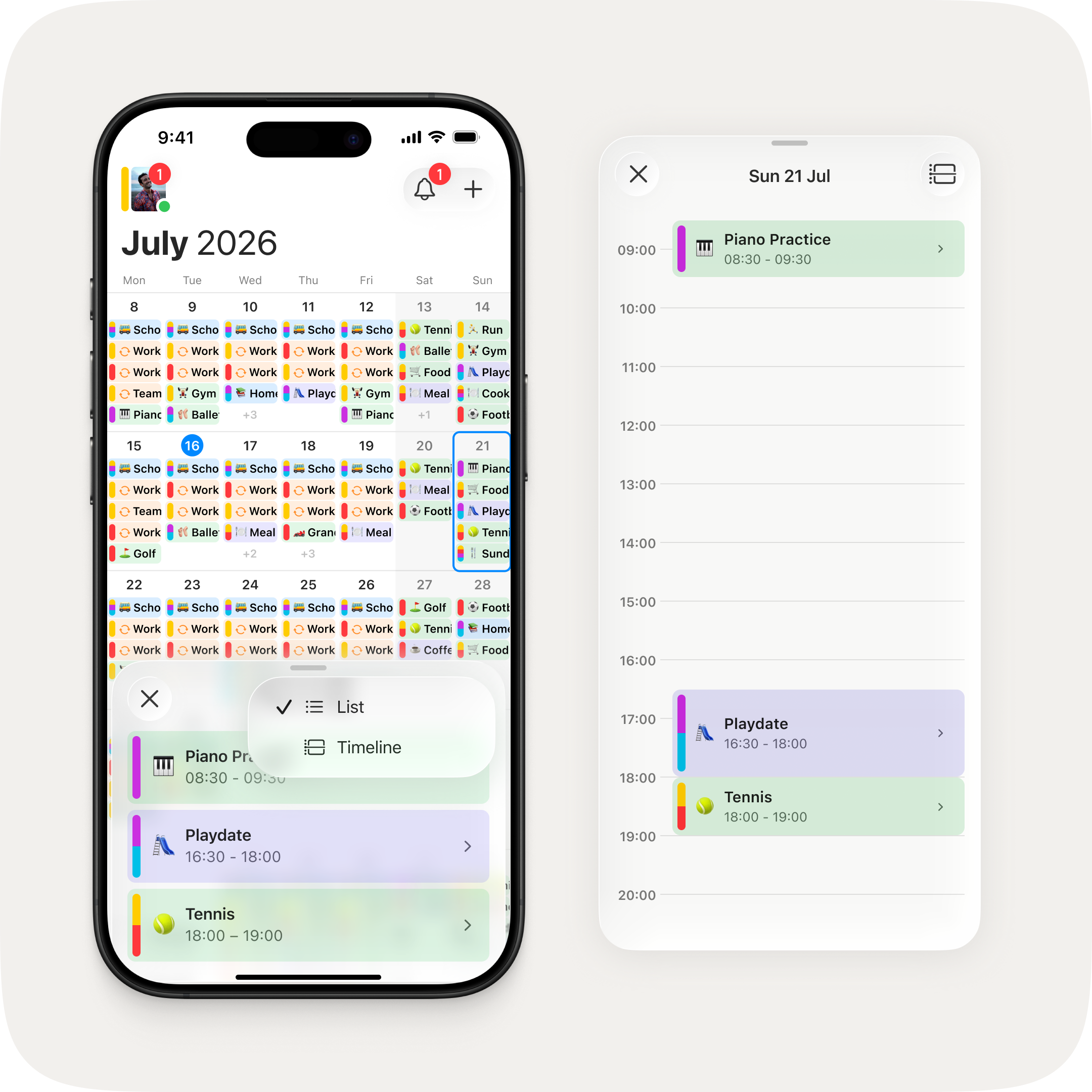
Tap any day to open a new agenda sheet. List gives you a clean rundown of what's on. Timeline maps it across the hours so you can spot gaps and overlaps at a glance. Two ways to look at the same day, one tap to switch between them.
Create Events in Fewer Taps
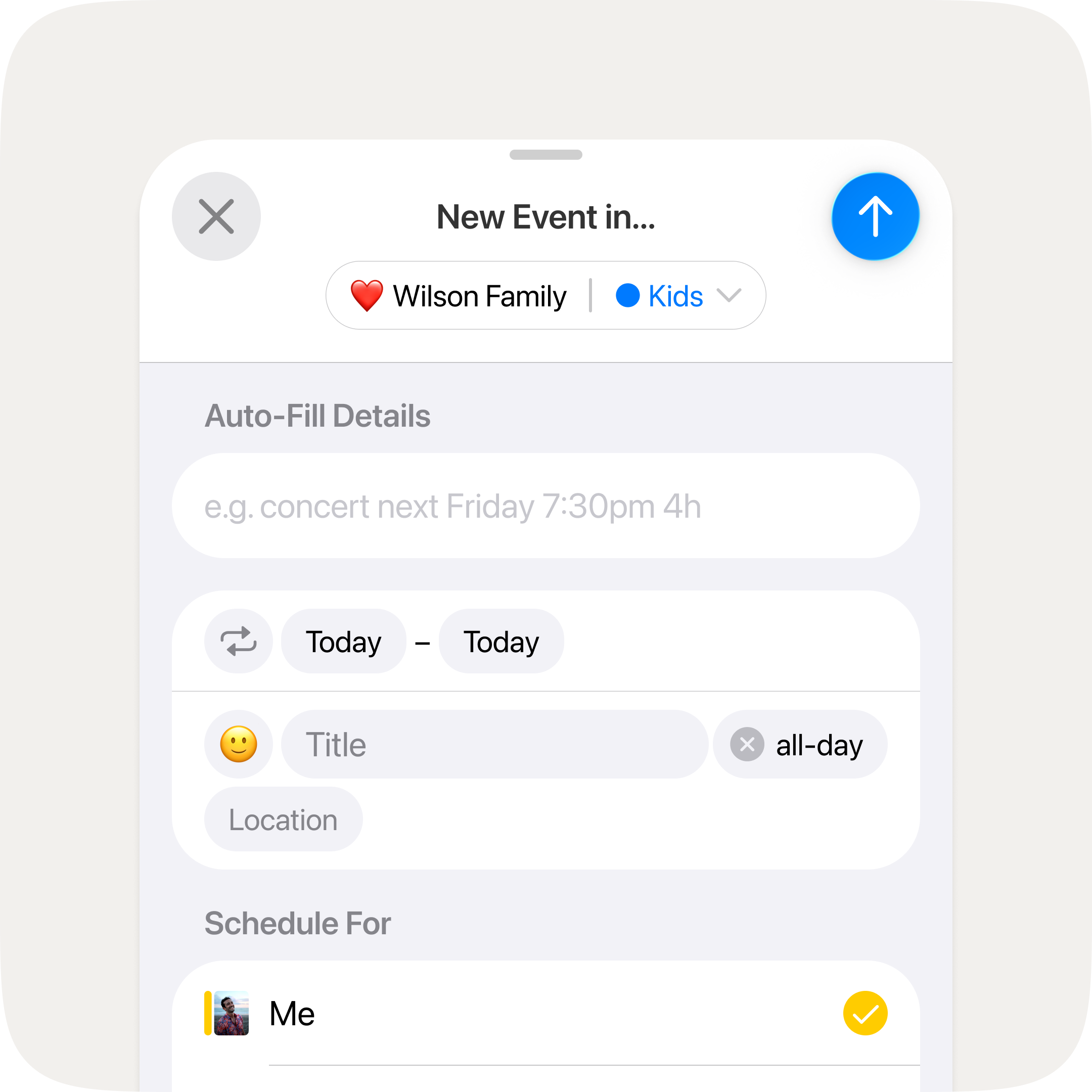
We trimmed the steps it takes to add an event. Turn off all-day with a single tap. Reach the end date field directly. Small refinements, but you'll feel them every time you schedule something.
Fixes & Improvements
- Fixed tapping an event location not showing the full list of map and navigation app options
- Group admins can now remove members directly from the group
- Share photos and files in chat
- Redesigned event cells with a cleaner, consistent look across calendar, timeline, and agenda
- Week rows now show up to 5 events at a glance, up from 4
- The list/timeline toggle now shows which view is active
- The half-height agenda no longer dims event colours
- Upgraded core dependencies for better reliability
- Fixed several crashes related to login, database timing, and server connections
- Fixed the chat list getting stuck after a fresh sign-in
- Fixed tapping a chat notification when the app was closed not opening the conversation
- Fixed the upgrade screen occasionally showing incorrect subscription options
- Fixed messages failing to decrypt during startup
- Fixed the one-time password recovery flow
Known Issues
We're aware of the following issues and are working quickly to resolve them:
- Chat messages may not load when opening a group chat or event thread from a push notification
- Calendar scroll position may reset after opening a notification and navigating back
- Unread badge count may include deleted events, causing a persistent badge
- Device name may not display correctly on the Synced Calendar Info screen
- Message states (waiting, sent, delivered, seen by all) are not yet shown in group and event chats
- Unread messages divider is not yet shown in group and event chats
- Recurring all-day events may display one day early for users in timezones ahead of UTC
- Group chat thread may disappear from the message feed if all messages are deleted

