Release notes

2026.3.19

Quote reply to message
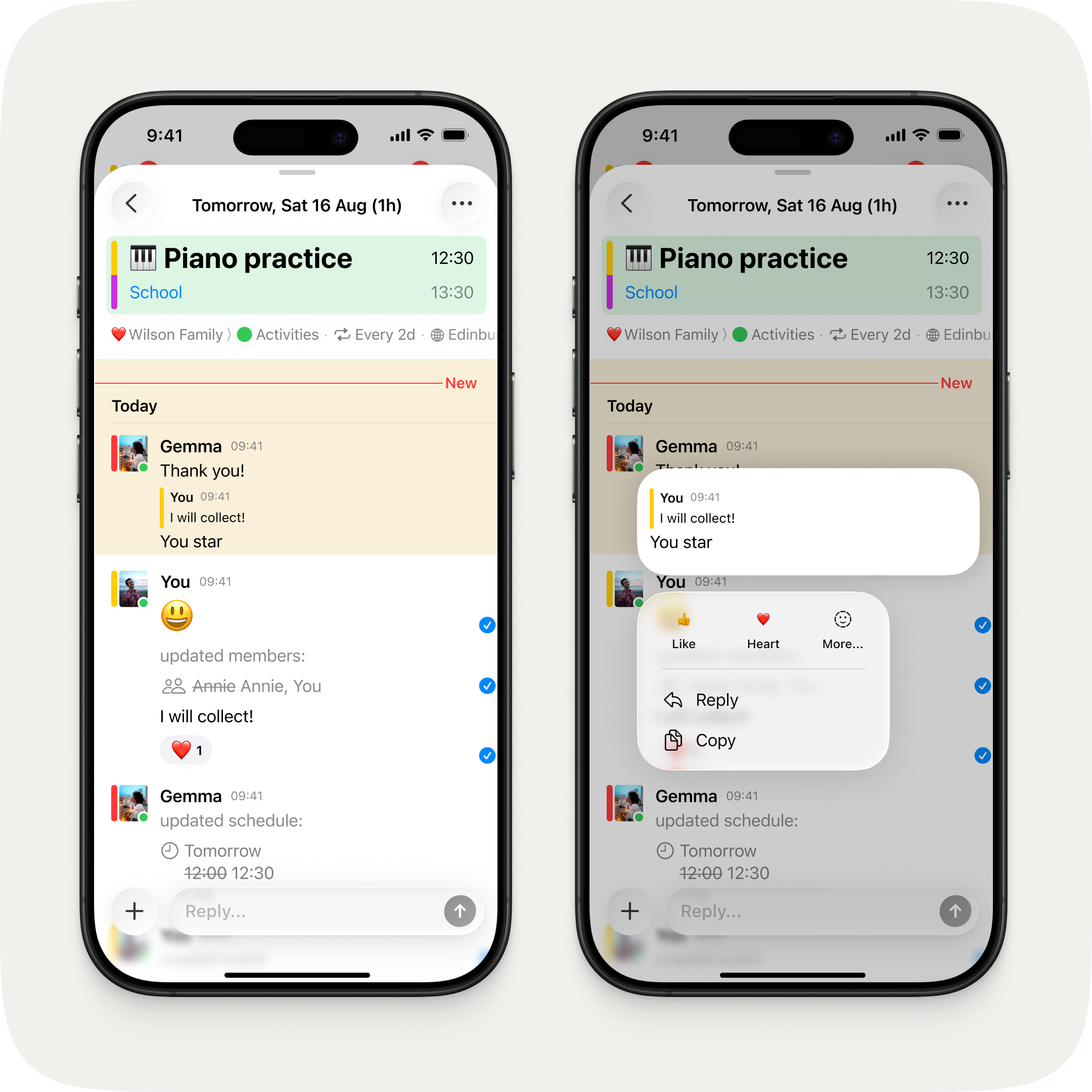
Two iPhones side by side. On the left, an event chat thread showing a quoted reply with the original message indented above the response. On the right, the long press context menu showing reaction, reply, and copy options.
Reply in context — quote any message and keep the conversation on track.

Reply to any message in context. Long press a message and tap reply to quote it in your response — so everyone knows exactly what you're responding to.

Redesigned calendar sync
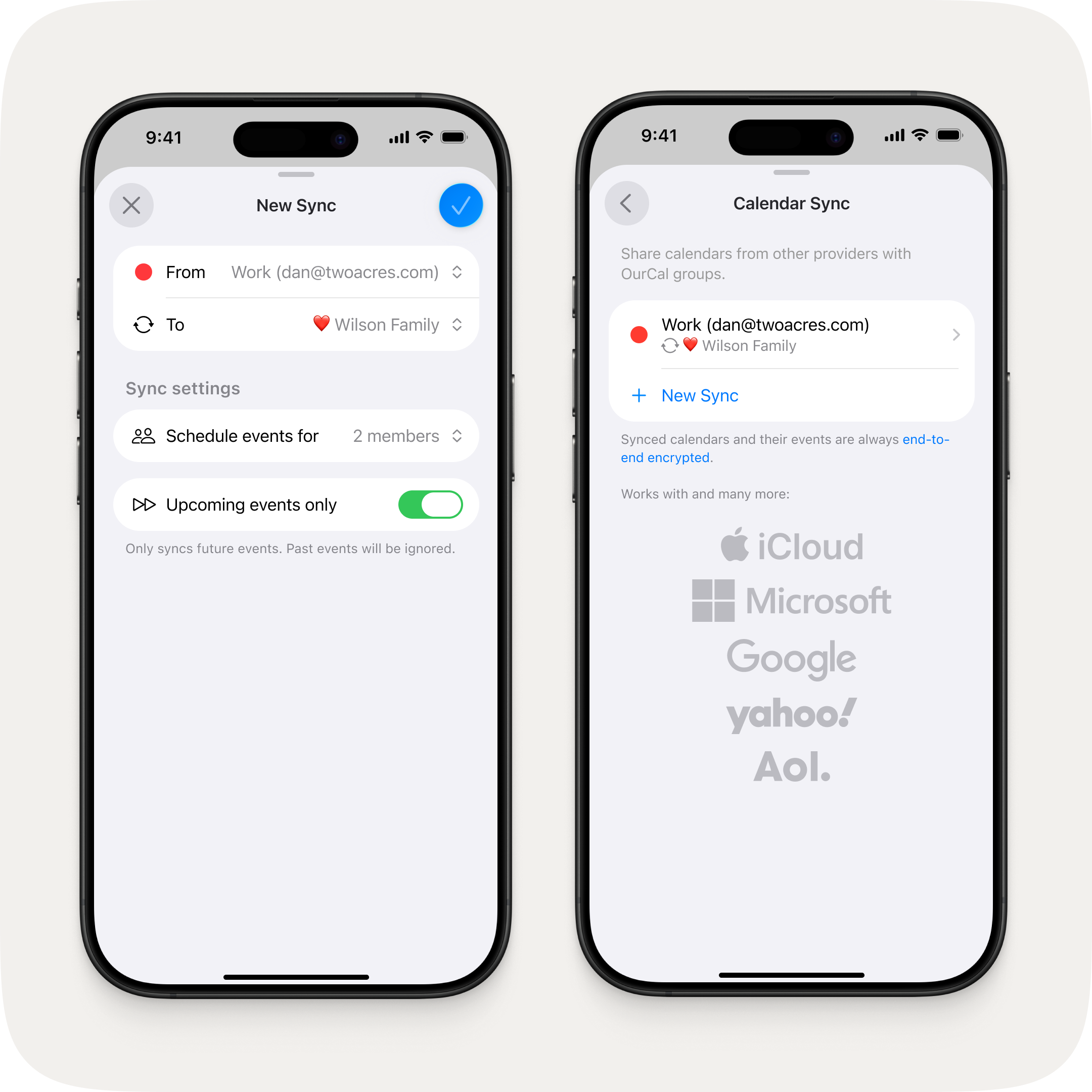
Two iPhones side by side. On the left, the new sync setup screen showing source calendar, destination group, member scheduling, and an "Upcoming events only" toggle. On the right, the calendar sync overview showing an active sync and supported providers including iCloud, Microsoft, Google, Yahoo, and Aol.
A clearer sync setup — with a new option to sync only upcoming events.

A refreshed sync wizard that's clearer and easier to follow. New in this release: choose to sync only upcoming events, so your shared calendar stays focused on what's ahead.

Fixes & Improvements

  • Improved handling of setup interruptions — no longer shows a full re-setup on minor hiccups
  • "Get more space" now correctly shows an alert for non-billing members instead of redirecting to the App Store
  • You can now enter your own emoji in the autofill input to override the AI suggestion
  • Fixed emoji picker search returning no results when a trailing space was typed
  • Calendar sync set up on another device now displays correctly without requiring local calendar access


Get this update.

Update OurCal to get the latest.

Download OurCal on the App Store Get OurCal on Google Play

Try free · One subscription covers everyone · No ads, no tracking