Emoji suggestions powered by Apple Intelligence
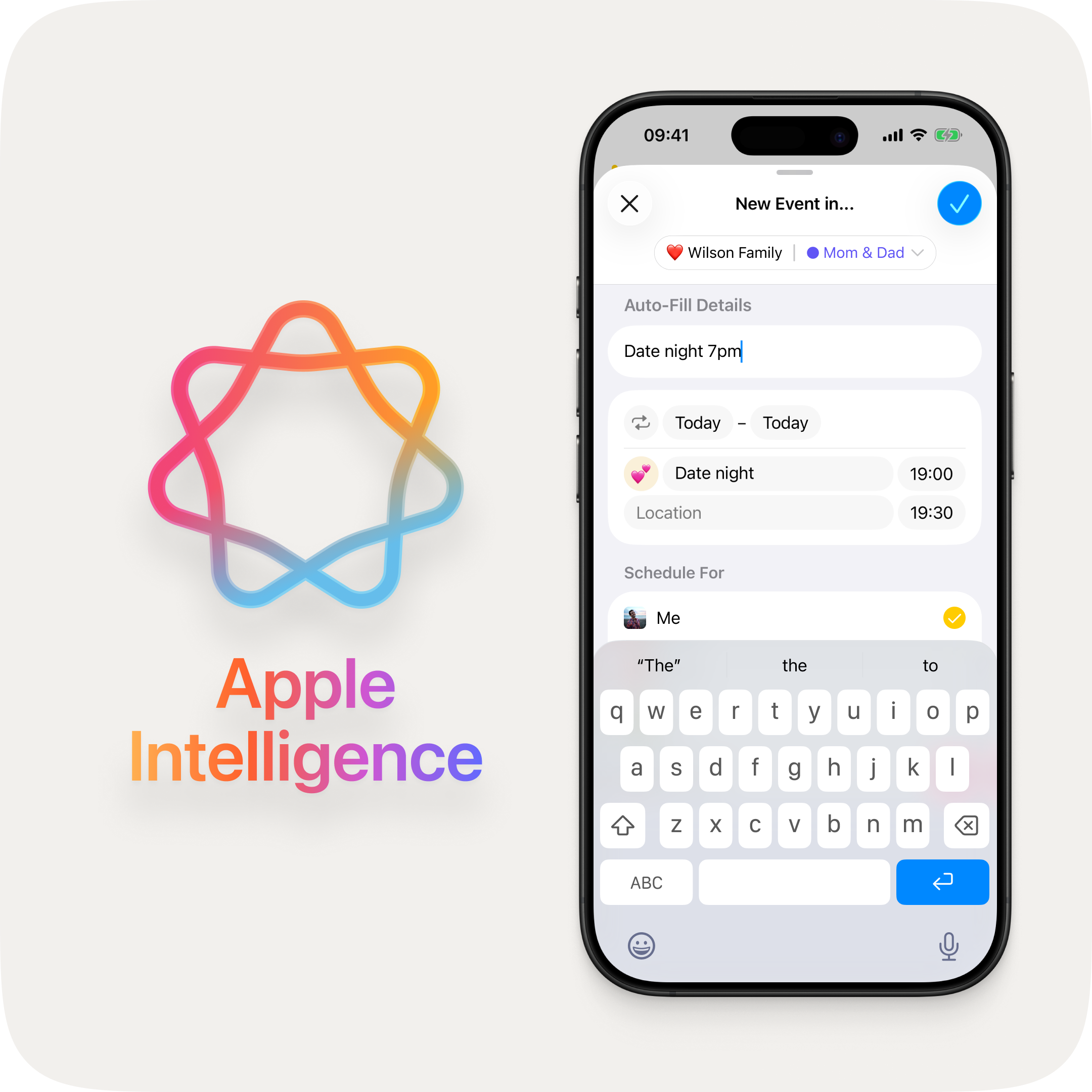
As you type an event title, OurCal suggests the perfect emoji using on-device Apple Intelligence.
Calendar overview mode
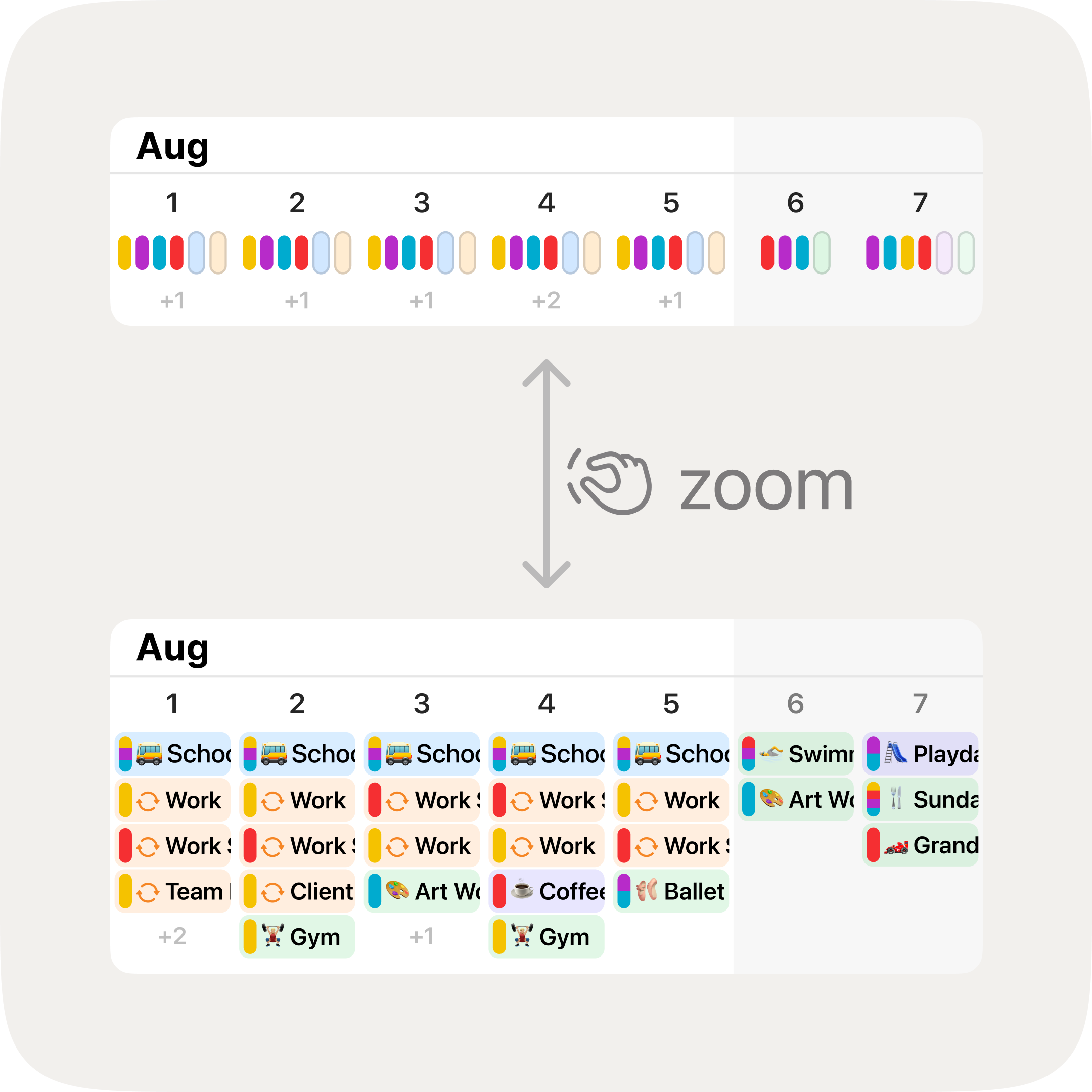
At the most compact zoom level, each day shows coloured pills summarising your calendars and who's busy at a glance. Pinch out to try it.
Time zone-aware locations
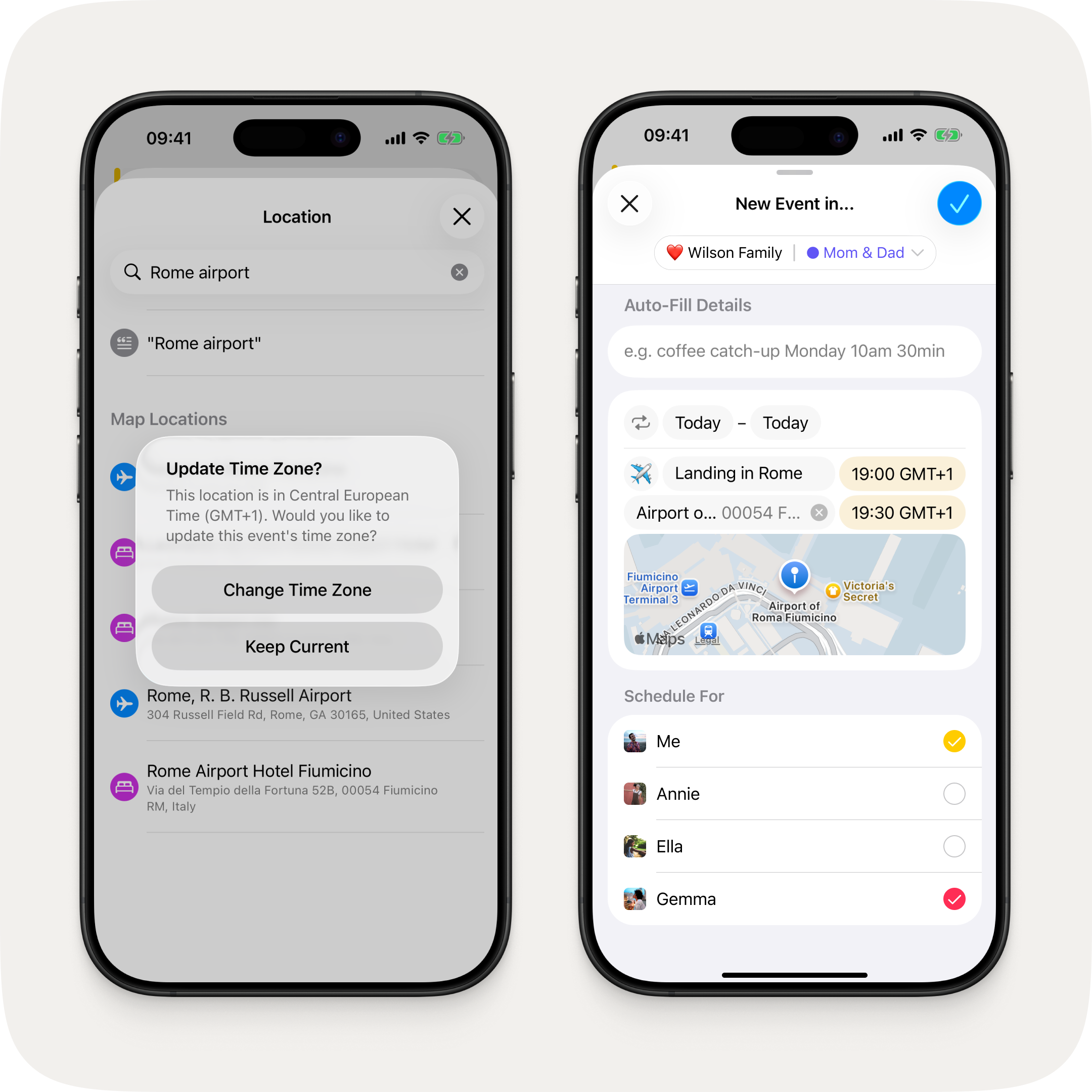
Pick a location in a different time zone and OurCal offers to update the event to match.
Fixes & Improvements
- Refreshed event creation flow with per-field highlight animations, a polished location picker with persistent search, and a "Select All / Deselect All" toggle in the member schedule section
- Redesigned activity rows with larger group icons, inline delivery status, numbered unread badges, and quoted replies in channel view
- Smarter external calendar sync broken into three clear steps: calendar selection, group selection, then member selection
- Redesigned time zone picker with persistent search and auto-prefilled city name
- Tapping a notification now opens the right place, whether the app was open or not
- Sheets with pushed navigation can no longer be accidentally dismissed mid-flow
- "Unselect All" renamed to "Deselect All" throughout the app
- Fixed calendar scroll position resetting after opening a notification and navigating back
- Fixed a search toolbar issue on iPadOS 26
- Calendar permissions now update immediately after granting access
- The welcome tour no longer appears before the app is fully set up
- Fixed a performance issue on iPad that could cause the interface to stutter
- Removed a broken swipe gesture from the day events view
Known Issues
We're aware of the following issues and are working quickly to resolve them:
- Device name may not display correctly on the Synced Calendar Info screen
- Group chat thread may disappear from the message feed if all messages are deleted

