Quick event creation from the agenda
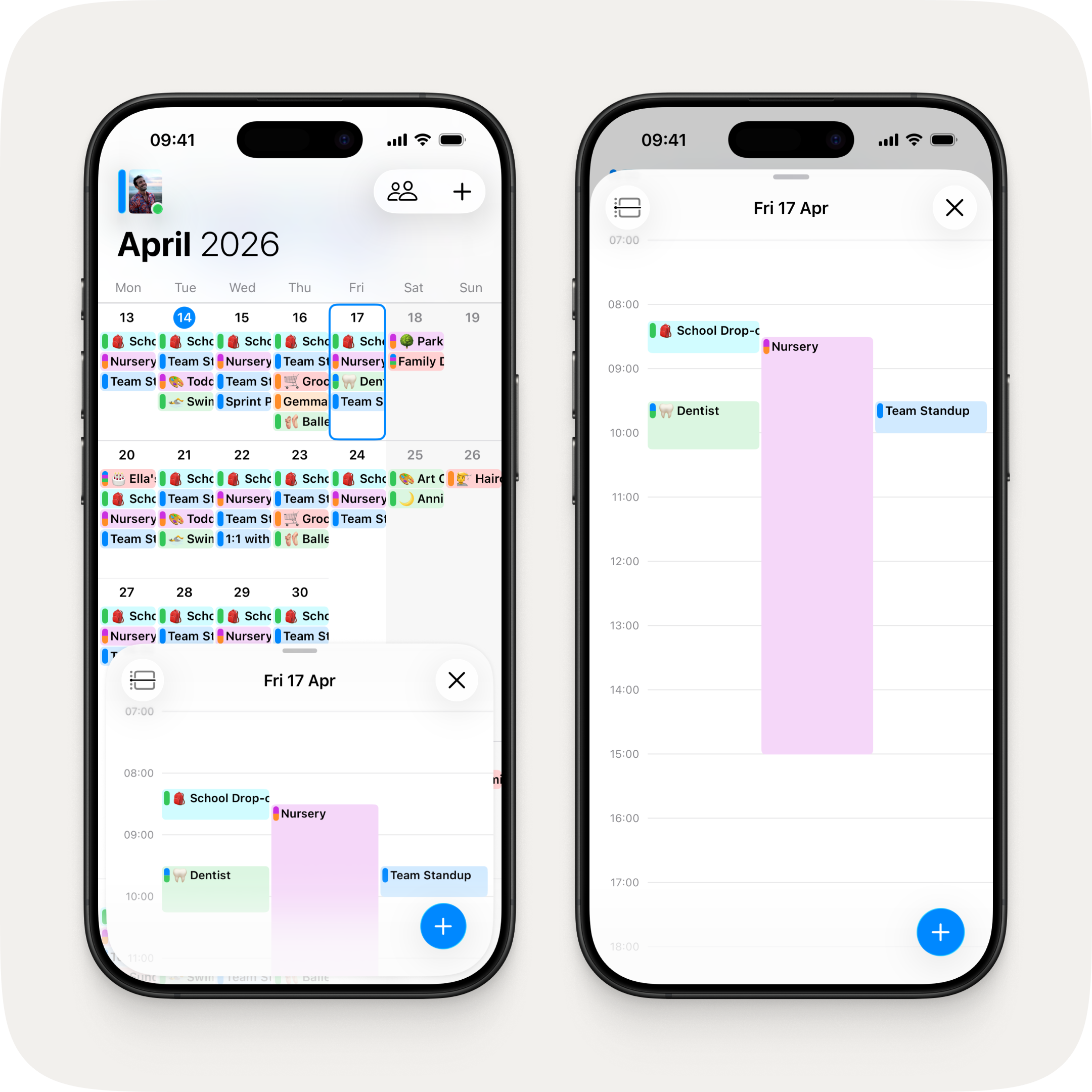
A new + button now sits at the bottom of the agenda sheet, so you can create an event without reaching to the top of the screen when the agenda is half-height — and without backing out to the calendar when it's full screen.
A refreshed calendar header
The calendar header has had a thoughtful polish. A new translucent blur — white-tinted in light mode, dark in dark mode — lets your events scroll gracefully behind it. On iOS 26 and iPadOS 26, the large month and year title scrolls vertically like a date picker as you move between months, and your avatar picks up the new Liquid Glass effect on its schedule pill and online indicator.
Fixes & Improvements
- Invite links now self-heal in the rare case they become invalid, with clear progress and a retry option if anything goes wrong
- Lock screen widget now shows events that are currently in progress, not just upcoming ones
- Fixed today's events being pushed off the lock screen widget by tomorrow's
- Multi-day events on the lock screen widget now show "Until {time}" or "All-Day" instead of a confusing "Starts" label
- Tomorrow's events on the lock screen widget now show a clear "Tomorrow" prefix
- Fixed the "App Updated" notification not appearing after some updates
- Fixed the macOS event window showing "Cancelled Event" when opening an event from chat
- Fixed a missing toolbar background on the agenda sheet and main calendar view on iOS 17

