Restore deleted calendars and their events
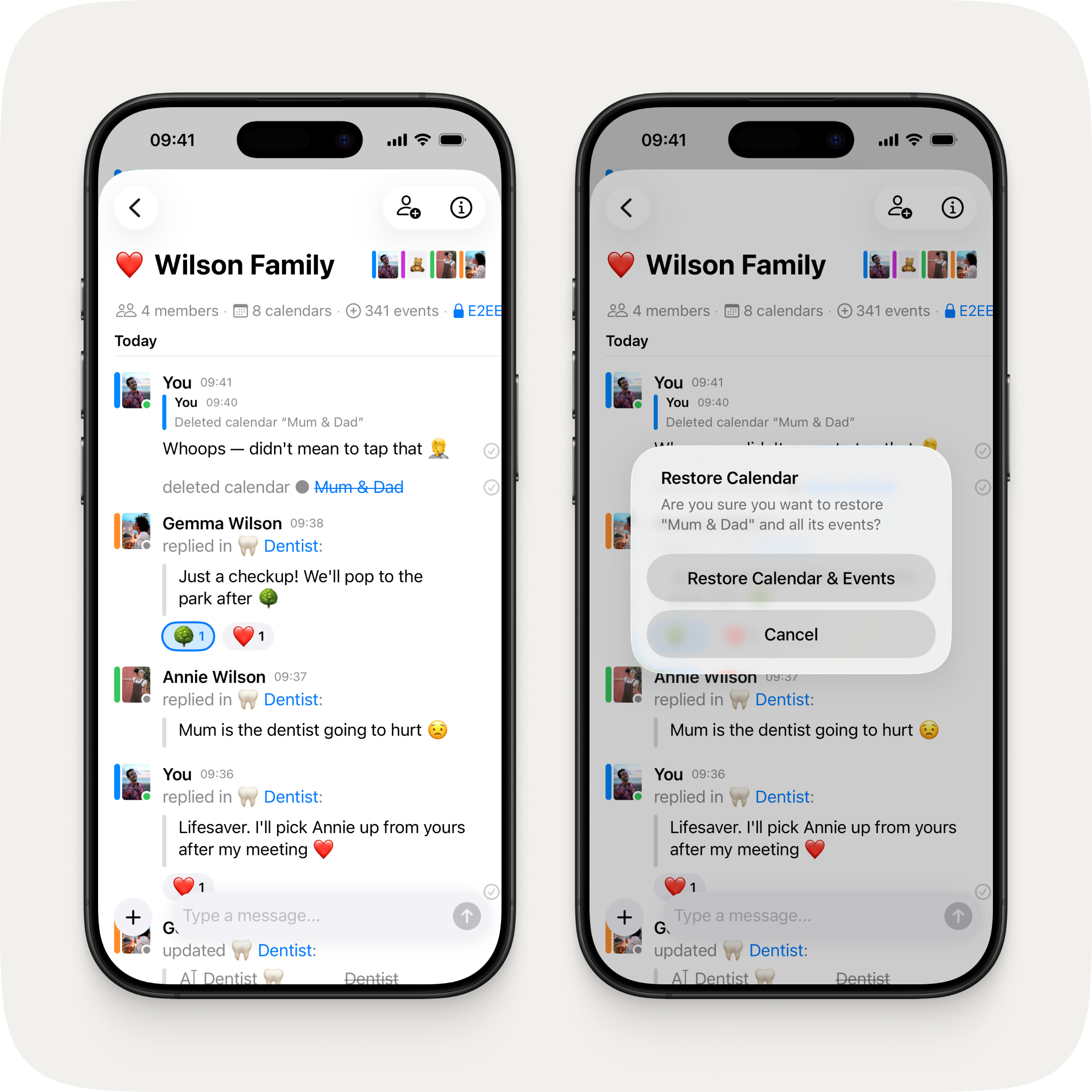
Accidentally deleted a calendar? No problem. Tap the calendar name in the group chat update message and confirm restore — your calendar and all its events are right back where they were.
Fixes & Improvements
- Synced calendars list now splits into "This Device" and "Other Devices" so you can see which syncs depend on which device
- Sync-in-progress indicator shows a spinning icon per row while a sync is running
- Synced calendars no longer need to be deleted and recreated after reinstalling the app on the same device
- Fixed recurring events breaking for users with 12-hour time format set on their device when in a 24-hour time format region

