Smarter event bars
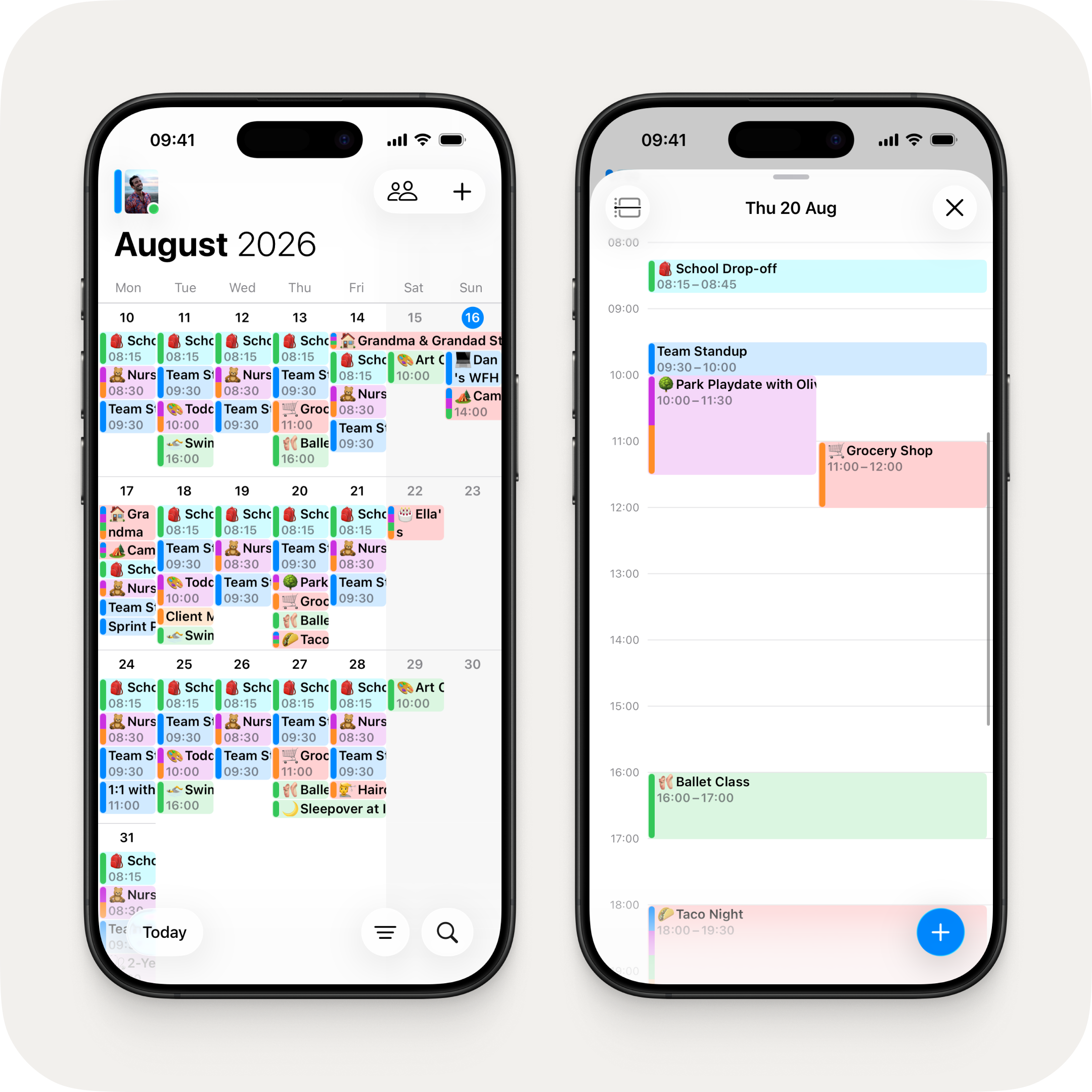
Building on pinch-to-zoom, event bars in the calendar now intelligently expand to show more detail as you zoom. Timed events reveal their time underneath and all-day events wrap longer titles — with busier days staying compact while quieter days get room to breathe.
In the agenda timeline, row heights are now set automatically so even a 30-minute event comfortably fits two lines — showing a time range subtitle underneath the title. Multi-day events display contextual subtitles — "starts 09:30" on the first day, "all-day" on middle days, "ends 17:00" on the last.
Redesigned widgets
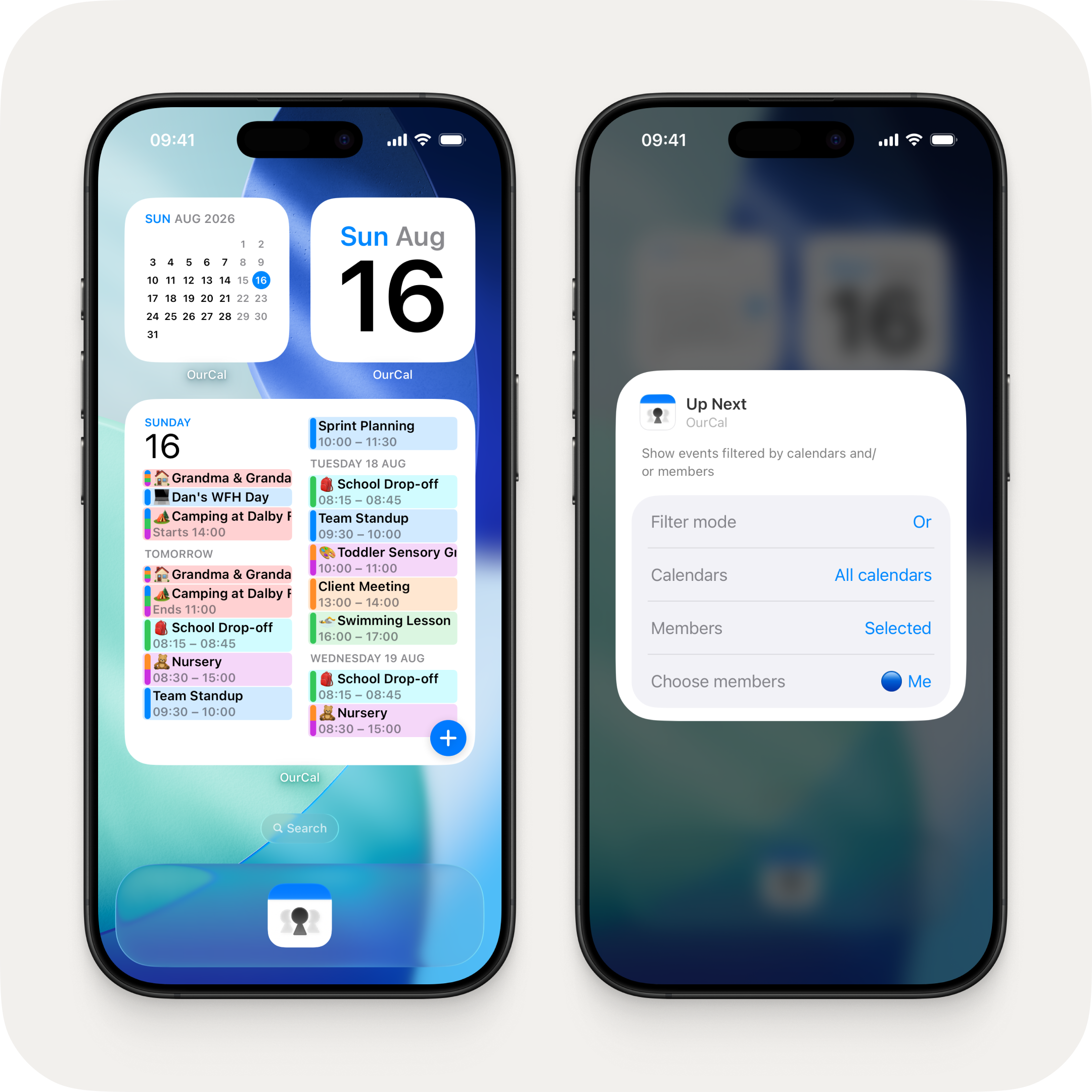
The Up Next and Lock Screen widgets have been completely refreshed.
Up Next now shows a dynamic multi-day layout that fills the available space across multiple days, with medium and large widgets using a two-column layout. A bold date header shows today's date, with "Tomorrow" and upcoming days flowing below.
The Lock Screen widget now matches the style of the main app — with calendar colour pills, emoji, and member colour indicators.
Both widgets now support calendar and member filtering, so you can choose exactly which calendars and members to show. The filter picker shows colour circles and "Me" for easy identification.
Profile photo improvements
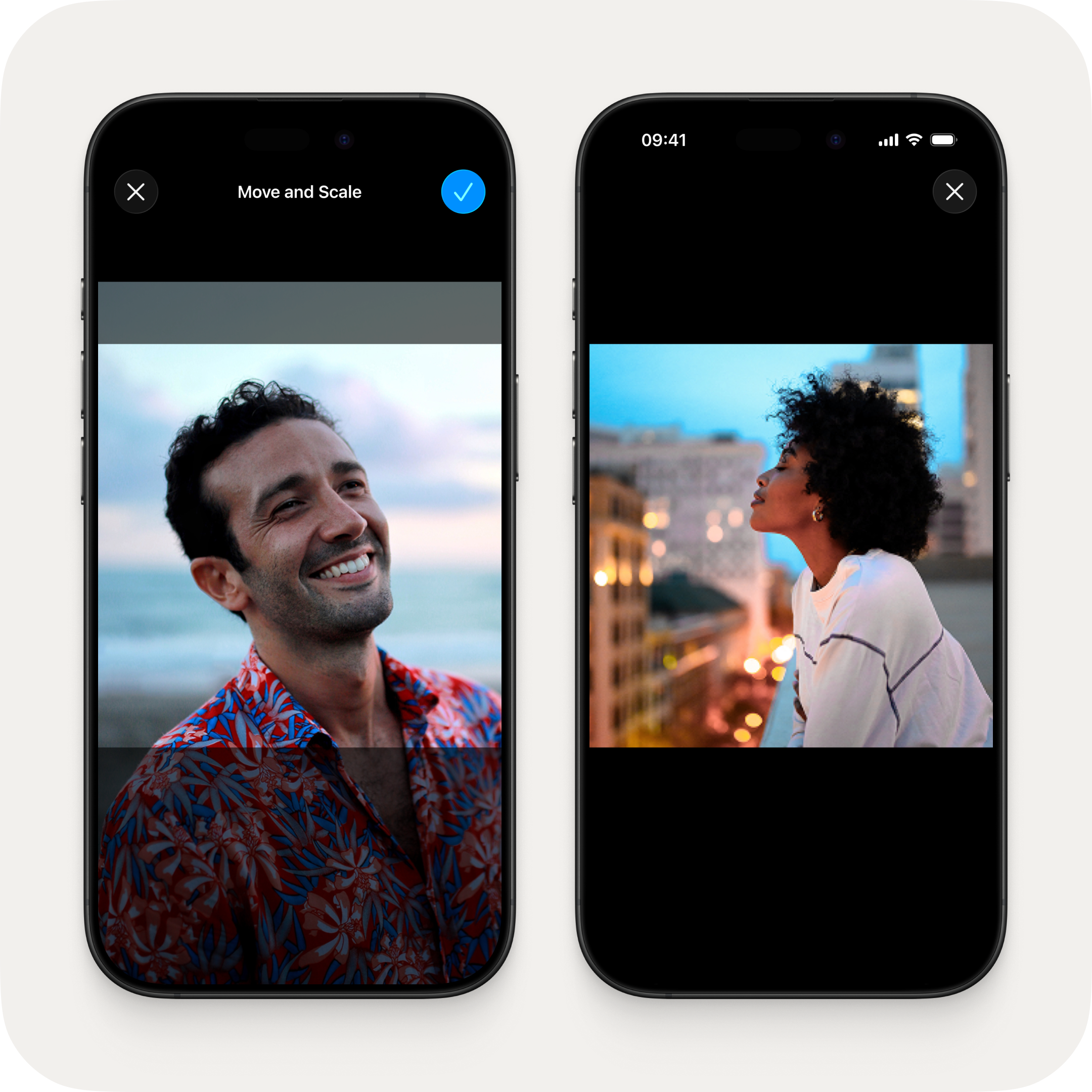
A new square crop step lets you perfectly frame your profile photo before uploading — move and scale to get it just right. You can also tap any profile photo to view it full screen. And if you don't have a photo yet, tapping your avatar takes you straight to the picker.
Default calendar
Calendars now show a "Default" label in Settings and pickers, and a default is automatically set if you haven't chosen one. To change your default, tap your avatar in the top left of the calendar → Calendars → select the calendar you want → toggle Default Calendar on.
Fixes & Improvements
- Fixed synced calendar events disappearing on Android when the sync was set up from an iPhone
- Redesigned recurrence field in event creation — now always shows a label like "Daily", "Weekly", or "Repeat" so it's clear how to make an event recurring
- New edit button in the event details toolbar for quicker access
- Clearer event action labels — "Edit Event", "Move Event", and "Duplicate Event"
- Calendar sync picker now includes "Add Account" and "Subscribe to Calendar" options, with guidance on how to set them up
- Time picker on iOS now uses 5-minute intervals for quicker selection
- Max zoom is now dynamic — adjusting to your content while always keeping at least two full weeks visible
- Fixed online status sometimes showing you as active when the app was in the background
- Fixed messages sometimes being marked as read while the app was in the background
- "Last active" times are now more accurate and show a clear "Last active" prefix on profile screens
- Fixed notifications sometimes showing "Open OurCal to view" instead of the actual message
- Fixed reaction notifications sometimes showing "You have 0 new messages"
- Fixed the login sheet getting stuck when continuing with a sign-in method that doesn't have an account
- Fixed a phantom time zone change appearing in chat when editing events across daylight saving transitions
- Fixed the date picker preventing multi-day events from being shortened to fewer days
- Fixed toggling all-day off on a multi-day event collapsing the end date
- Fixed event creation fields incorrectly highlighting as changed when editing recurring events
- Fixed calendar event bars overlapping when expanded events push spanning events down
- Fixed the selected day outline rendering behind event bars on macOS
- Fixed widget event cells not displaying correctly in dark mode
- Various copy improvements across calendar sync screens

