Not every recurring event follows a pattern. Practices, lessons, shifts, appointments — sometimes you just need the same event on a handful of specific dates. Two new features work together to make this effortless.
1. Duplicate events to multiple dates at once
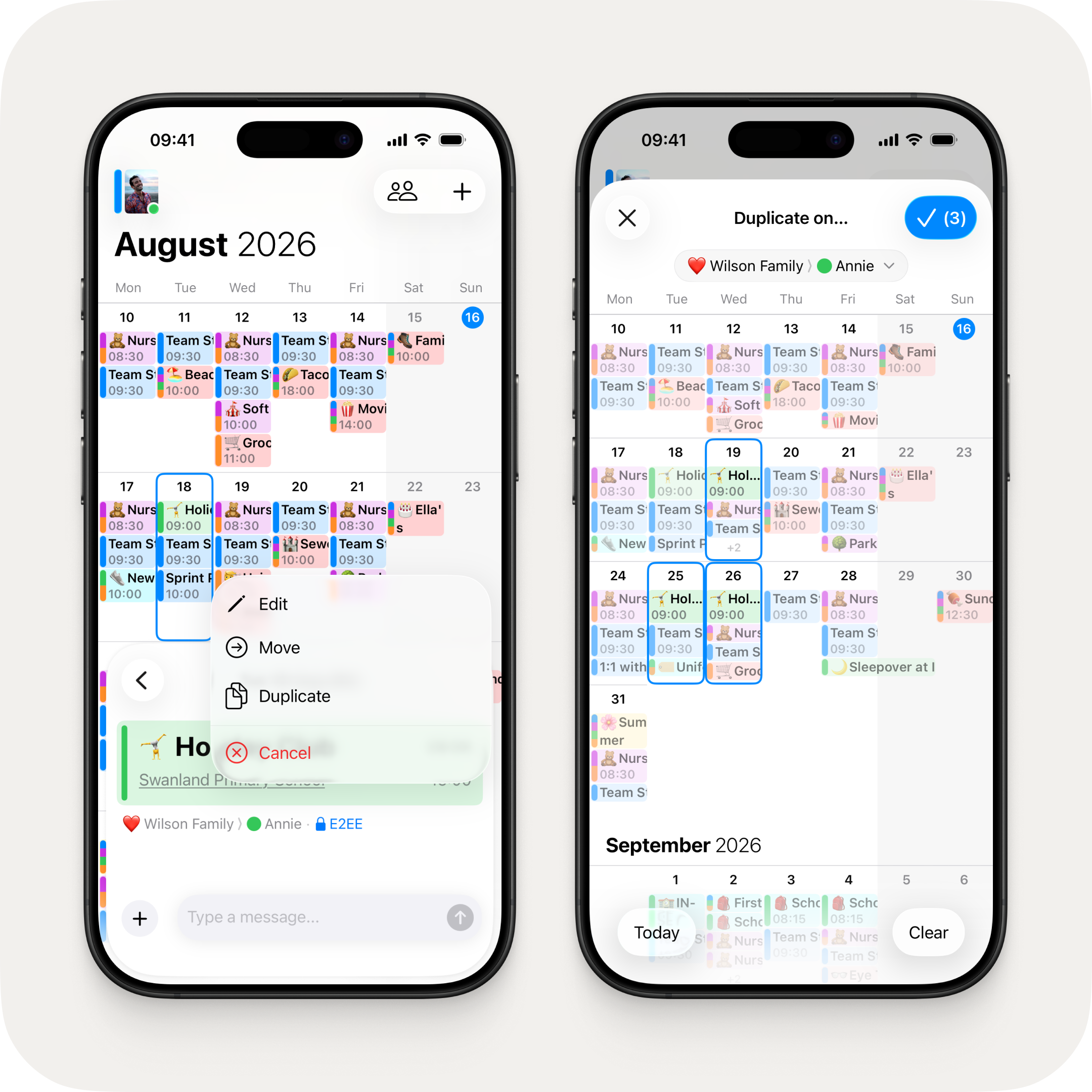
A new duplication sheet lets you pick multiple dates at once, with a live preview right on your calendar. Selected dates show the new event at full opacity while existing events dim, so you can see exactly how it'll look before confirming. Duplicated events no longer have "(Copy)" appended to the title, so they look clean from the start.
2. Auto-fill suggestions from past events
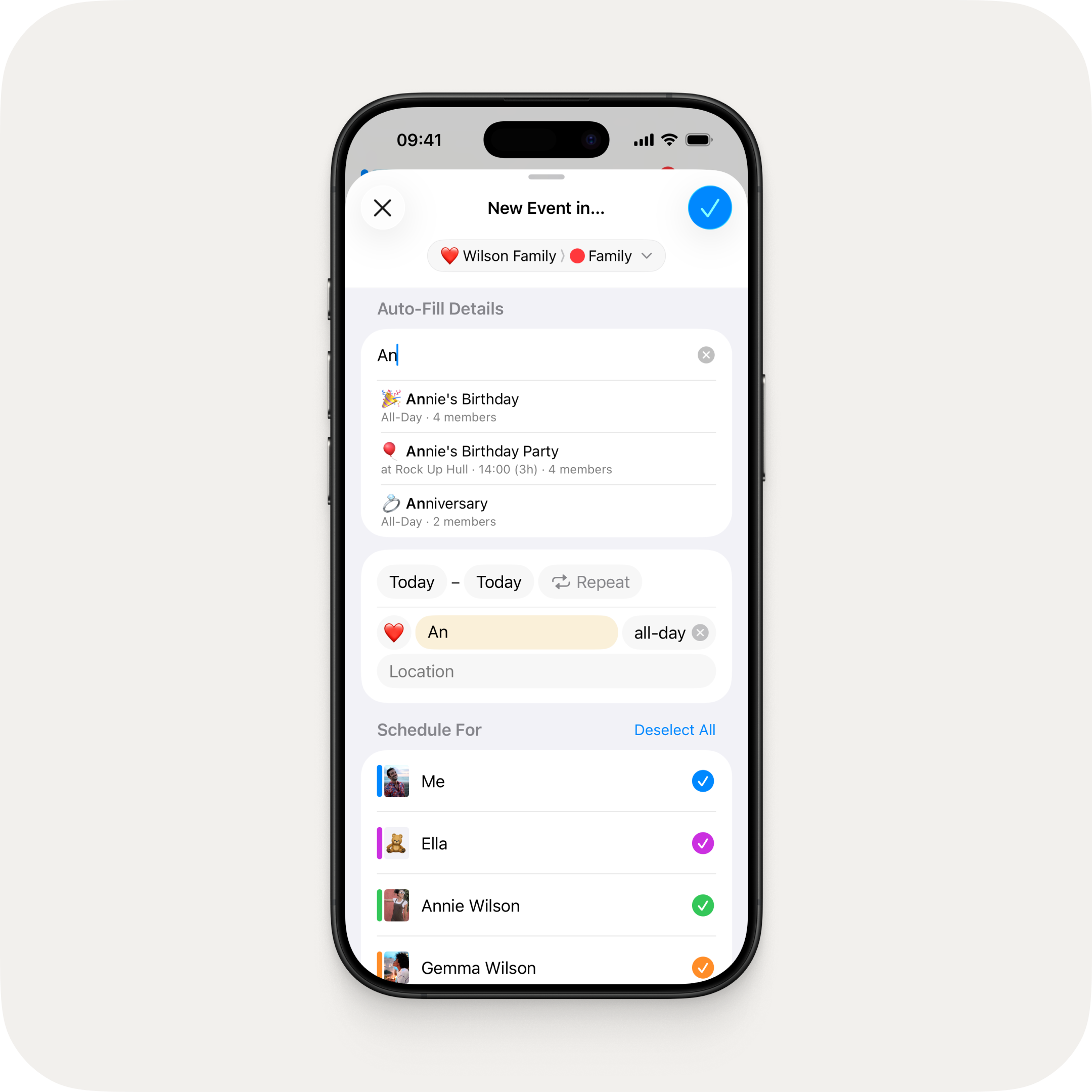
Start typing in the new event auto-fill field and OurCal suggests matching events from your history — showing the emoji, title, time, duration, and location. Tap a suggestion to fill in the details instantly.
Other Fixes & Improvements
- Fixed the app sometimes freezing when tapping subscription alerts on iOS 26

