🆕 Event notes & checklists
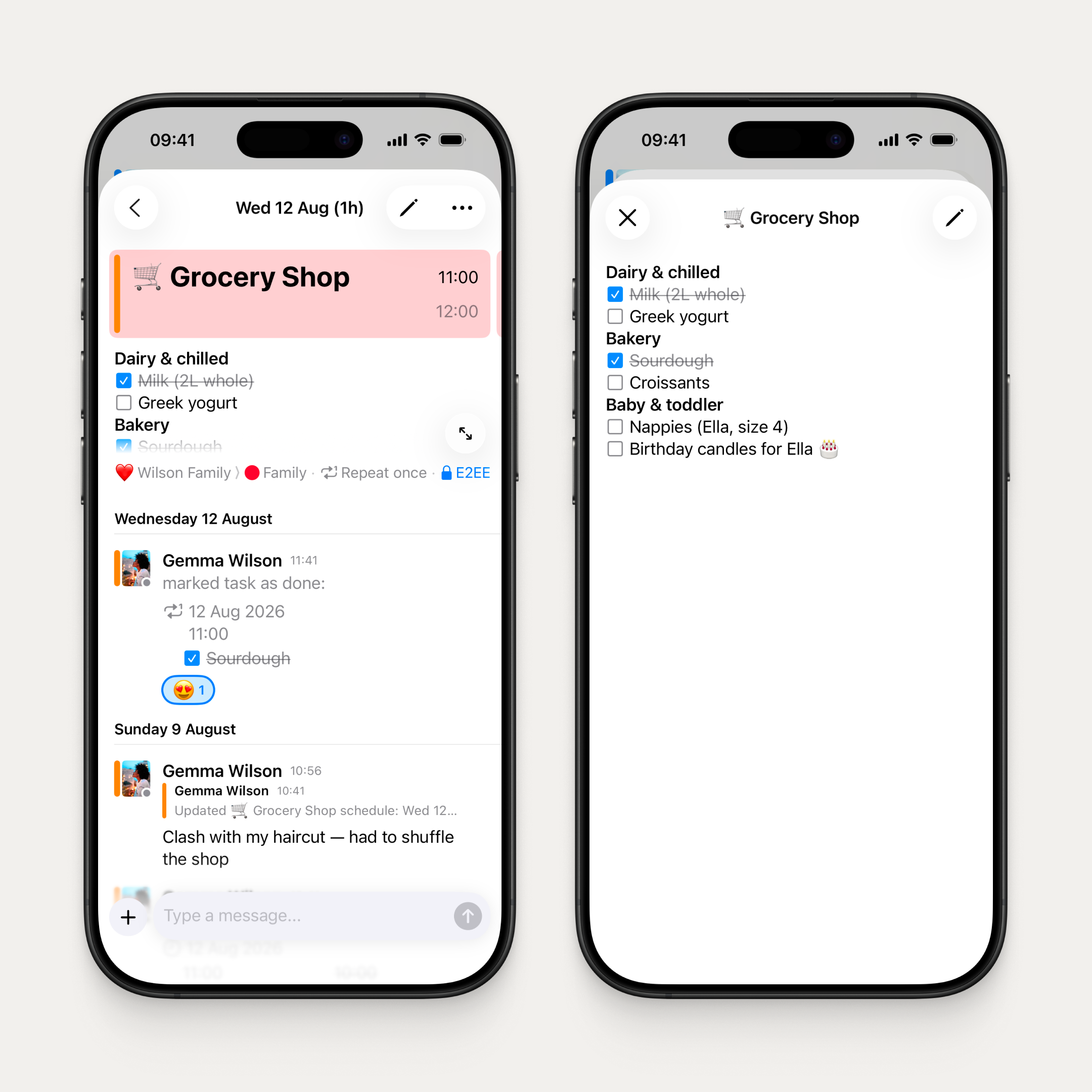
Add rich notes and checklists to any event, with bold, italic, bullets, links, and more in a full-screen editor. Tick off checklist items right from the event detail screen without opening the editor, and your group sees every change in chat. Repeating events get full support too, with the choice to update one occurrence or all. Perfect for things like weekly shopping lists that change each week.
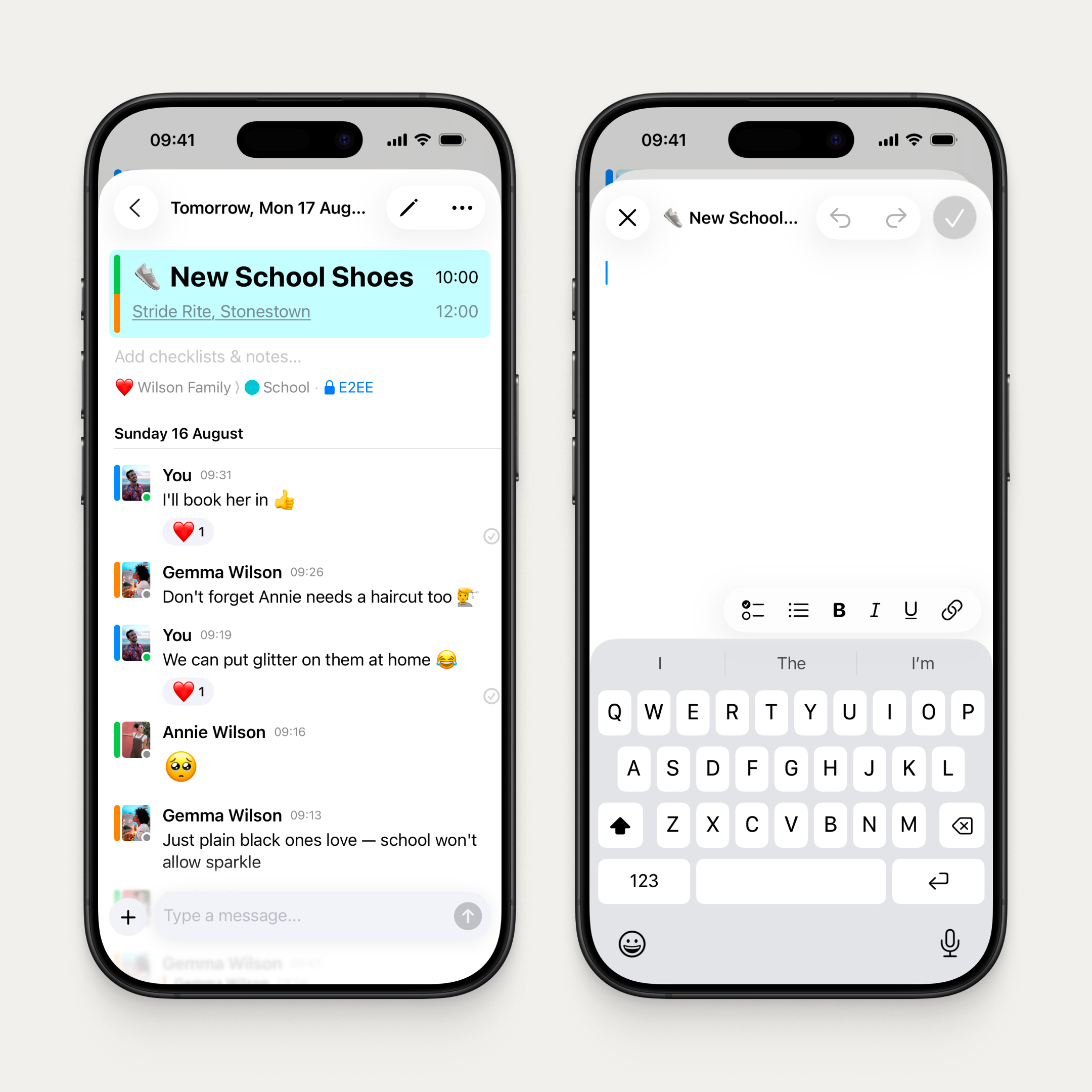
Two of our most requested features: notes for every event and checklists, shipped together.
🆕 Event updates and chat for synced events
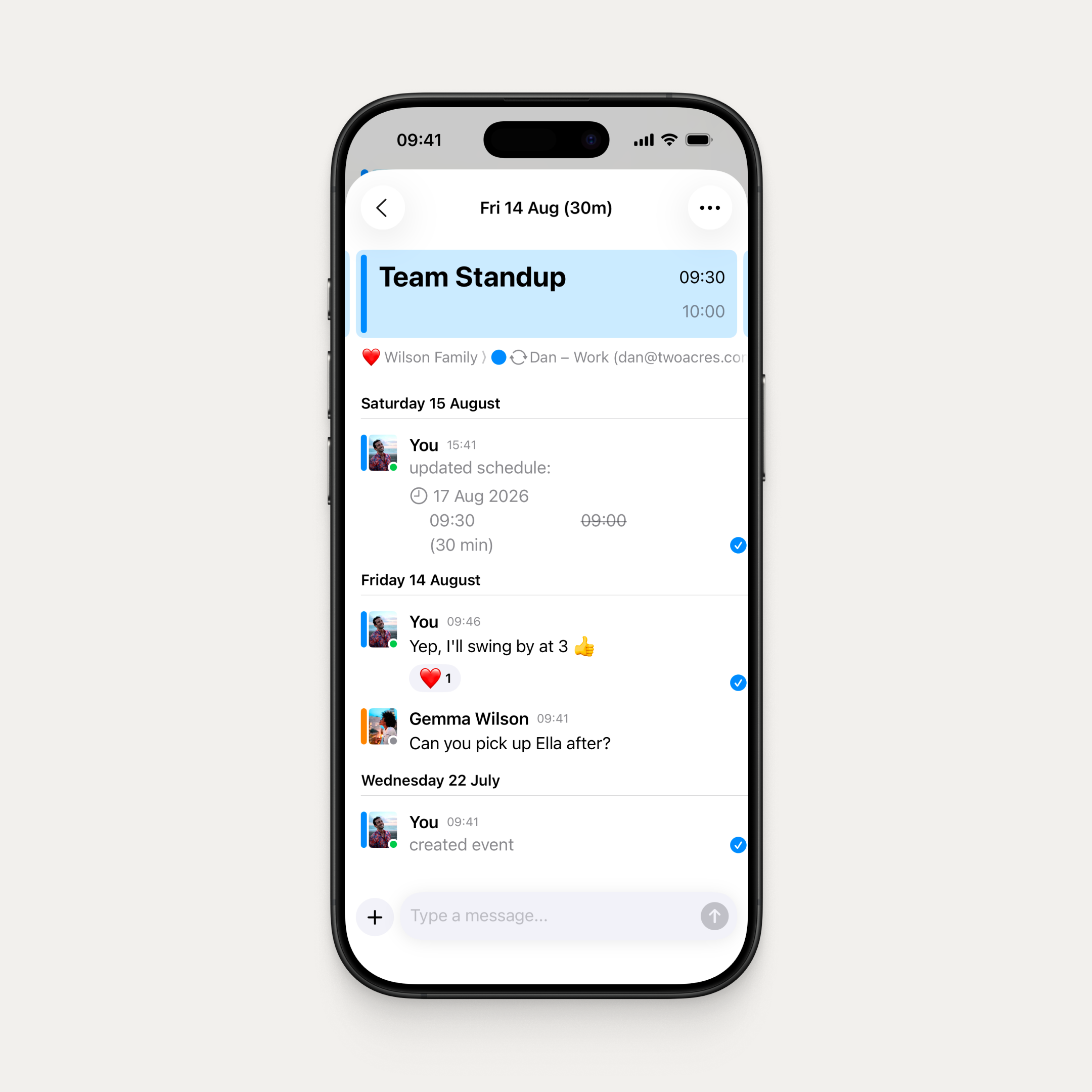
Synced calendar events now get the full OurCal treatment. When a synced event is created, updated, or cancelled, your group sees it automatically in the chat, just like native OurCal events. And everyone can reply and react in the event thread. No more second-class events.
Currently available for syncs set up on iOS, with support for all calendar providers except Exchange. All versions of OurCal, including Android and Mac, can see, reply to, and benefit from these synced event threads.
🆕 Recurring event carousel
Swipe between occurrences of a recurring event right on the detail screen. On iOS and iPadOS, swipe left and right with a peek at the next card. On Mac, use the toolbar arrows. Tapping a chat update or push notification now lands on the exact occurrence that was changed.
Reconnect or move a synced calendar
Previously, when you reinstalled the app or got a new phone, your synced calendars wouldn't carry over to your new device and would remain stuck, not syncing. Now you can reconnect or move a sync to your current device in place, keeping your sync, group, and all conversations intact. OurCal also proactively flags syncs that have stopped updating, so you'll know before your group's calendar goes stale.
Fixes & Improvements
- Push notifications now more reliably show event names and richer detail instead of fallback text
- Changing an event's start time now preserves the duration. The end moves with it, matching Apple and Google Calendar
- Cancelling an event on iOS now keeps the agenda sheet open so you can see the cancelled state
- Fixed multi-day event bars sometimes disappearing from the calendar when other events expanded
- Fixed cancelled event notifications landing on a dead end instead of the cancelled card

