A brand-new icon
OurCal has always been a calendar messenger. Now the icon says so. A calendar fused with a chat bubble, because the problem with sharing calendars isn't productivity, it's communication. That's why we built OurCal.
The new drawer and sidebar
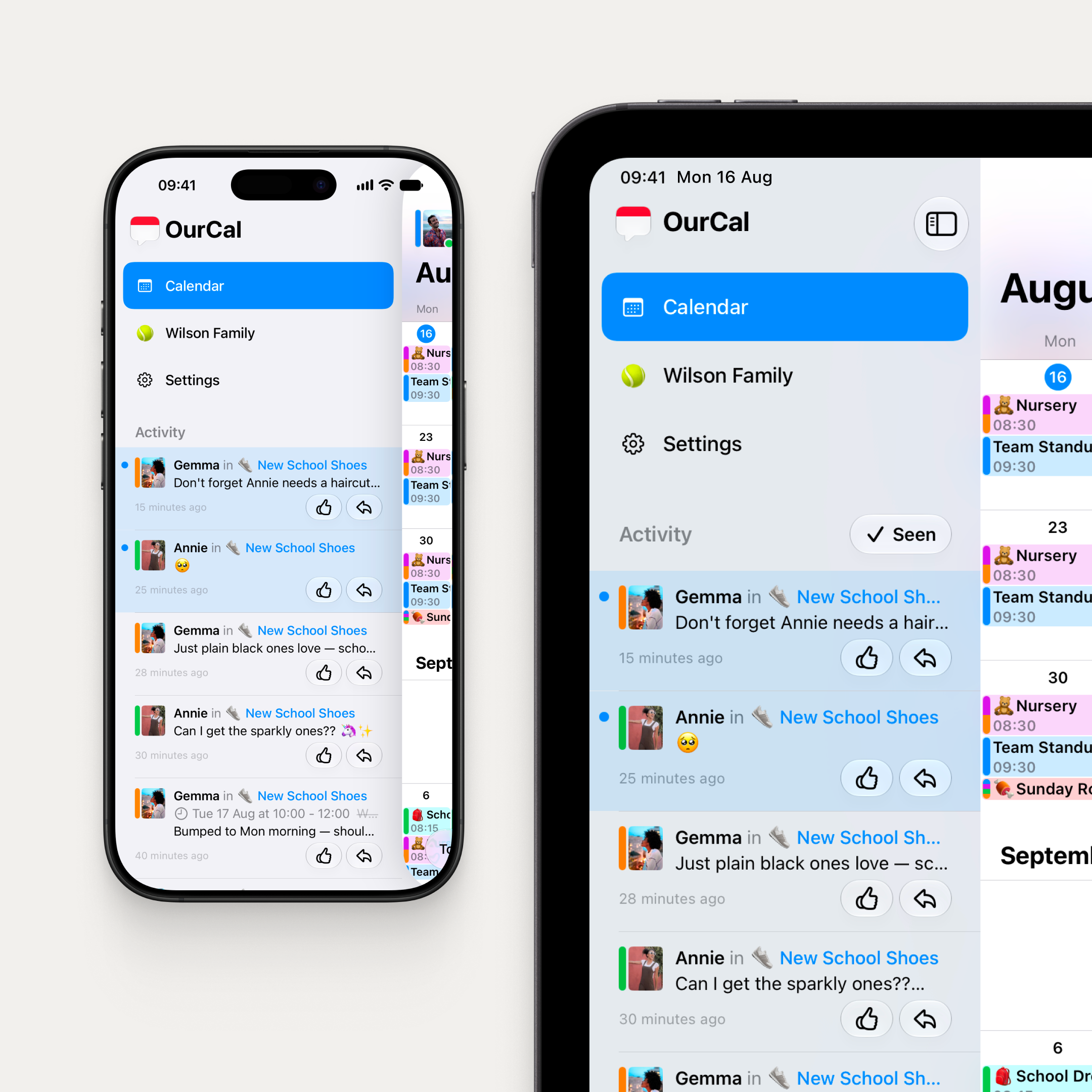
Navigation and group activity, together in one place. Switch between the calendar, group chats, and settings, and see every update across your groups in a single Activity feed.
On iPhone, it's a drawer behind the calendar. Swipe from anywhere to reveal it. On iPad and Vision Pro, it's a sidebar that sits beside the calendar, with a toggle to show and hide it and a "Seen" button to mark everything as read when you're ready. The sidebar stays open when you tap into an event or switch tabs, so you never lose your place.
The Activity feed shows every group's events and messages together: who said what, which events changed, and what's new, all in one stream. Tap to open any event or jump straight into a conversation.
Events now always open inside the calendar, so you can see exactly how they sit alongside everything else.
Mac keeps its own navigation.
OurCal meets Siri AI
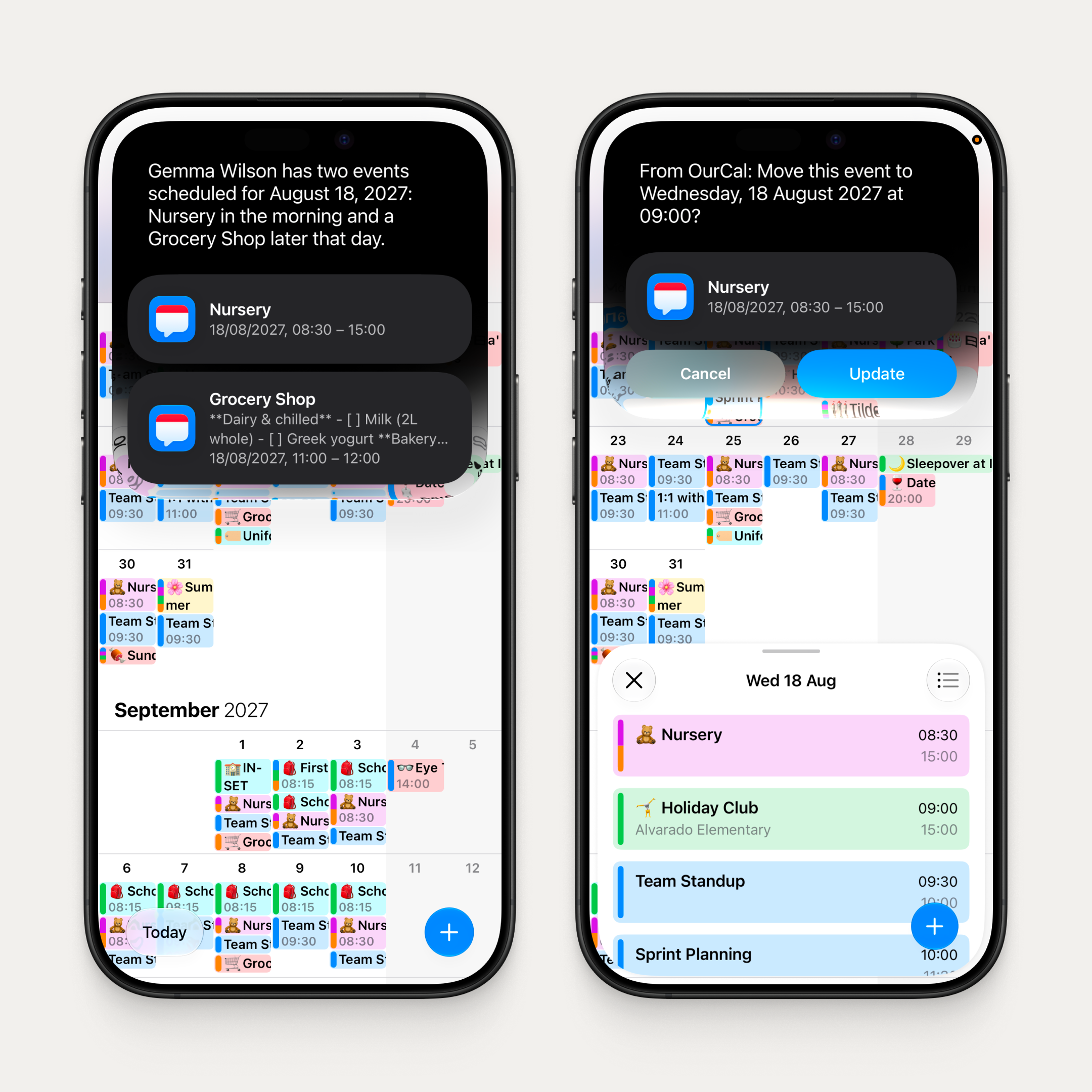
Just ask. "Create a dentist appointment for Annie next Thursday at 3." Siri AI creates the event, picks the right calendar, adds the attendees, and even suggests an emoji. Want to know what's coming up? "What's on my calendar this weekend?" Siri AI knows your OurCal events, just like it knows everything else on your device.
And it's on-screen aware. Looking at an event? Just say "cancel this" or "change the emoji." No need to name it.
Form Assistant
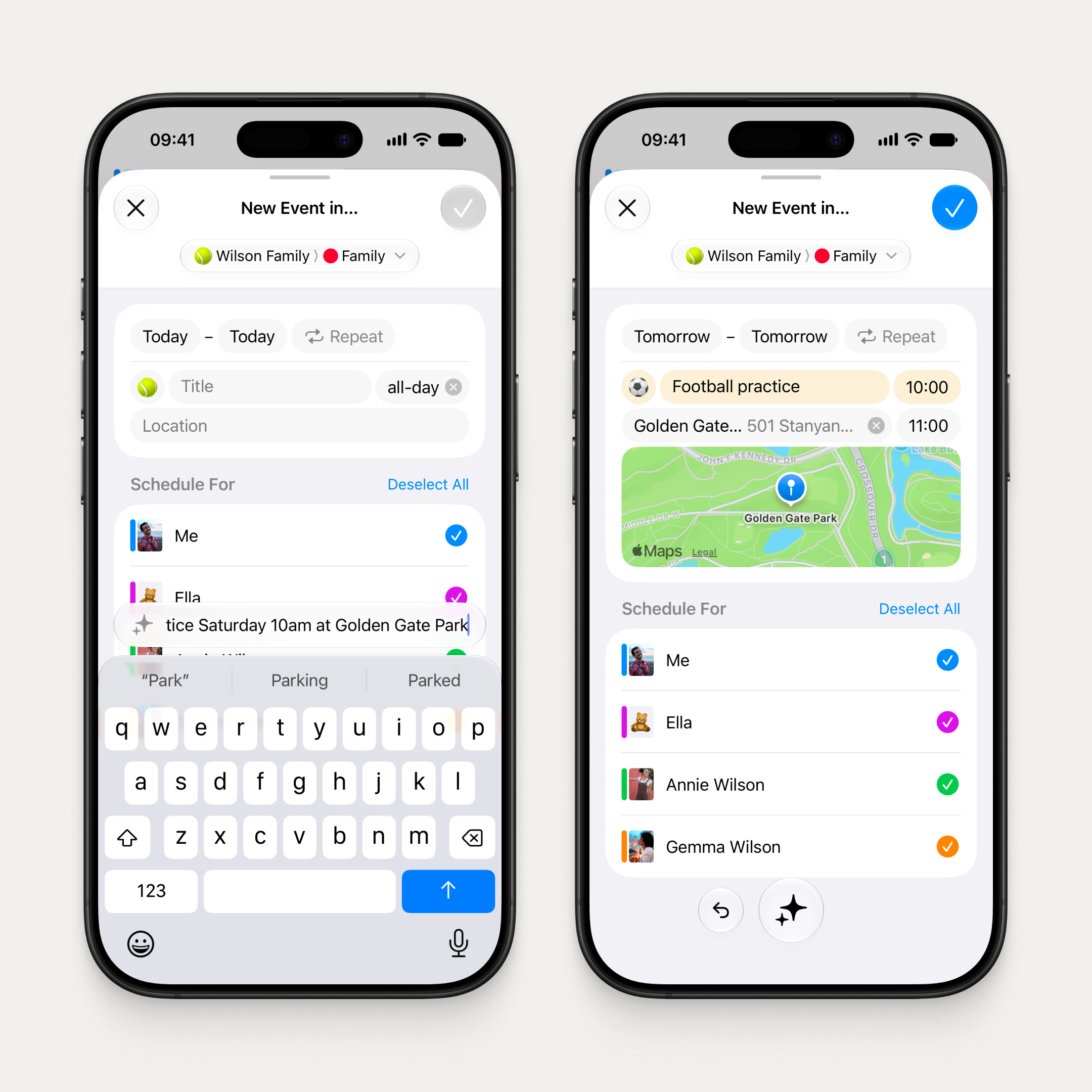
Type "Football practice Saturday 10am at Golden Gate Park" and the event form fills itself in. Or point your camera at a poster, a flyer, or a screenshot, and watch the details appear. Follow up with "make it weekly" or "add Gemma" and it refines. It's a conversation, not a single command. All on device, nothing leaves your phone.
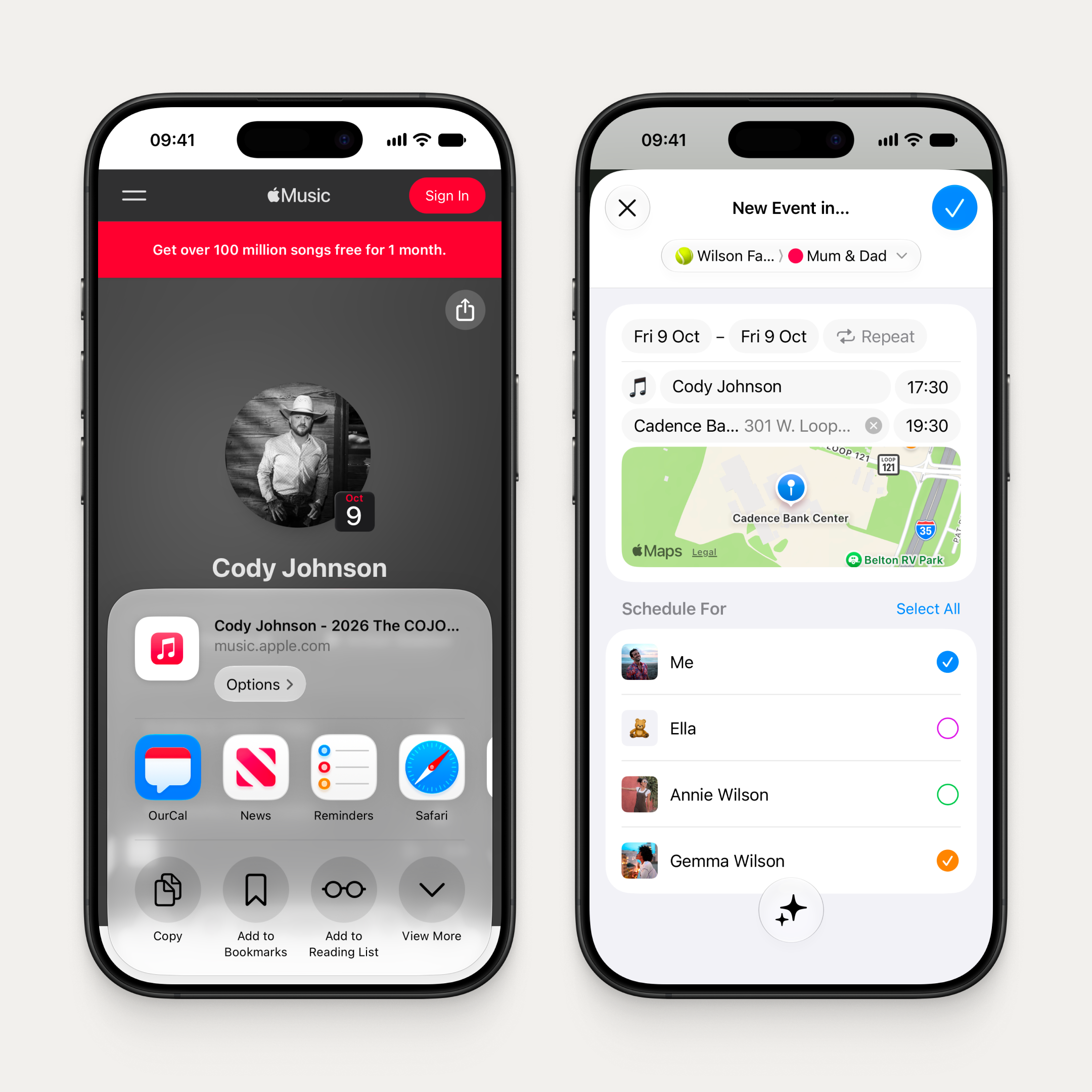
Works in both New Event and Edit Event. And it reaches beyond the app: a new share extension lets you share text, a webpage, or a photo from any app, and the Form Assistant understands its meaning and pre-fills the New Event form right there in the extension. Tailor the details and create the event without ever leaving the app you're in.
Faster chat, everywhere
Conversations now open instantly, even before you're connected. No loading spinners, no waiting. Just your messages, right there.
Liquid Glass
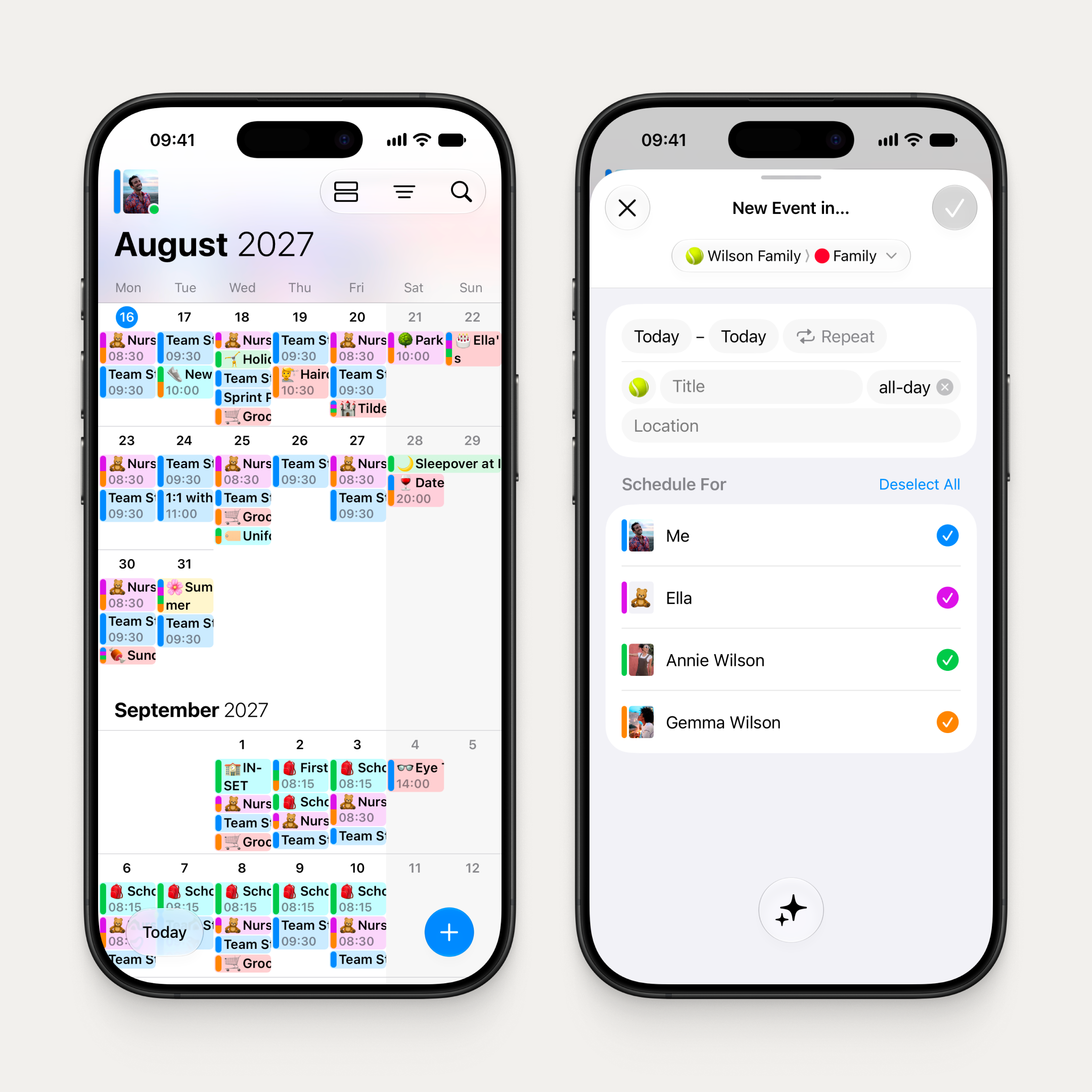
OurCal adopted Liquid Glass on day one of iOS 26. Now we ship day one again with the refined Liquid Glass of OS 27, across iOS, iPadOS, macOS, and visionOS.
Fixes & Improvements
- Event reminders now show the event's avatar alongside the title, members, and time
- The Up Next widget supports the new extra-large size on OS 27
- Fixed some messages not appearing when their event details couldn't load

