Start your group from a template
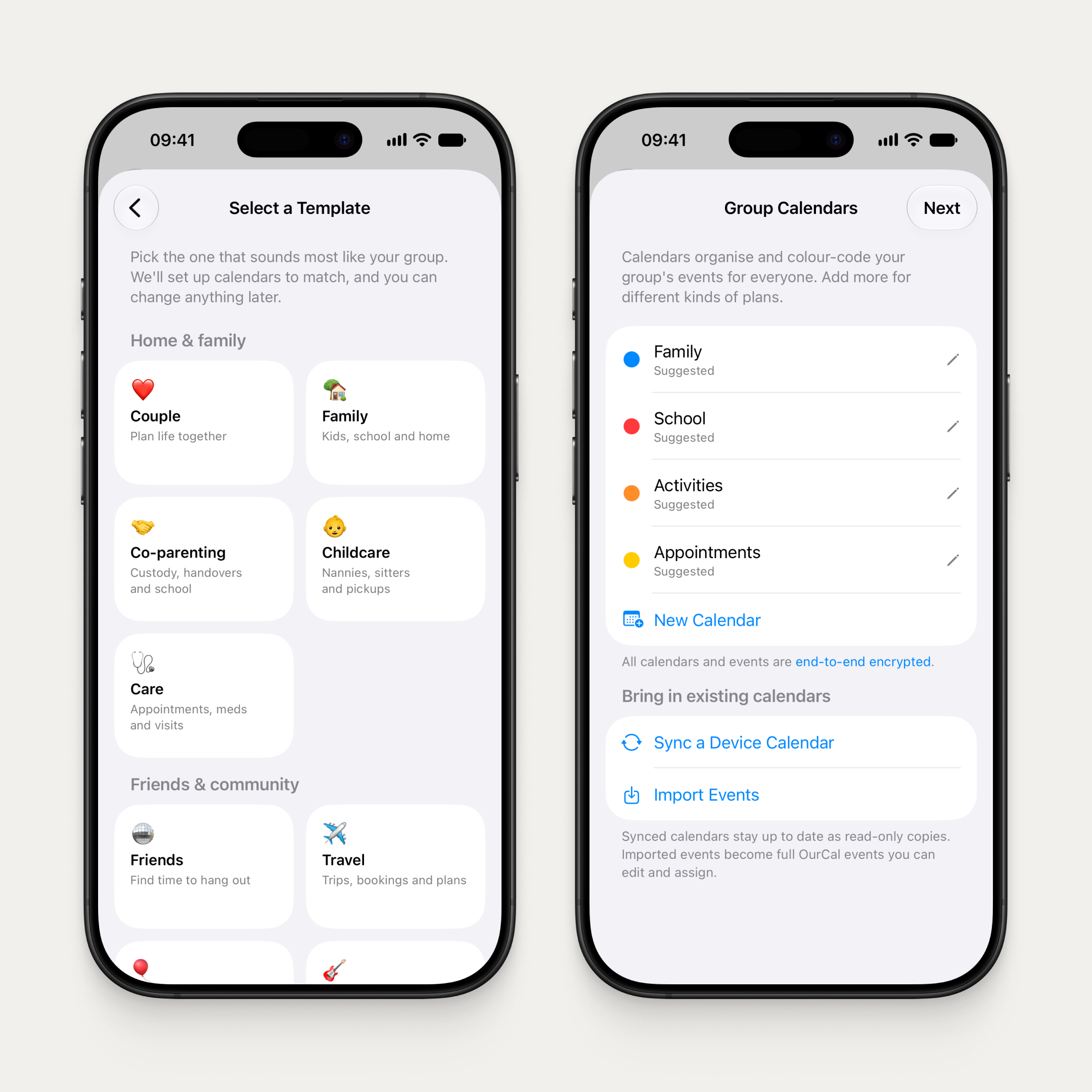
Creating a group now starts with a template: Couple, Family, Co-parenting, Friends, Travel, Work, and more. Pick the one that sounds like your group and OurCal suggests a name and sets up matching calendars — rename or recolour any of them with a tap.
A guided setup follows: review your calendars, add profiles for people who won't use the app (kids, grandparents, pets), and share your invite link. If anything interrupts you, the app picks up right where you left off.
Import events from your device
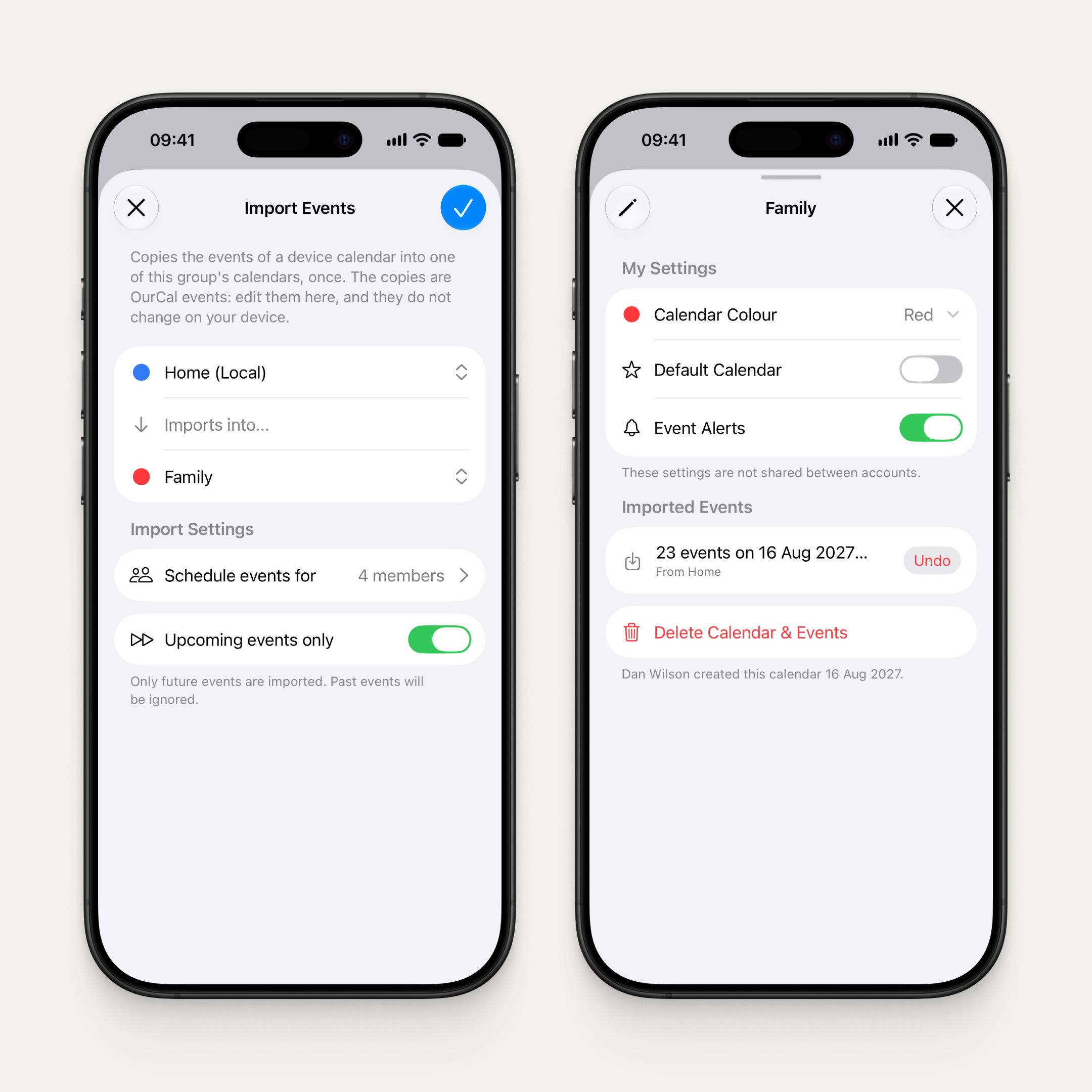
Copy the events from any device calendar into one of your group's calendars, once. The copies become OurCal events: edit them here, and they won't change on your device. Choose to import only upcoming events or everything up to 3 months back.
Each calendar's info screen shows its imports, so you can see exactly what came from where. Changed your mind? Undo removes every event the import added, including any you've edited since.
Setup checklist
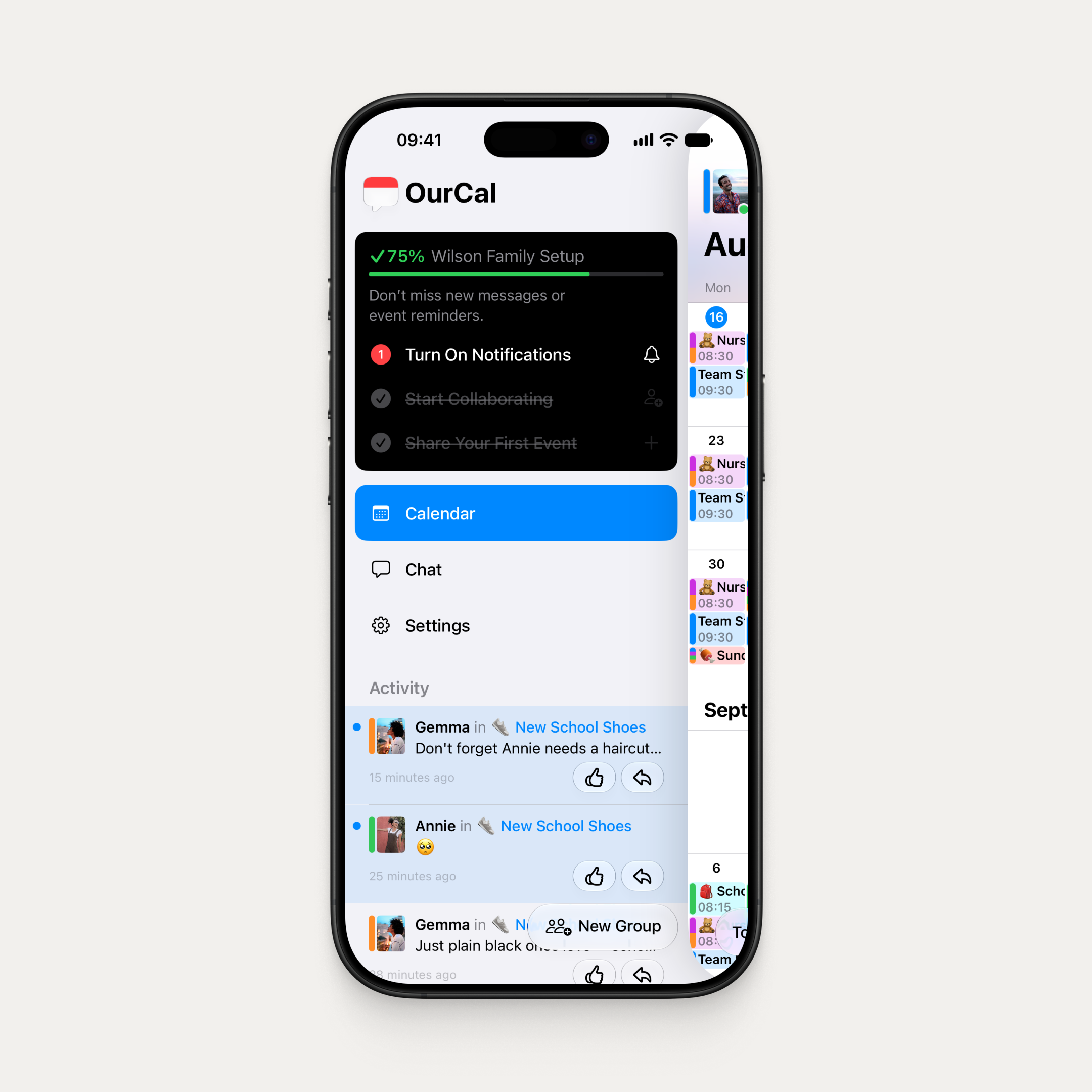
New to OurCal? A checklist now guides you through the essentials: create your first event, share it with your group, and turn on notifications. Watch it tick off as you go.
Clearer everywhere
We've rewritten copy across the app to make OurCal easier to understand at every step.
- Welcome screen is simplified to two choices: "I'm new to OurCal" and "I already have an account"
- Settings is reorganised into three clear sections, with group rows showing each group's emoji and name
- Every Settings screen now has a short explainer at the top so you always know what it does
- Sync wizards are now "Sync to Group" and "Sync to Device", so the direction is clear
- Discard confirmations now protect your work across every create and edit sheet
Clearer free trial
The Subscriptions screen now shows trial groups in their own Free Trial section — no red warnings while nothing is wrong — and the paywall says what it means: subscribe early if you like, and nothing is charged unless a member subscribes.
Better event chat notifications
A message in an event's chat now shows the sender, the event, and the message — no more “replied in”.
Fixes & Improvements
- Group chat updates read more naturally
- With several groups, each chat in the menu shows its group's name
- Clearer subscription messaging when starting another group
- Sign-in error messages are shorter and more helpful

