Beautiful new map previews
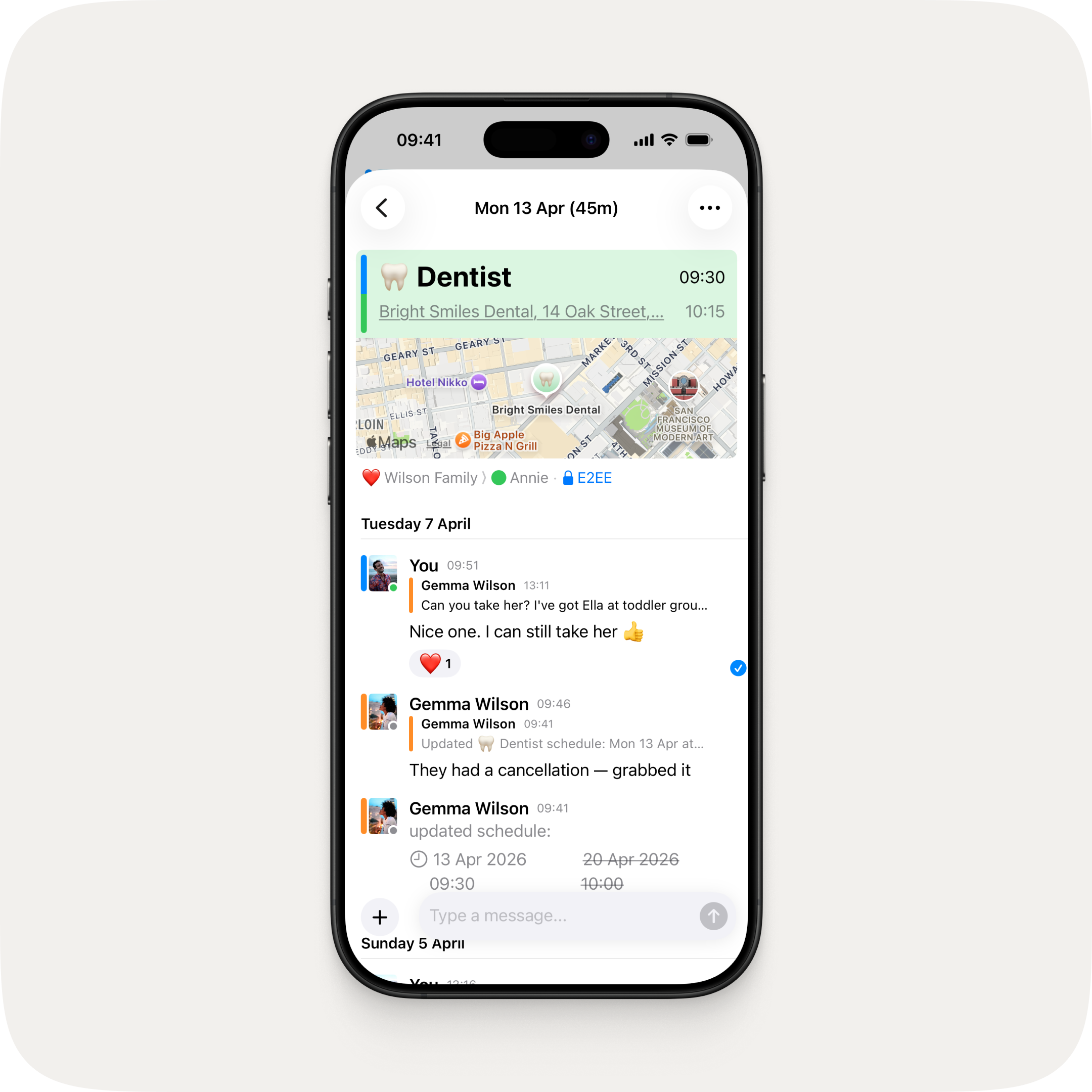
See where you're headed at a glance. Event locations now show a rich, detailed map preview right in the event screen — so you can check the spot without ever leaving OurCal.
Cancel events
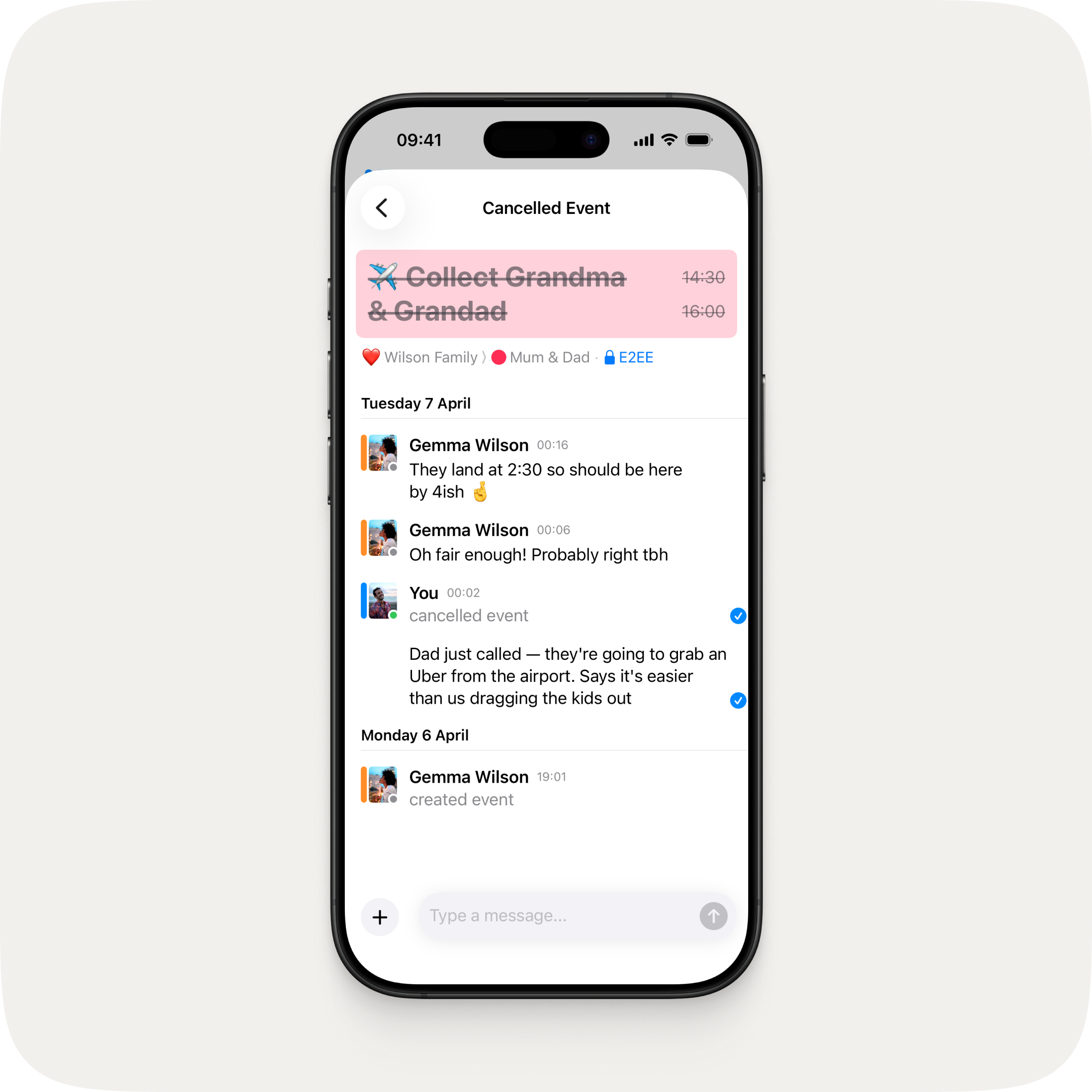
Delete is now Cancel. When you cancel an event, it's clearly marked throughout the app with its title crossed out, and the chat thread stays put so everyone can see exactly which event was cancelled and keep the conversation going. Previously, deleted events just showed as "Deleted Event" with no way to tell what was actually removed.
Now on Android too
Android catches up with recent iOS, iPadOS, and macOS features:
- Online status indicators
- Message delivery receipts and the Message Info screen
- Quote replies
- Message reactions
Fixes & Improvements
- Performance and stability improvements

