It’s vitally important that you get set up on OurCal correctly to make the most of all our features.
To help everyone do so, we’re introducing reminders that will help you complete key setup actions so that you’re set up to use OurCal confidently in your everyday life.
For example, we will encourage you to complete tasks like scheduling events and adding a login method to ensure you never lose access to your account when changing devices.
To turn these off just open Settings, tap “Notifications”, and toggle off “Setup Reminders”.
Always Know Your Event Is Deleted
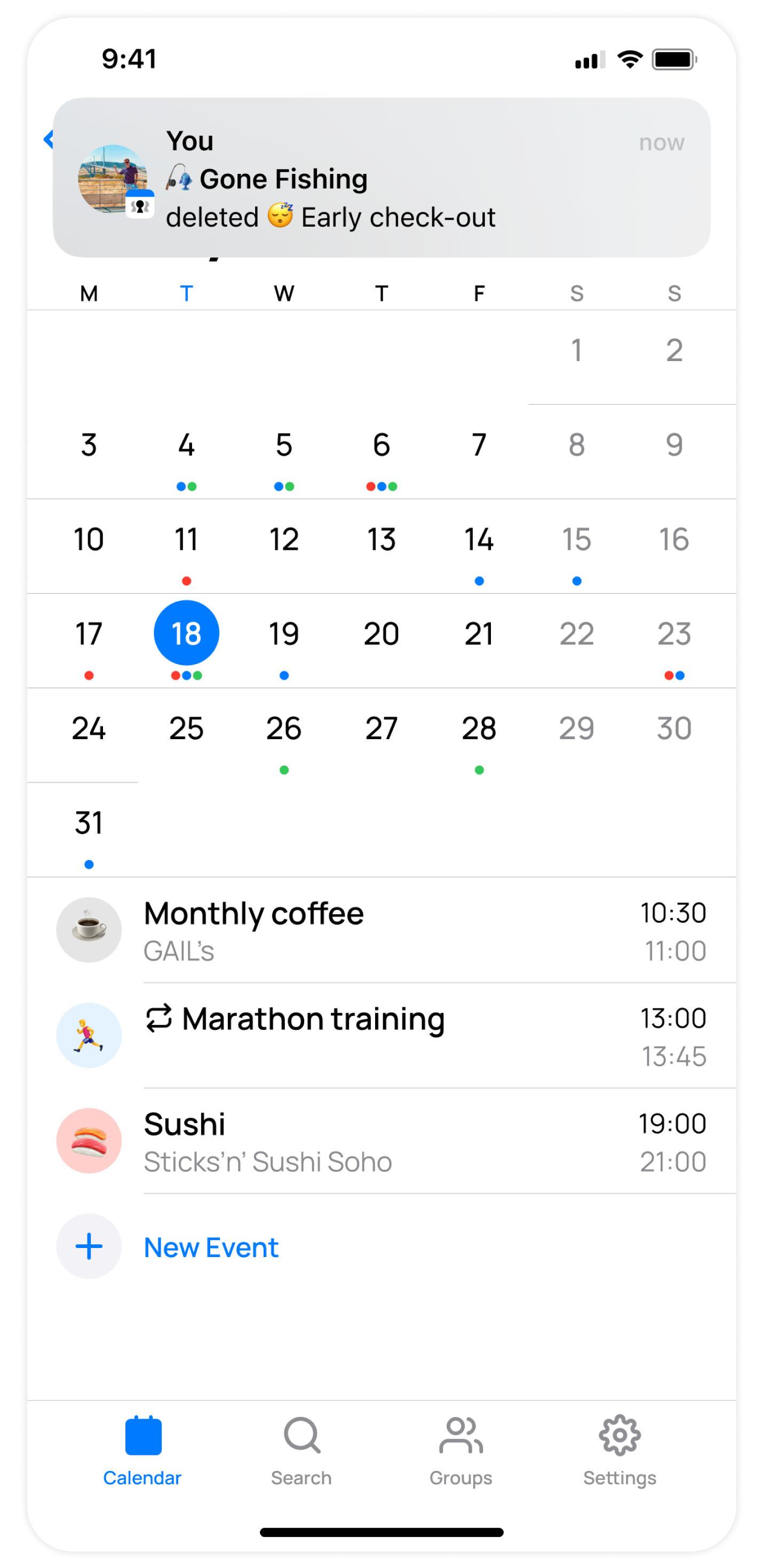
When deleting an event in the app, we confirm deletion with a notification. This notification deep links to the group, where you can discuss plans if needed.
Long Press App Icon To Give Feedback (iOS)
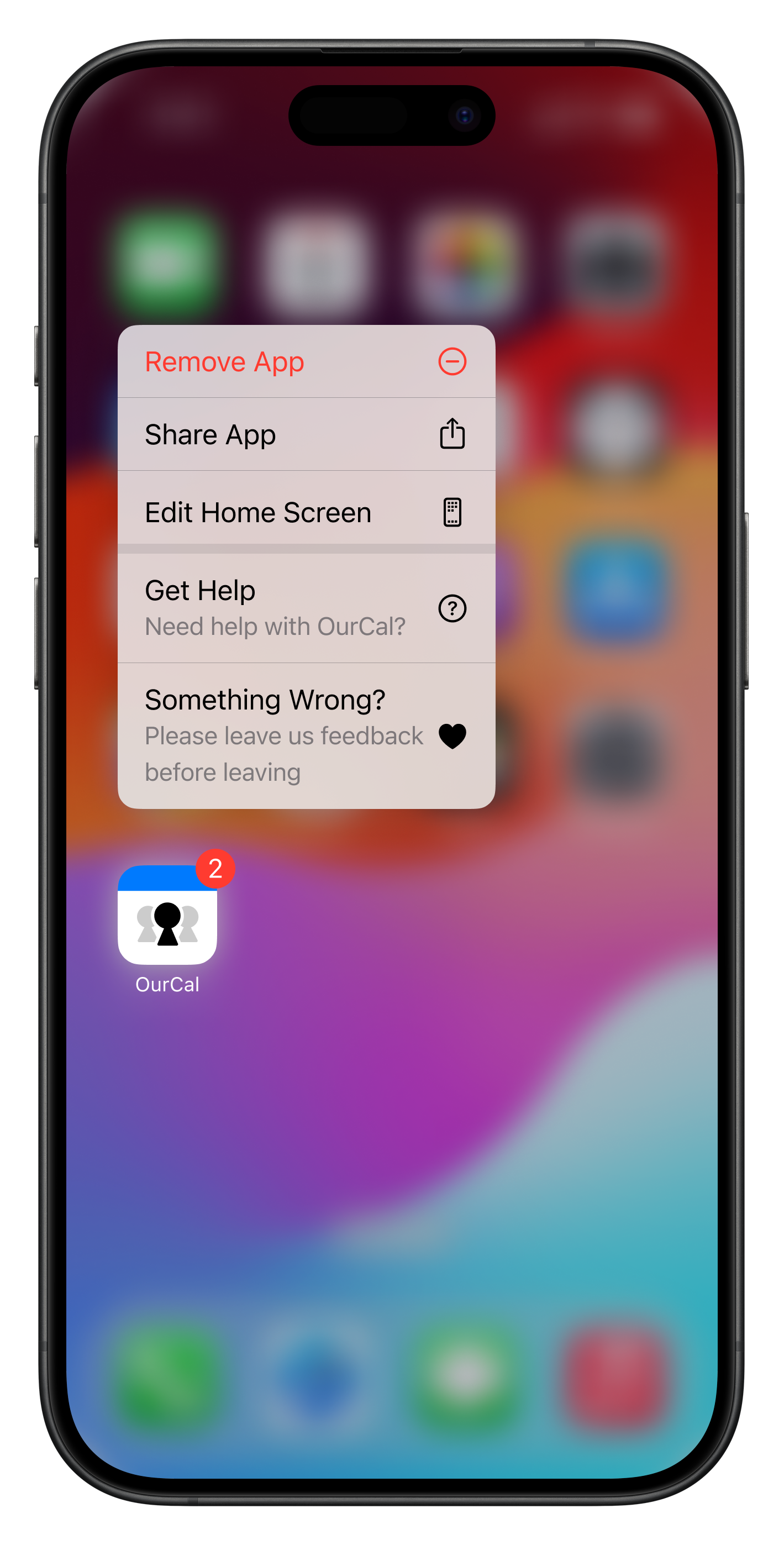
You can long press and hold the OurCal app icon to quickly reach our help centre. There, you'll find answers to frequently asked questions. If you can't find what you're looking for, you can easily contact us.
If you're considering removing the app, please take a moment to complete our feedback survey. Your input goes directly to our team, who read each response and utilise your feedback to shape future updates for OurCal.
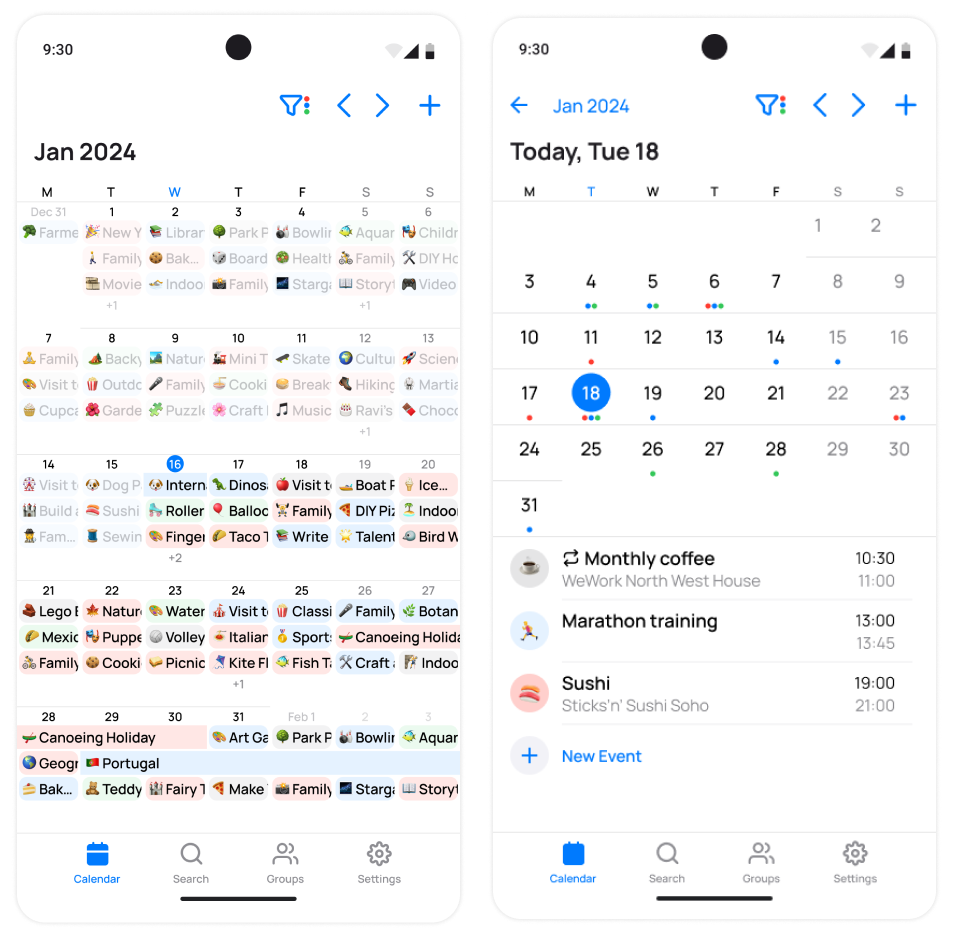
Our full-month calendar view and monthly agenda view is now available for all Android users.
In the monthly view, you can easily see all events at a glance. The events are displayed in the colour of their respective calendars alongside their chosen emoji.
Tapping any day takes you to the agenda view. Here, events are also colour-coded by their calendar and you can tap any day in the month. Tapping on any event in the day view takes you into the Event Thread where you can discuss details with your group.
Filtering your calendar, moving between months, and creating new events, remain key actions accessible in the top-right corner of both calendar view
Minor Fixes
This release contains minor fixes and improvements
Our full-month calendar view and monthly agenda view is now available for all Android users.
In the monthly view, you can easily see all events at a glance. The events are displayed in the colour of their respective calendars alongside their chosen emoji.
Tapping any day takes you to the agenda view. Here, events are also colour-coded by their calendar and you can tap any day in the month. Tapping on any event in the day view takes you into the Event Thread where you can discuss details with your group.
Filtering your calendar, moving between months, and creating new events, remain key actions accessible in the top-right corner of both calendar view
Our full-month calendar view and monthly agenda view is now available for all Android users.
In the monthly view, you can easily see all events at a glance. The events are displayed in the colour of their respective calendars alongside their chosen emoji.
Tapping any day takes you to the agenda view. Here, events are also colour-coded by their calendar and you can tap any day in the month. Tapping on any event in the day view takes you into the Event Thread where you can discuss details with your group.
Filtering your calendar, moving between months, and creating new events, remain key actions accessible in the top-right corner of both calendar view
Minor Fixes
This release contains minor fixes and improvements
Using the navigation arrows to move between months in your keyboard calendar now correctly updates the month title.
Further Improvements to Emoji Search
Choosing emojis for your events just got easier with improvements to search.
Events Default to Group Emoji
Now, the default emoji for your events will match your group's emoji. For custom calendars it will default to the custom calendar’s emoji. For member calendars it wild default to the group’s emoji.
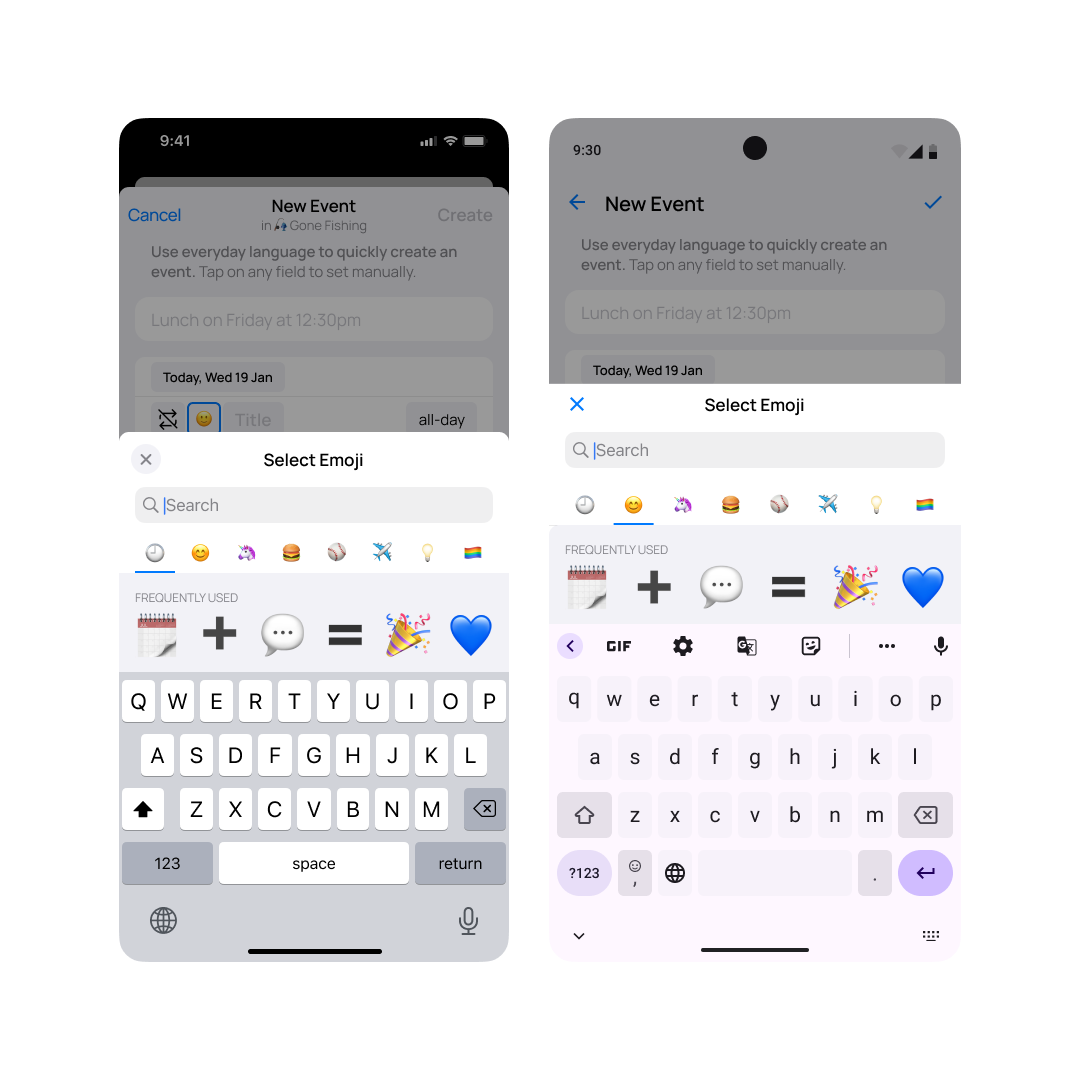
Our emoji picker for your events, calendars, and group emojis has been given a major tune up.
The search engine has been completely rewritten to make finding the emoji you're after far faster. The picker now opens at a new "Frequently Used" tab letting you quickly select frequently used emojis. And finally, it also always opens with the keyboard showing so you can quickly start searching straight away.
Emoji picking has never been so fast.
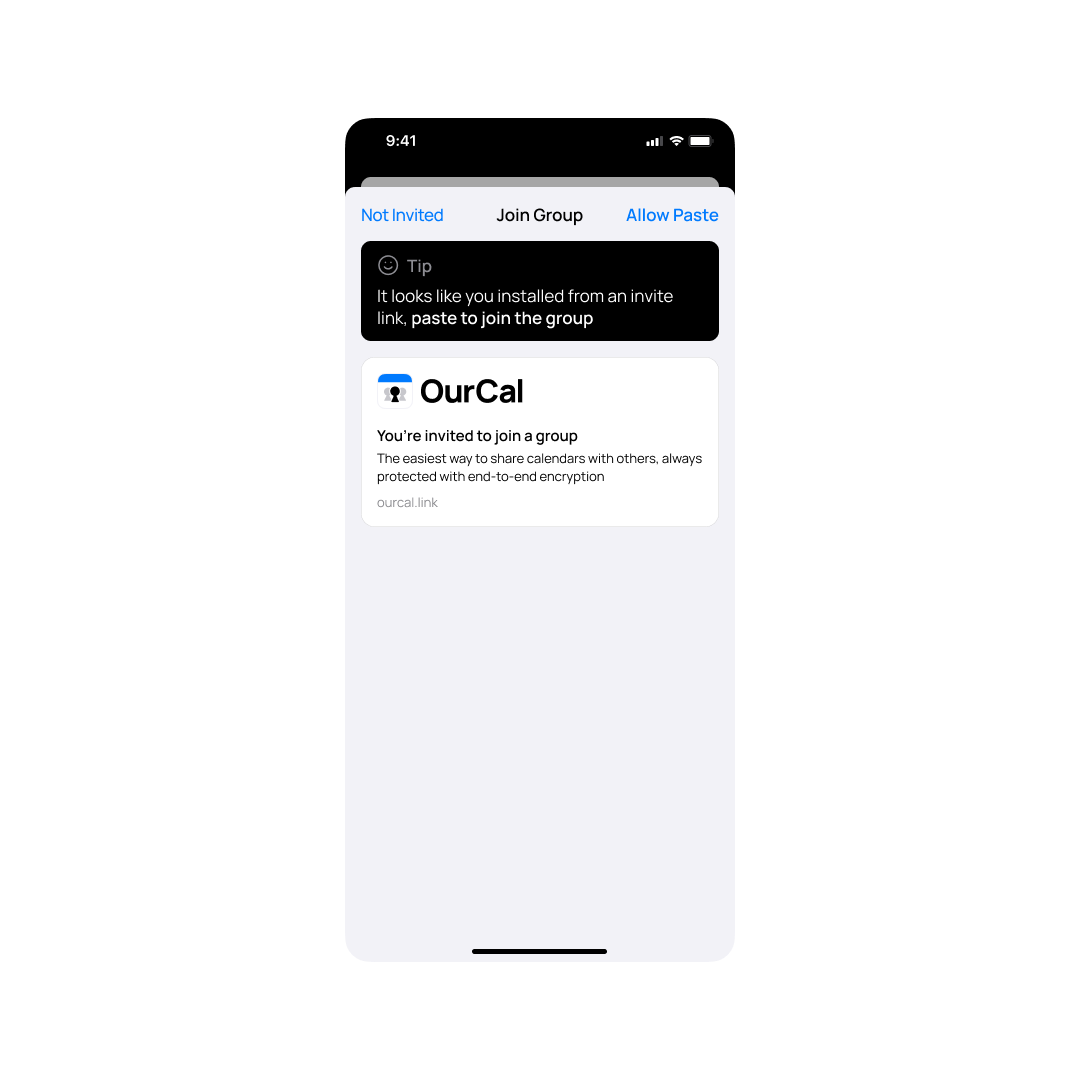
Faster install to group joins
A huge part of what makes OurCal different is how easy it is to invite friends, family, and colleagues to your groups with just a link.
We've made this even faster for new referred users by displaying a dynamic "Join Group" tutorial when they first open the app.
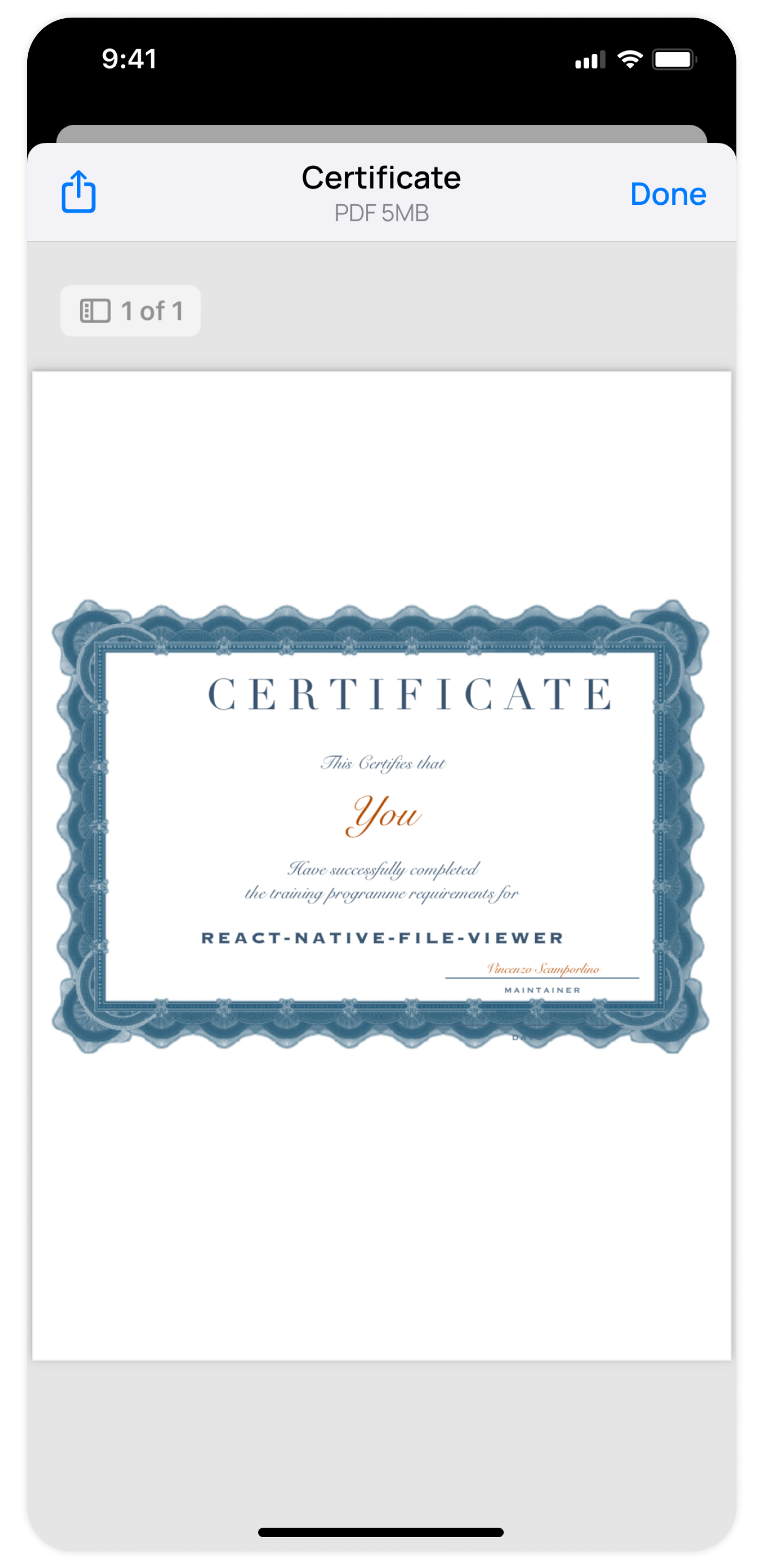
Previously, you had to open shared files in OurCal in a third party app to view them. Now, OurCal provides full file viewing in-app.
Bug fix: Event alerts adjusting to your current time zone
Previously, if you moved across time zones, in some cases your Event Alerts could display in the the old time zone times. OurCal now will correctly adjust your event alerts to match your new time zone.
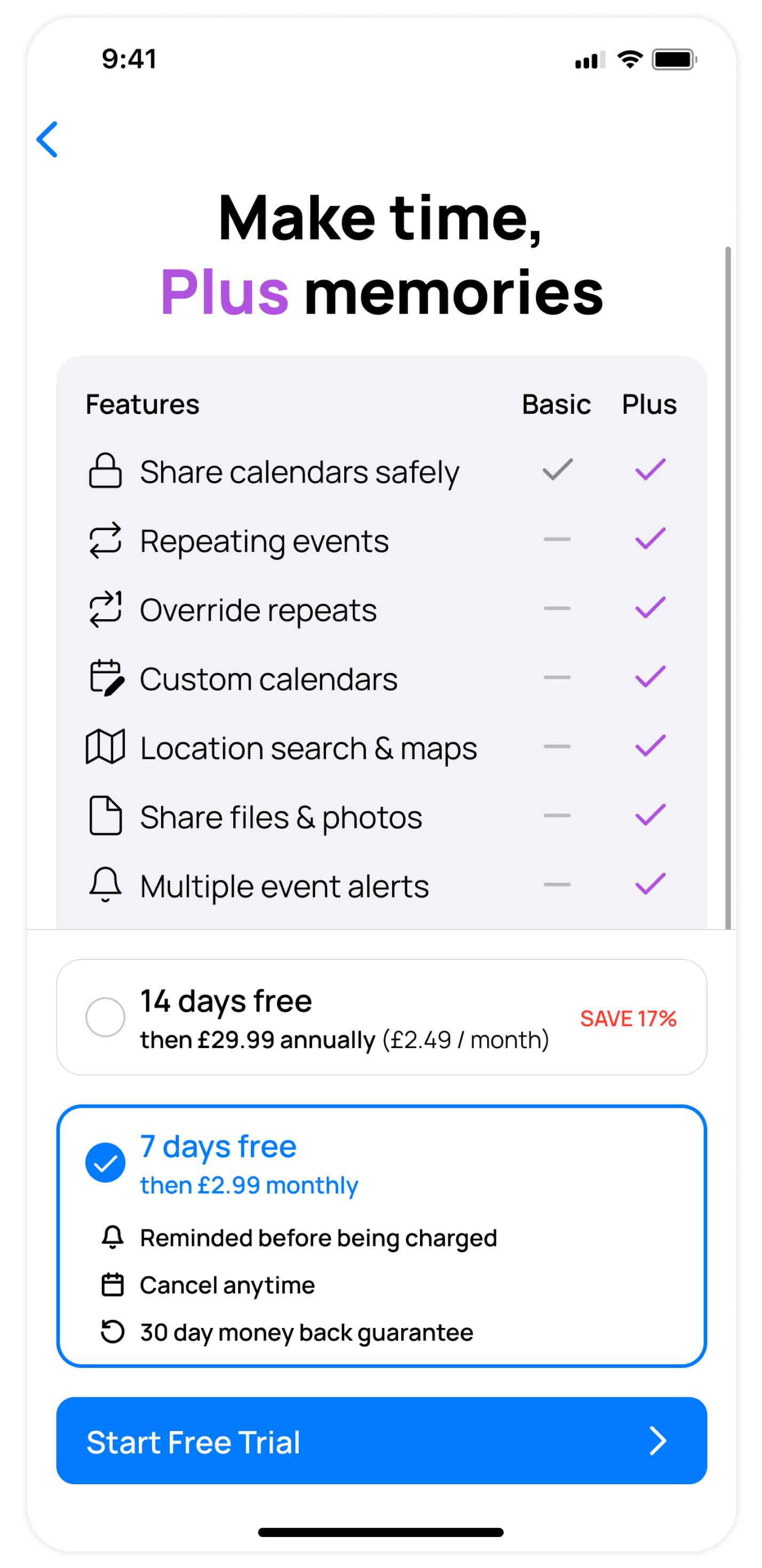
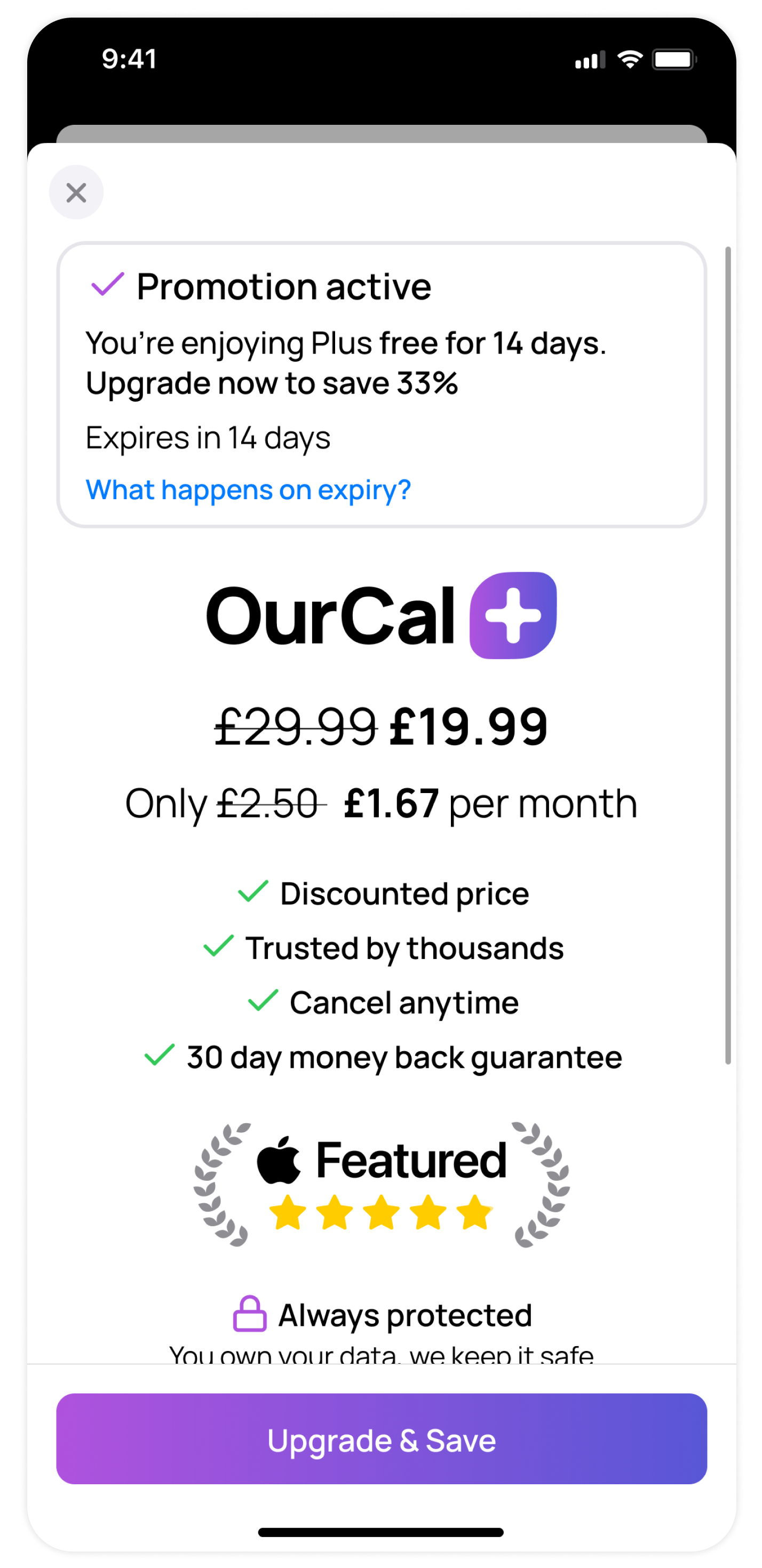
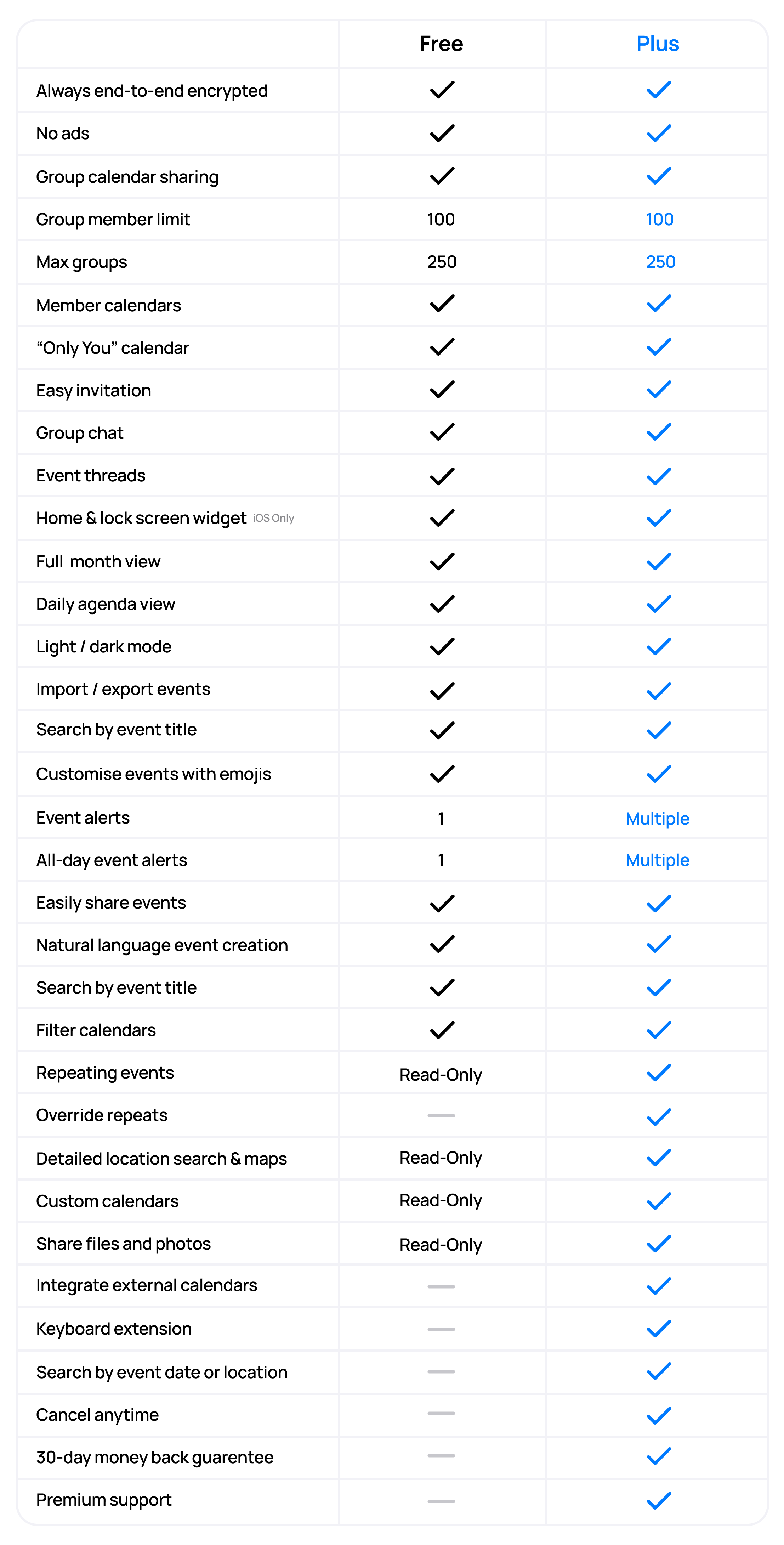
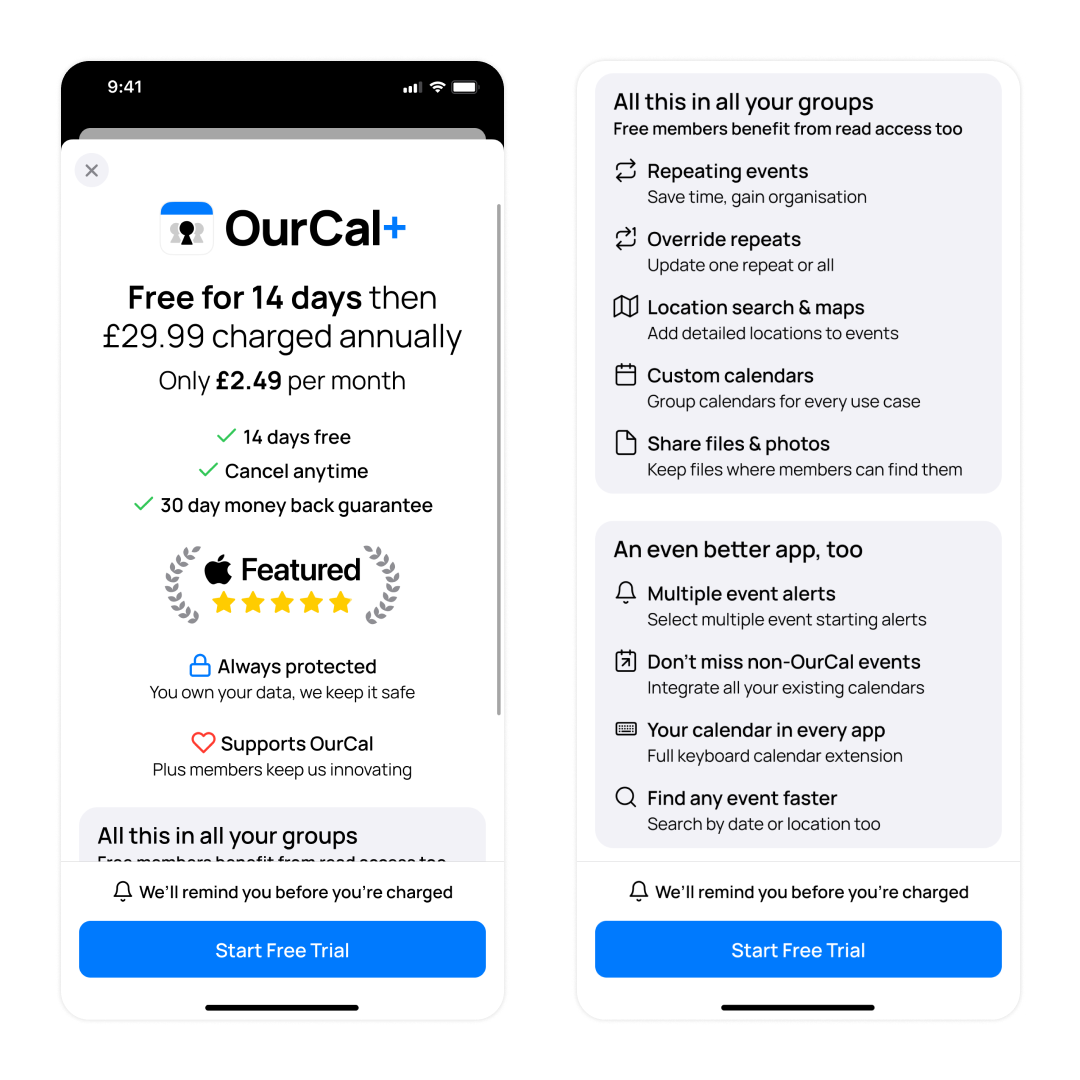
Today we’re very excited to introduce Plus, our new premium plan.
OurCal is a start-up, meaning that we are supported by funds raised from investors. Now is a responsible time for us to start generating revenue to enable us to keep innovating for many years to come. To not incorporate a premium paid offering would leave us vulnerable, in the future, to run out of funds. Plus members will keep us innovating whilst protecting every member's data forever.
For existing users:
Plus now includes some features that were previously free. As a thank you for your early support, we’ve rewarded you with a 90-day free trial, no strings attached.
Additionally, you'll receive a 33% discount when upgrading to Plus during this trial. If you choose not to upgrade, you'll automatically transition to the Free plan.
Our Free plan will always include our most popular features and be improved.
For specific pricing in your area, please see App Store or Google Play Store.
Today we’re very excited to introduce Plus, our new premium plan.
OurCal is a start-up, meaning that we are supported by funds raised from investors. Now is a responsible time for us to start generating revenue to enable us to keep innovating for many years to come. To not incorporate a premium paid offering would leave us vulnerable, in the future, to run out of funds. Plus members will keep us innovating whilst protecting every member's data forever.
For existing users:
Plus now includes some features that were previously free. As a thank you for your early support, we’ve rewarded you with a 90-day free trial, no strings attached.
Additionally, you'll receive a 33% discount when upgrading to Plus during this trial. If you choose not to upgrade, you'll automatically transition to the Free plan.
Our Free plan will always include our most popular features and be improved.
For specific pricing in your area, please see App Store or Google Play Store.