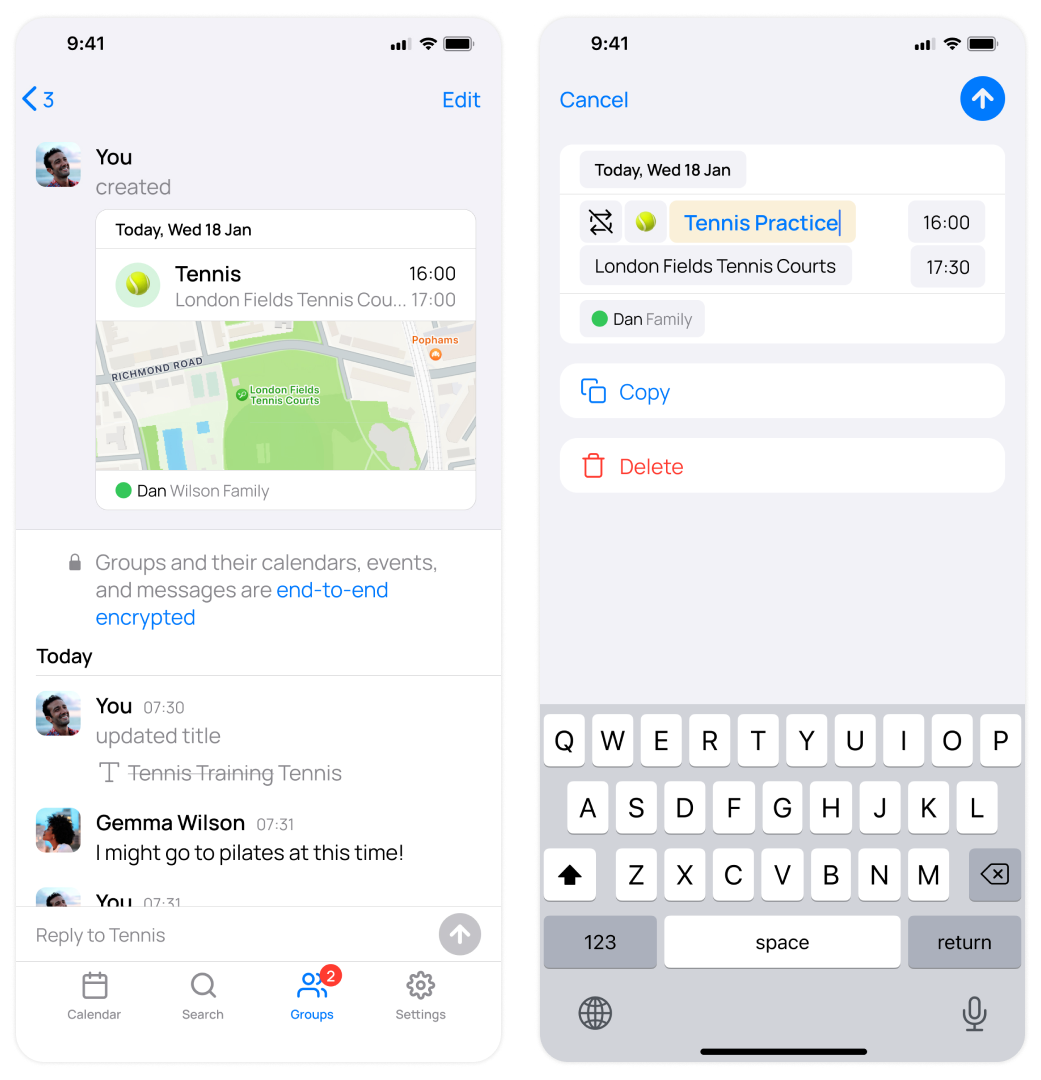
Tap Edit in the top right of any event to quickly make changes. Tap the arrow in the top right to send these to your group. We've made these UI simplifications throughout the app, including in the New Event screen.
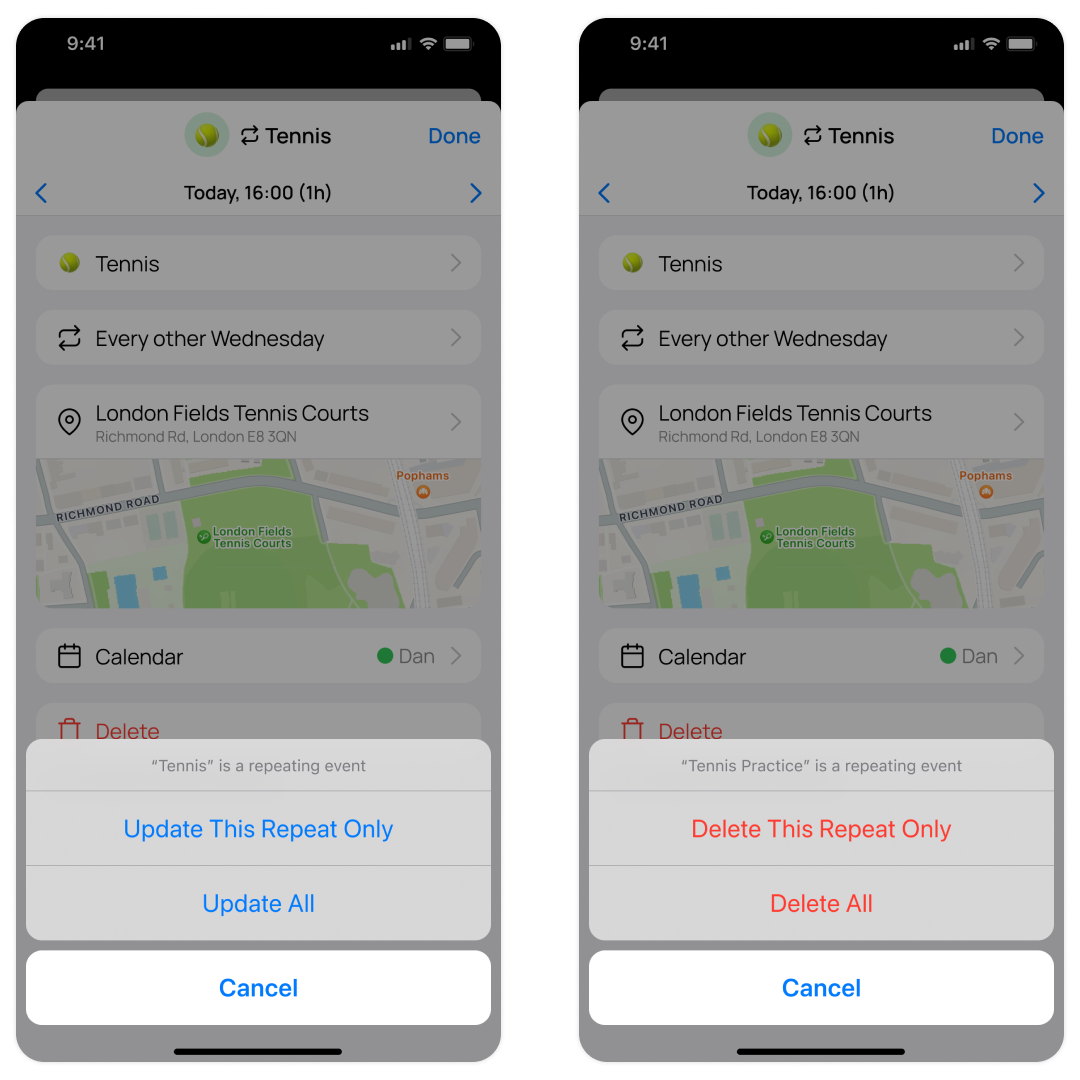
Today we're thrilled to announce that you can now update or delete one repeat of a repeating event.
This highly requested feature was months in the making and we really appreciate all of you who requested it or upvoted it on our public roadmap.
We've also made navigating between repeats more accessible from the event info screen.
Timezone Issue Fixes
Previously, editing or importing all day events that were created in a different timezone to where you are now caused them to appear incorrectly. This has now been fixed.
To make the Member Calendars feature more accessible we have improved how member calendars are visually explained when setting up a group. Now, when turned on, member calendars appear nested in the group. This is also apparent on the Group Info screen.
Tap Location Text In Event Threads To Open Maps
You can now tap any location text in an event thread to directly open it in Maps.
Share Images From OurCal Chats
Now, when opening an image in OurCal, tap the share icon in the top left to open the share screen. This will enable you to easily share the image outside the app, or download it.
This release contains necessary improvements ahead of an upcoming update that will better streamline and centralise messaging in OurCal around your groups.
OurCal is now looking and feeling sleeker after a number of fixes and improvements following our previous release.
Use OurCal With Multiple Different Groups
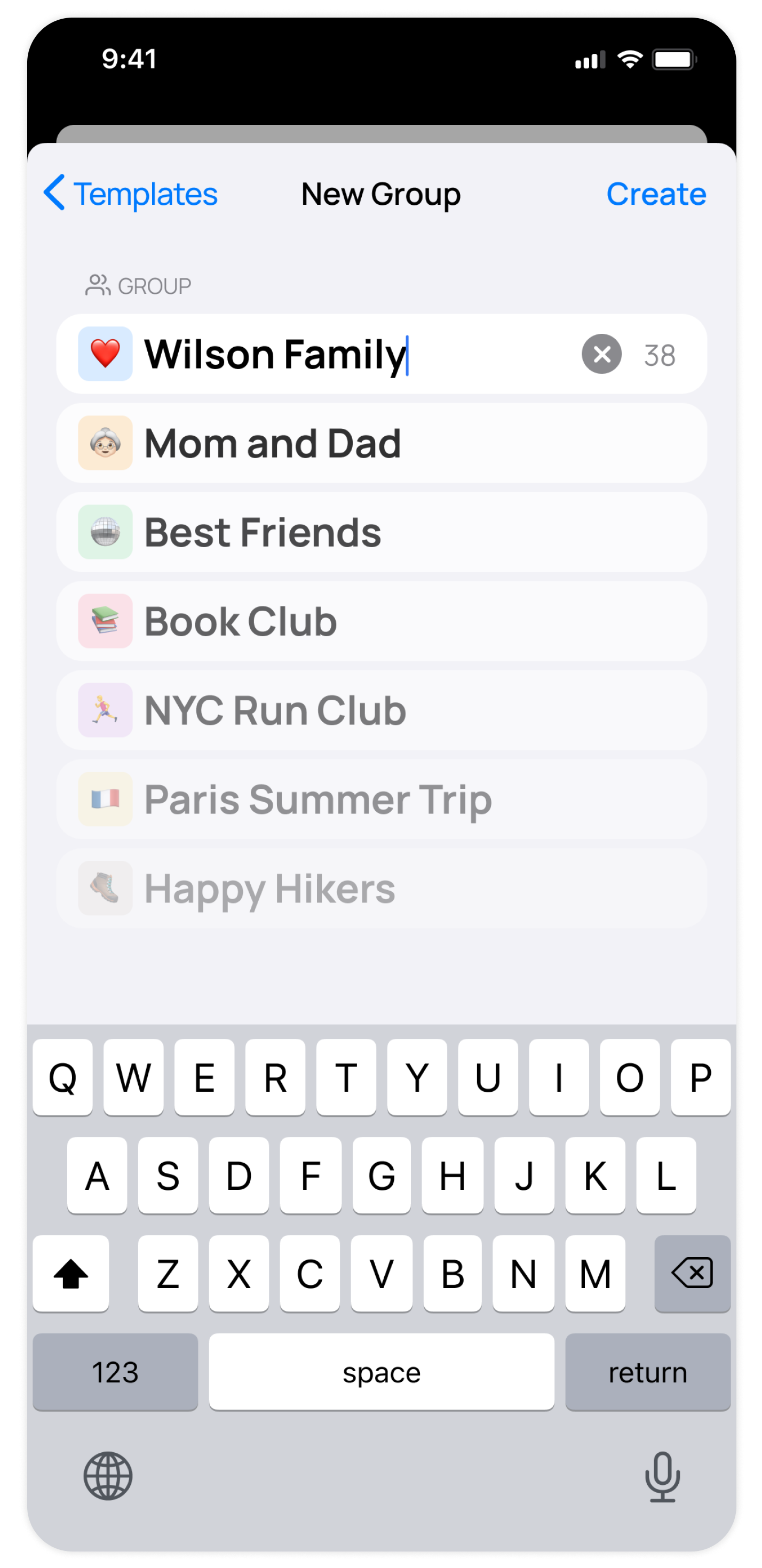
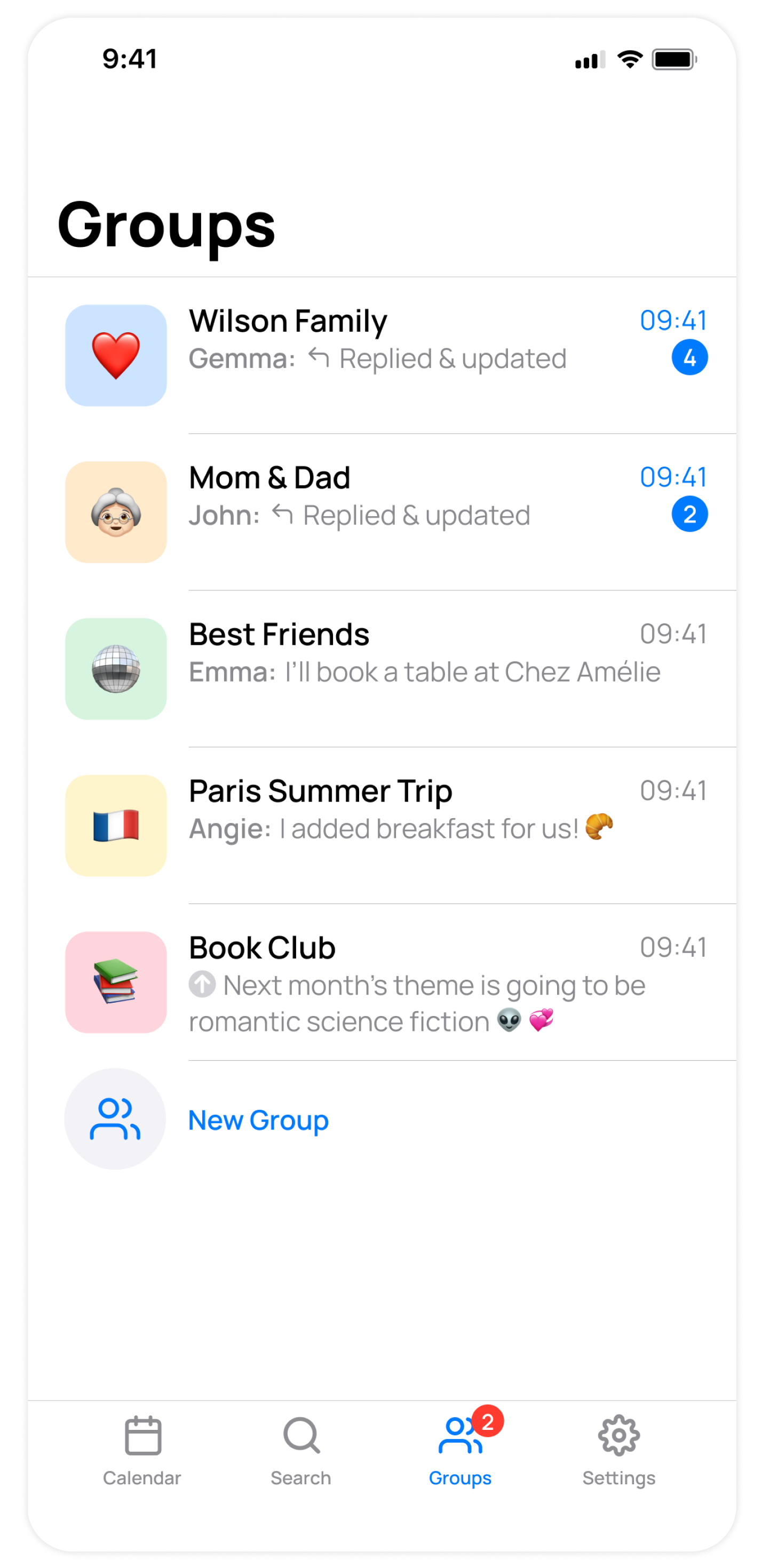
You can now create multiple groups to share separate calendars with different people in OurCal, instead of the one group limit.
This lets you share private calendars with multiple groups, from family to friends and even communities.
You can also make groups to share a calendar for one-off events like holidays, weddings, or projects.
Creating a new group is easy:
Tap "Groups" in the bottom navigation bar
Tap "New Group"
Invited members who already have OurCal will be able to join this group instantly. Those yet to download OurCal will be redirected to the app store and then guided swiftly to join.
Important Note To Existing Users
Your existing OurCal group will remain unchanged for now, but new groups will showcase advanced features due to updated technology.
In these new groups, you will have the ability to toggle members' calendars on or off.
Updates and messages will be streamlined into a single group chat.
In the future, we plan to upgrade your original OurCal group to incorporate these new features for a more streamlined experience.
Streamlined Group Chat & "Chats" Becomes "Groups"
Previously, each custom calendar had a chat. This would get very busy with multiple groups.
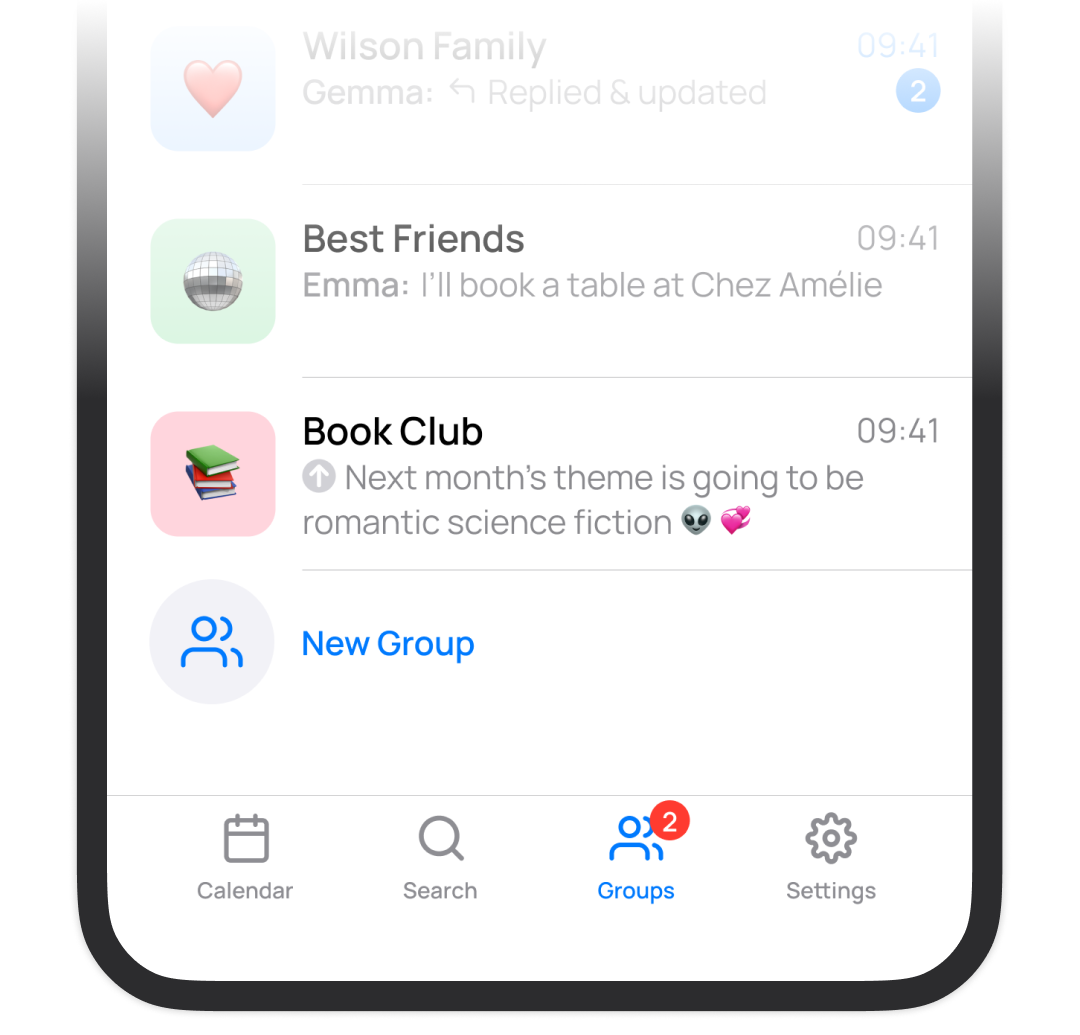
Now, we've streamlined all group updates into one group chat where you can reply either there or in an event’s own thread.
For improved communication, we've re-named the Chats tab, to the Groups tap. Also, the UI has been upgraded here to show a preview of the last message or update.
Settings has a new home
In this update, we've made the navigation simpler. Before, it was hard to find Settings. Now, Settings has its own tab, and every tab has a label.
You can now create multiple groups to share separate calendars with different people in OurCal, instead of the one group limit.
This lets you share private calendars with multiple groups, from family to friends and even communities.
You can also make groups to share a calendar for one-off events like holidays, weddings, or projects.
Creating a new group is easy:
Tap "Groups" in the bottom navigation bar
Tap "New Group"
Invited members who already have OurCal will be able to join this group instantly. Those yet to download OurCal will be redirected to the app store and then guided swiftly to join.
Important Note To Existing Users
Your existing OurCal group will remain unchanged for now, but new groups will showcase advanced features due to updated technology.
In these new groups, you will have the ability to toggle members' calendars on or off.
Updates and messages will be streamlined into a single group chat.
In the future, we plan to upgrade your original OurCal group to incorporate these new features for a more streamlined experience.
Streamlined Group Chat & "Chats" Becomes "Groups"
Previously, each custom calendar had a chat. This would get very busy with multiple groups.
Now, we've streamlined all group updates into one group chat where you can reply either there or in an event’s own thread.
For improved communication, we've re-named the Chats tab, to the Groups tap. Also, the UI has been upgraded here to show a preview of the last message or update.
Settings has a new home
In this update, we've made the navigation simpler. Before, it was hard to find Settings. Now, Settings has its own tab, and every tab has a label.
Groups joining OurCal from now on will access an upgraded version of Groups.
For these groups, all calendar updates will be streamlined into a single group chat, rather than across numerous calendar chats.
This makes it easier to keep up with numerous updates across calendars. The functionality of reading and replying to updates, and responding in the event's thread, remains the same experience.
For our existing users, don't worry, this improved functionality will be coming to you shortly.
In our previous release there was an issue that resulted in events not being imported. This has now been resolved. We apologise for any inconvenience this has caused.
In our previous release there was an issue that resulted in events occasionally being hidden in the daily agenda calendar view. This has now been resolved. We apologise for any inconvenience this has caused.